
The IRS online account login gives you direct access to your federal tax information, balances owed, payment history, transcripts, and more, without waiting on hold or mailing requests. It's become an essential tool for anyone who wants to stay on top of their tax situation from a computer or phone.
But getting into your account isn't always straightforward. The IRS uses ID.me for identity verification, which trips up plenty of people during setup. And if you're locked out or run into error messages, the fixes aren't always obvious. These frustrations can delay access to critical information when you need it most.
This guide walks you through signing in, creating a new account, and troubleshooting common problems step by step. At Tax Experts of OC, we help clients across the country navigate IRS systems and resolve tax issues, so we know exactly where people get stuck. Whether you're checking a balance or preparing to address an IRS notice, this is the starting point.
What an IRS online account lets you do
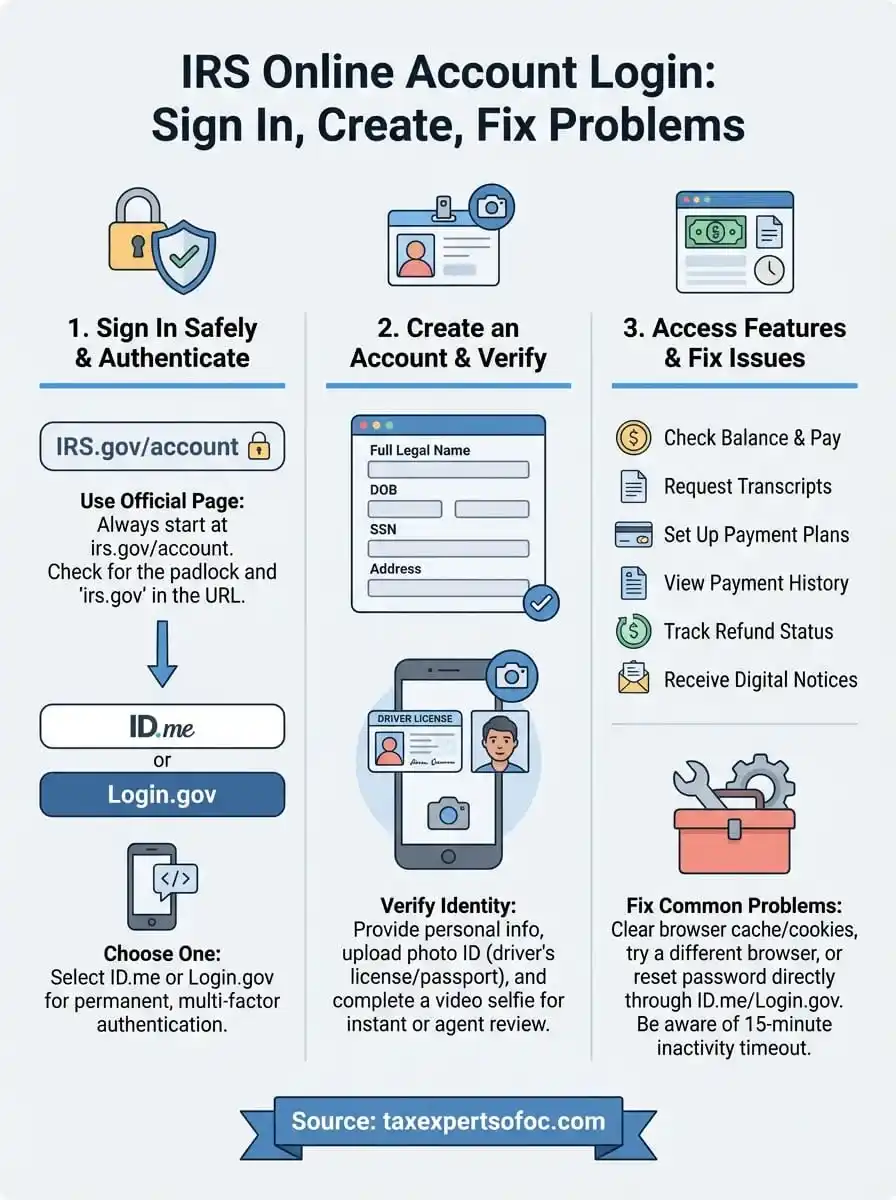
Your IRS online account gives you 24/7 access to your personal tax information without calling or visiting an IRS office. You can check your balance, view payment history, request transcripts, set up payment plans, and track refund status all in one place. This self-service portal replaces most of the tasks that used to require phone calls or mailed forms.
The IRS online account login saves you time by putting your most important tax records at your fingertips.
Core features you can access
Once you log in, you can handle these tasks immediately:
- View your tax balance for the current year and previous years
- Make payments directly to the IRS using bank account or debit card
- Request tax transcripts for mortgage applications, student aid, or loan verification
- Set up payment plans for amounts you owe
- Access tax records going back several years
- View your payment history to confirm what you've paid and when
- Check refund status for recently filed returns
- Receive and respond to IRS notices electronically instead of by mail
The account shows everything tied to your Social Security number. You'll see estimated tax payments, withholding amounts, and credits applied to your account. This visibility helps you spot errors or address issues before they turn into larger problems.
Your account also stores digital copies of IRS notices, so you won't lose important letters or miss deadlines. When the IRS makes changes to your return, you can review them immediately instead of waiting for mail delivery. The system updates regularly to reflect new payments, refunds issued, and balance adjustments as they happen.
Step 1. Use the official IRS login page safely
The official IRS online account login page is located at irs.gov/account. You should always type this address directly into your browser or use a bookmark instead of clicking links from emails or search results. Scammers create fake IRS login pages to steal your credentials and personal information, so starting from the right URL protects you from the start.
Check the URL before entering credentials
Before you enter any information, verify the web address shows "irs.gov" in the domain. The connection should display a padlock icon in your browser's address bar, indicating a secure HTTPS connection. Fake sites often use similar-looking domains like "irs-account.com" or "myirsaccount.net" to trick users into thinking they're on the official site.
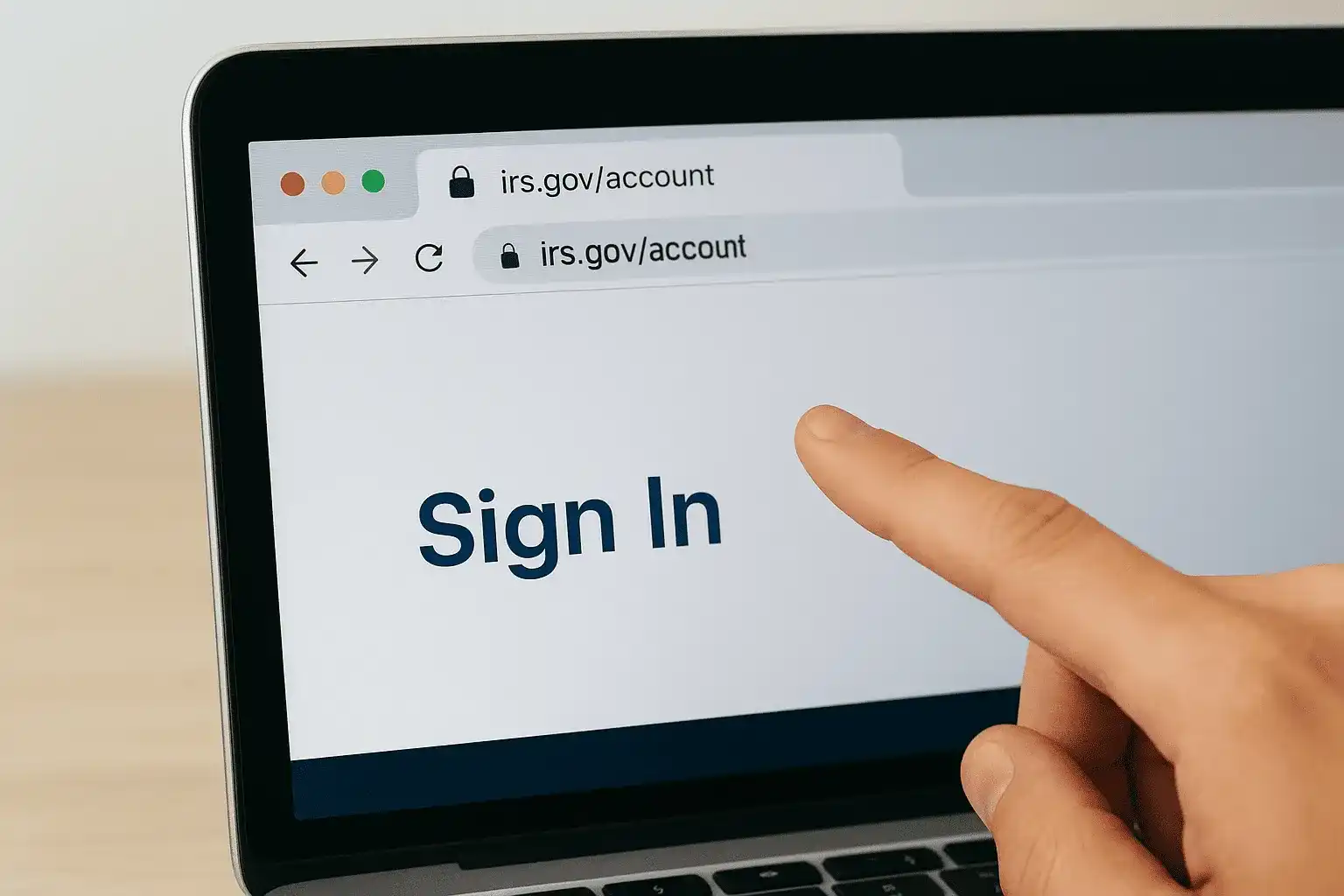
Always verify you're on the real IRS website before entering personal information or login credentials.
You can also reach the login page by going to IRS.gov and clicking the "Sign in to your account" link at the top right of the homepage. This method ensures you start from the official site. The IRS will never email you asking to log in or send unsolicited messages with login links. If you receive such emails, delete them immediately without clicking any links or attachments.
Step 2. Sign in with ID.me or Login.gov
The IRS requires you to sign in using either ID.me or Login.gov, two third-party identity verification services. You'll choose one during your first IRS online account login, and that becomes your permanent login method. Both platforms use multi-factor authentication to confirm your identity before granting access to your tax information.
Choose your authentication provider
When you reach the IRS login page, you'll see two buttons: one for ID.me and one for Login.gov. If you already have an account with either service from another government site, use that one. Otherwise, pick whichever option you prefer. Both work the same way for IRS access, and most users choose ID.me because it's more widely used across federal and state agencies.
Your choice between ID.me and Login.gov is permanent for your IRS account, so select the one you'll remember.
Enter your credentials and verify
After selecting your provider, enter your username and password for that service. The system will send a verification code to your phone via text message or an authenticator app. Enter this code within the time limit to complete the login process. Each time you sign in afterward, you'll need to provide this second verification step to protect your account from unauthorized access.
Step 3. Create an account and complete verification
Creating your first IRS online account login requires you to verify your identity through ID.me or Login.gov with personal documents and a live verification process. The IRS uses strict verification standards to protect your tax information from unauthorized access. You'll need your Social Security number, a government-issued photo ID, and access to a phone or computer with a camera to complete the setup.
Provide your personal information
Start by entering your full legal name, date of birth, Social Security number, and current address exactly as they appear on your tax returns. The system matches this information against IRS records to confirm your identity. You'll also create a username and password for your chosen authentication provider, which becomes your permanent login method for accessing the IRS portal.
Make sure your personal information matches your tax records exactly, or the verification process will fail.
Complete identity verification
The verification process requires you to upload a clear photo of your driver's license or passport and complete a video selfie to match your face to the ID. This step happens immediately after you submit your basic information. The system analyzes your documents in real time, and most verifications complete within five to ten minutes. If automated verification fails, you can schedule a video call with a verification agent who will manually review your documents and confirm your identity before granting access to your account.

Step 4. Fix common IRS login and access issues
Your IRS online account login can fail for several reasons, from expired verification codes to browser compatibility problems. Most issues resolve quickly once you identify the specific error message or behavior you're experiencing. The system logs you out after 15 minutes of inactivity and requires you to restart the authentication process, so timing matters during your session.
Clear your browser cache and cookies
Login problems often stem from outdated browser data that conflicts with the current IRS system. Clear your cache and cookies for the irs.gov domain specifically, then restart your browser before attempting to sign in again. Try using a different browser like Chrome, Firefox, or Safari if the problem persists, as some older browsers lack the security features required for ID.me or Login.gov verification.
Reset your authentication provider password
If you can't remember your ID.me or Login.gov password, use the password reset link on the authentication provider's login page, not the IRS site. The IRS doesn't control these accounts directly and cannot reset credentials for you. You'll receive a reset link via email that expires within a set time period.
Reset your authentication password through ID.me or Login.gov directly, not through the IRS website.
Next steps
Your IRS online account login now gives you direct access to your tax records, payment options, and account history without waiting for IRS phone support. You can check your balance, make payments, and request transcripts whenever you need them. The account updates regularly with new information, so bookmark the official login page for quick access in the future.
If you discover unpaid balances, unfiled returns, or notices requiring a response after logging in, don't delay addressing those issues. The IRS continues adding penalties and interest while problems remain unresolved, and early action prevents wage garnishments or bank levies. Tax Experts of OC helps individuals and businesses across all 50 states resolve IRS disputes, set up payment plans, and handle complex tax situations with professional representation. Contact our CPA and Enrolled Agent team if you need expert guidance navigating your tax obligations or resolving issues you found in your account.