

Whether you're ready to start a new return or need to check on last year's refund, getting into your account starts with a successful TurboTax login. Millions of taxpayers rely on this platform each filing season, and access issues, from forgotten passwords to account lockouts, can throw off your entire timeline. This guide walks you through the exact steps to sign in, recover your credentials, and pull up prior-year returns without the runaround.
At Tax Experts of OC, we work with clients across all 50 states who file their own returns and those who need professional help sorting out what comes after. We've seen firsthand how login troubles delay refunds and create unnecessary stress during tax season. Below, you'll find straightforward instructions to get back into your TurboTax account, plus tips for viewing your tax history and troubleshooting common access problems.
What you need before you sign in
You can't complete a TurboTax login without the right information in front of you, and gathering everything ahead of time saves you from getting locked out halfway through. Most access issues stem from missing credentials or outdated browser settings, not from problems with the platform itself. Taking two minutes to verify your details now means you won't waste an hour troubleshooting later.
Your Intuit account credentials
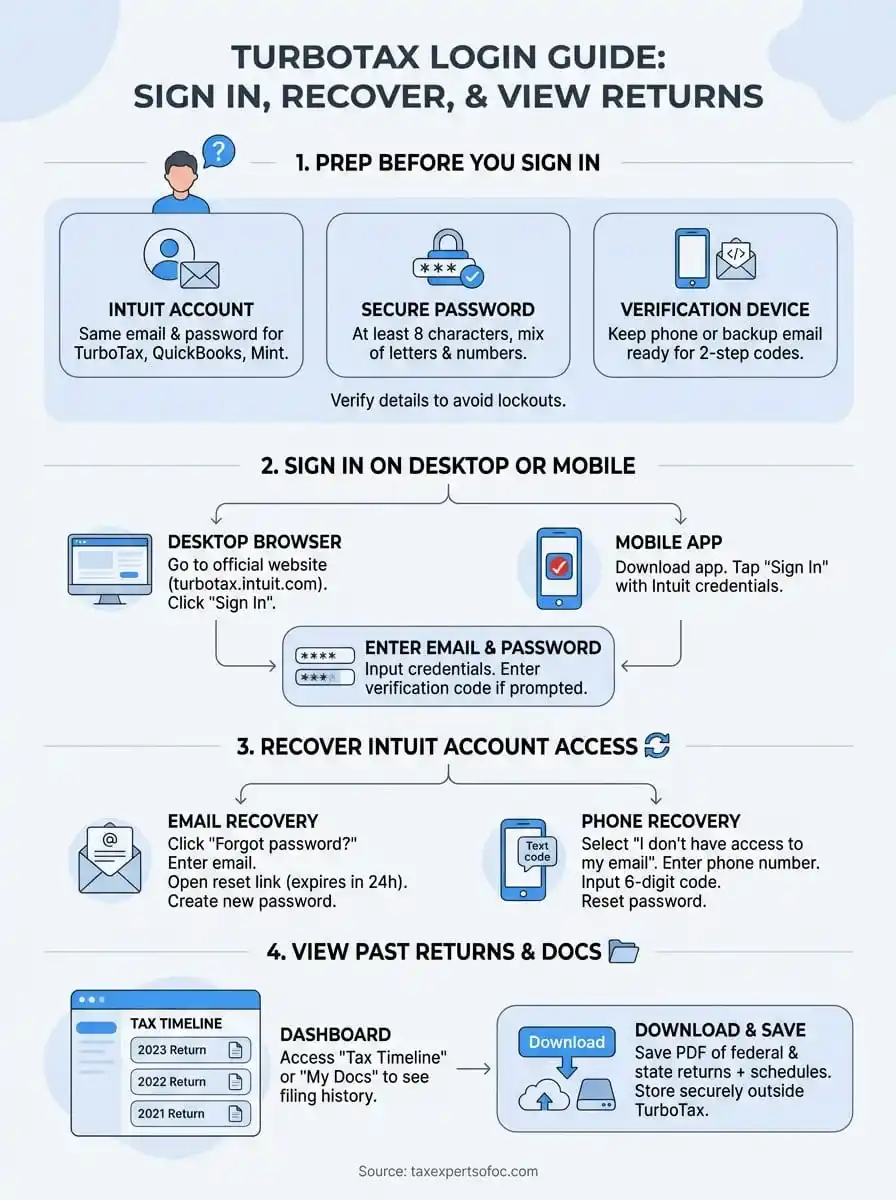
TurboTax runs on an Intuit account, which means you use the same email address and password across all Intuit products, including QuickBooks and Mint. If you've used any of those services before, you already have an account, and you'll need to enter that exact email to sign in. Check your inbox for past TurboTax receipts or password reset emails to confirm which address you originally registered with.
Your password must meet Intuit's security requirements: at least 8 characters, with a mix of letters and numbers.
Write down or retrieve your password from your password manager before you start. If you can't remember it, you'll need to reset it through the recovery process, which we cover in Step 2. Keep your phone or backup email accessible as well, because Intuit may send a verification code if you're logging in from a new device or location.
Device and browser requirements
You can log in from any modern browser, but TurboTax works best on updated versions of Chrome, Safari, Firefox, or Edge. Clear your cache and cookies if you've had trouble signing in before, because stored data from old sessions can interfere with the login page. Your device needs a stable internet connection to load your account dashboard and previous returns without timing out.
Mobile users can download the TurboTax app from the Apple App Store or Google Play Store for a streamlined experience. The app uses the same Intuit credentials as the desktop version, so you won't need separate login details.
Step 1. Sign in on desktop, mobile, or the right site
You need to go directly to the official TurboTax website or open the mobile app to complete your TurboTax login. Typing "TurboTax" into a search engine can lead you to phishing sites or outdated links, so bookmark the correct page after your first successful sign-in. The platform redirects you to the Intuit account portal regardless of which device you use, and your credentials remain the same across all access points.
Sign in from a desktop browser
Navigate to turbotax.intuit.com and click the "Sign In" button in the top right corner. Enter the email address associated with your Intuit account, then type your password on the next screen. You'll see your account dashboard within seconds if your credentials match their records.
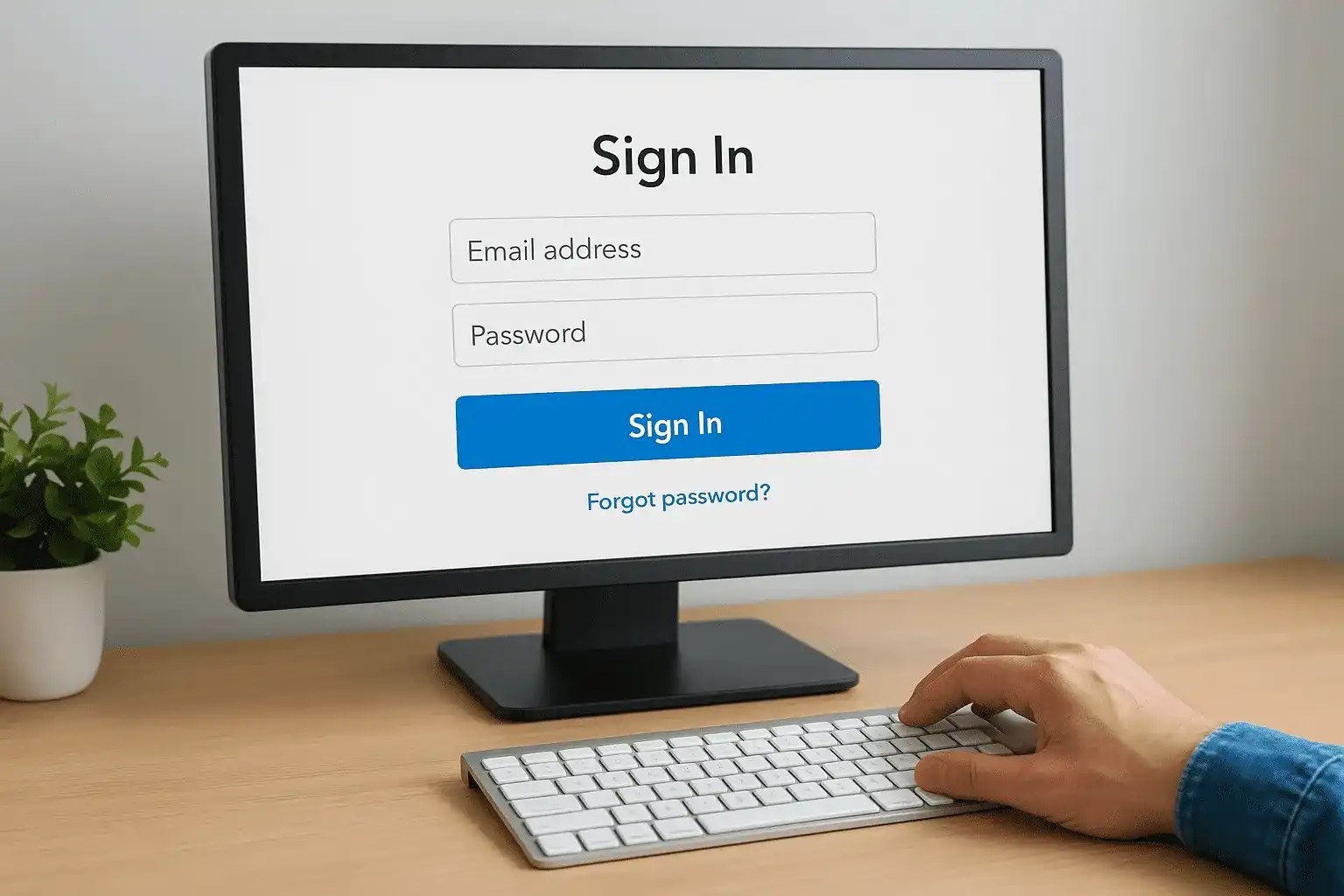
Bookmark the sign-in page after your first login to skip search engine results next time.
If Intuit detects a new device or location, you'll receive a six-digit verification code by text or email. Enter that code on the screen to complete the two-step authentication process.
Sign in through the mobile app
Download the TurboTax app from the Apple App Store or Google Play Store, then tap "Sign In" on the welcome screen. Type your registered email and password, then follow any verification prompts that appear. The app saves your login state for faster access during future sessions.
Step 2. Recover your Intuit account access
Lost credentials block your TurboTax login more often than any technical issue, but Intuit's recovery process gets you back in within minutes if you follow the prompts exactly. You need access to either your registered email address or the phone number tied to your account to verify your identity. The system won't let you reset your password without proving ownership first, so keep your phone nearby before you start the recovery process.
Reset your password through email
Click "Forgot password?" on the Intuit sign-in page, then enter the email address you used to create your account. Intuit sends a password reset link to that inbox within two minutes, and the link expires after 24 hours for security reasons.
Password reset links expire in 24 hours, so complete the process as soon as you receive the email.
Open the email and click the blue "Reset Password" button, then create a new password that meets Intuit's requirements on the next screen. Your new password must include at least 8 characters with a mix of letters and numbers. You'll be redirected to your account dashboard immediately after saving your new credentials.
Use phone verification if email access is unavailable
Select "I don't have access to my email" during the recovery process if you can't check the inbox tied to your account. Intuit sends a six-digit code to your registered phone number instead, which you'll enter on the verification screen to prove your identity before creating a new password.
Step 3. View past returns and download tax documents
After you complete your TurboTax login, your account dashboard displays every return you've filed through the platform, organized by tax year. You can pull up prior returns to check filing status, verify deductions you claimed, or download copies for loan applications and financial aid requests. The system stores your documents indefinitely, so you'll find returns from years back without requesting paper copies from the IRS.
Access your tax timeline
Click "Tax Timeline" or "My Docs" from your account dashboard to see a list of all your filed returns. Select any year to view the full return, including all schedules and forms you submitted. You can print individual pages or view the entire document as a PDF directly in your browser without downloading anything.

Your account stores every return you've filed through TurboTax, regardless of how many years ago you submitted it.
Download and save copies
Navigate to the "Download/Print" button next to any tax year to save a PDF copy to your device. The file includes your federal return, state return, and all supporting schedules in a single document. Store these copies in a secure location outside of TurboTax, such as an encrypted cloud storage service or password-protected external drive, for mortgage applications, loan verification, or audit responses.
Step 4. Fix common TurboTax login problems
Most TurboTax login failures come from browser cache conflicts or security locks after multiple failed password attempts, not from issues with the Intuit servers. You can resolve these problems in under five minutes by clearing stored data or waiting out temporary account restrictions. The platform logs you out automatically after 60 minutes of inactivity, so you'll need to sign in again if you step away during a filing session.
Clear browser data and update settings
Stored cookies from previous sessions interfere with the login process when cached credentials don't match your current password. Open your browser settings and clear browsing data from the past 24 hours, making sure to select both "Cookies" and "Cached images" before confirming. Restart your browser completely, then attempt to sign in again through a fresh window.
Clear your cache and cookies from the past 24 hours if the login page keeps reloading without accepting your credentials.
Update your browser to the latest version if you're still locked out, because outdated software blocks the security features Intuit requires for account access.
Unlock your account after failed attempts
Intuit locks your account temporarily after five consecutive incorrect password attempts to prevent unauthorized access. Wait 60 minutes before trying again, or click "Forgot password?" to reset your credentials immediately and bypass the lockout period.
Next steps
You now have the tools to complete a TurboTax login, recover lost credentials, and pull up past returns without calling customer support. These steps work for most access issues, and you can file a straightforward return through the platform if your tax situation hasn't changed since last year. Keep your account credentials stored securely so you don't have to reset your password every filing season.
TurboTax handles simple W-2 filings efficiently, but DIY software won't solve complex issues like IRS audits, unfiled returns, or tax debt. If you're facing collections, wage garnishment, or multi-year filing gaps, you need representation from a licensed professional who can negotiate directly with the IRS. Tax Experts of OC provides nationwide tax resolution services through CPAs and Enrolled Agents who handle cases TurboTax can't touch. We offer a free 30-minute consultation to review your situation and explain your options.