
California doesn't make filing state income tax California returns as simple as most people expect. Between the FTB's own rules on residency, the different forms for full-year versus part-year residents, and the free filing tools the state doesn't advertise well, it's easy to miss something or overpay. If you've ever wondered whether you even need to file, or which form applies to your situation, you're not alone.
This guide walks you through california state income tax filing step by step, starting with who's required to file based on income and residency status, and it pairs well with our broader look at how to file your state return online. You'll learn how CalFile and other free options work, which forms (540, 540 2EZ, or 540NR) fit your case, and what documents you need before you sit down to file.
We'll also cover common mistakes that trigger FTB notices and delay refunds, along with deadlines you can't afford to miss. If your filing situation involves back taxes, an audit, or unresolved IRS issues on top of your state return, that's exactly where our CPAs and Enrolled Agents at Tax Experts of OC step in to sort things out and get you compliant.
Do you need to file a California state tax return?
Most people assume they only owe California taxes if they owe the IRS, but the state runs its own separate test. The Franchise Tax Board requires a return from California residents, part-year residents, and even nonresidents who earned income from a California source, like a rental property or a job performed while physically in the state. Your obligation depends on your gross income, your adjusted gross income, your filing status, and how many dependents you claim, the same factors behind the minimum income thresholds by filing status. Skip this check and you risk a late-filing penalty even if you would have owed nothing.
Income thresholds that trigger a filing requirement
The FTB updates these numbers yearly for inflation, so always confirm current figures on the FTB filing requirements page before you skip filing. As a general guide for a single filer under 65 with no dependents in a recent tax year:
| Filing status | Gross income threshold | AGI threshold |
|---|---|---|
| Single, under 65 | $21,561 | $17,249 |
| Married filing jointly, both under 65 | $43,127 | $34,502 |
| Head of household, under 65 | $29,483 | $23,588 |
If your income sits above either threshold for your filing status, California expects a return, no exceptions for "I didn't owe anything."
Reasons to file even when you're not required
Sometimes filing makes sense even below the threshold. You might qualify for the California Earned Income Tax Credit, have California withholding sitting on a W-2 that's only refundable if you file, or need a filed return on record for a mortgage or loan application. Nonresidents who had California tax withheld from freelance or contract income should also file to claim that money back. When in doubt, run the numbers or ask a professional rather than assume you're exempt.
Step 1. Determine your residency status and filing status
Before you touch a single form, figure out which residency category fits you. California sorts filers into three buckets: full-year resident, part-year resident, and nonresident with California income. Your category decides which schedule you attach and how much of your income the state can actually tax, so getting this wrong early on cascades into every later step of filing california state income tax.
The three residency categories
Here's a quick way to place yourself:
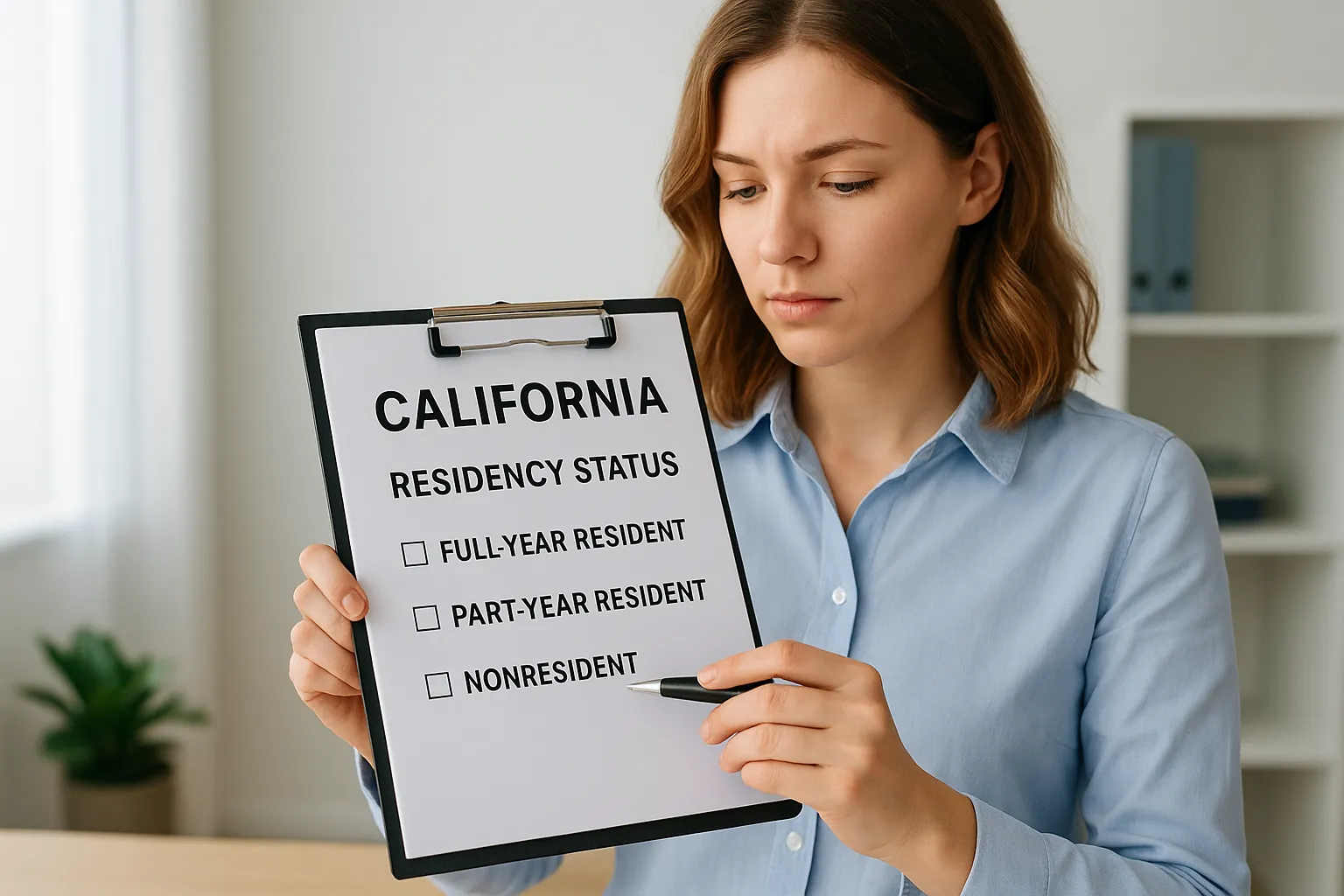
- Full-year resident: You lived in California all year, or you were domiciled here even if temporarily absent.
- Part-year resident: You moved into or out of California during the tax year.
- Nonresident: You live elsewhere but earned income from a California source, like rental property or remote work performed while physically in the state, which usually means filing returns in two states.
Your residency status, not your mailing address, decides how much of your income California can tax.
Match your residency to a filing status
Once you know your residency bucket, pick a filing status, single, married filing jointly, married filing separately, head of household, or qualifying surviving spouse. California generally mirrors your federal filing status, with narrow exceptions for registered domestic partners. Confirm both pieces line up before moving to the forms in Step 2.
Step 2. Gather your income documents and pick the right form
Once your residency status is settled, collect every income document before you open a single form. Pull together your W-2s, 1099s for freelance or investment income, mortgage interest statements, and records of any California withholding, and check the full list of documents needed for tax preparation so nothing is missing. Having these in hand prevents the back-and-forth that stalls california income tax filing and leads to missed deductions.
Which California form matches your situation
With documents ready, match your situation to the correct form. Full-year residents with simple returns often qualify for the shorter 540 2EZ, while more complex income calls for the standard 540. Part-year residents and nonresidents need the 540NR instead.
| Your situation | Form to use |
|---|---|
| Full-year resident, simple income | 540 2EZ |
| Full-year resident, itemized deductions or business income | 540 |
| Part-year resident | 540NR |
| Nonresident with CA-source income | 540NR |
Picking the wrong form doesn't just slow you down, it can misstate how much of your income California is entitled to tax.
Selecting incorrectly here often means amending later, so double-check against the FTB's form instructions before you file.
Step 3. File online for free or by mail
With your form selected, decide how you'll submit it. Most filers qualify for CalFile, the FTB's free e-file portal, and it takes far less time than assembling a paper return. Nonresidents and part-year residents can also e-file through approved software, though CalFile itself only covers full-year residents.
Free filing exists for most Californians, so paying a third-party service for a basic return often makes no sense.
Filing online through CalFile
CalFile walks you through your 540 or 540 2EZ using the numbers already on your federal return, and it flags errors before submission. To use it:
- Confirm you're a full-year resident with income under the CalFile threshold
- Create an account at ftb.ca.gov
- Enter your federal AGI and California adjustments
- Review and e-sign, then submit
Filing by mail
If you'd rather mail a paper return, print your completed form, attach W-2s and schedules, and send it to the address printed in the form instructions, which differs depending on whether you owe or expect a refund. Paper returns take significantly longer to process, so budget extra weeks before checking your refund status.
Step 4. Pay any tax owed and track your refund
Once you've filed, don't assume you're done if you owe money. The FTB charges an underpayment penalty plus interest starting the day after the April deadline, even if you filed an extension for the paperwork itself. Extensions give you more time to file, not more time to pay, so settle any balance as close to the deadline as possible to stop interest from stacking up.
An extension to file is never an extension to pay, and the FTB charges interest from the original due date regardless.
Paying what you owe
California gives you several ways to send payment, and picking the fastest one saves you money in accrued interest:
- Web Pay: free direct transfer from your bank account through the FTB website
- Credit card: accepted through a third-party processor, though a convenience fee applies
- Check or money order: mailed with a completed FTB Form 3582 voucher
- California FTB payment plan: available if you can't pay in full, though penalties still accrue on the unpaid balance
Tracking your refund
Expecting money back instead? Use the FTB's Check Your Refund tool with your Social Security number and exact refund amount. E-filed returns with direct deposit typically process within a couple of weeks, while paper returns can take two months or longer during peak season, so it helps to know how to track federal and state refunds.
Getting your California return filed right
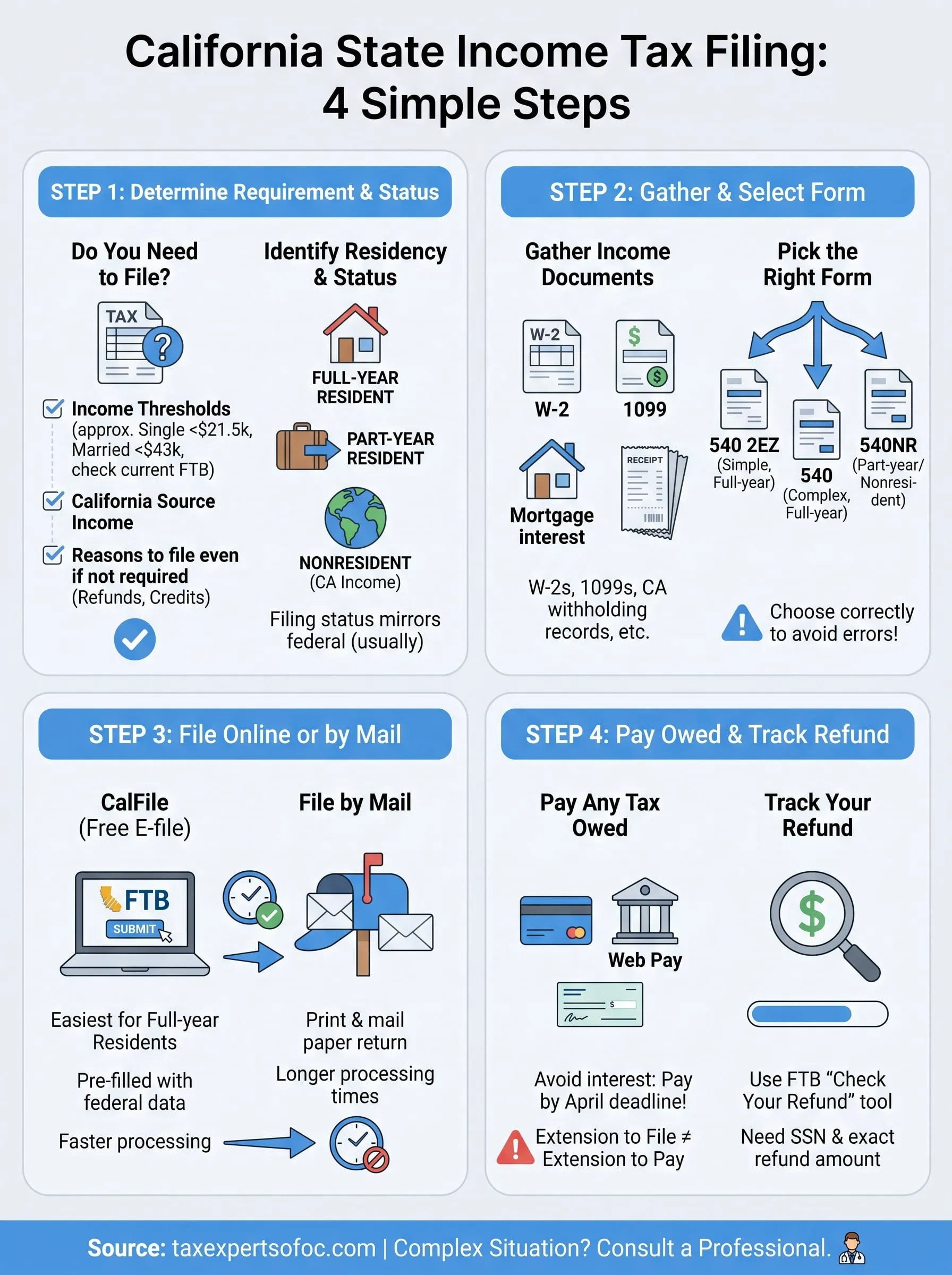
Filing california state income tax filing correctly comes down to four things: knowing whether you're required to file, picking the right residency and form combination, submitting through CalFile or mail, and paying on time to avoid interest. Skip any one of these steps and you risk a notice from the FTB that takes far more time to resolve than the return itself would have taken to get right the first time.
Most straightforward returns don't need a professional, but complexity changes that math fast. Multi-state income, back taxes, an audit letter, or unfiled prior-year returns are exactly the situations where a DIY approach turns into a bigger problem. If your California filing has gotten tangled up with any of that, don't wait for a bigger notice to show up in your mailbox. Schedule a free consultation with Tax Experts of OC for CPA-led federal and state tax filing and let a CPA or Enrolled Agent sort it out before it escalates.