

Every state runs its own tax system, and that trips up more people than you'd expect. You finish your federal return, feel done, then realize your state has separate rules, separate deadlines, and its own online portal to figure out. State income tax filing doesn't have to be the confusing second half of tax season, but you do need to know which system you're dealing with before you start typing in numbers.
This guide walks you through filing state income tax returns online, state by state, including which states offer truly free filing options through their own revenue department portals and which ones require third-party software. You'll learn how to find your state's e-file system, what documents to have ready, and how to avoid the common mistakes that trigger notices months later.
We work with clients across all 50 states at Tax Experts of OC, and multi-state filing questions come up constantly, especially for people who moved, work remotely, or run a small business in one state while living in another. If your situation is straightforward, this guide gets you filed correctly. If it's not, you'll know exactly when it's time to bring in a CPA or Enrolled Agent instead of guessing.
Do you need to file a state income tax return?
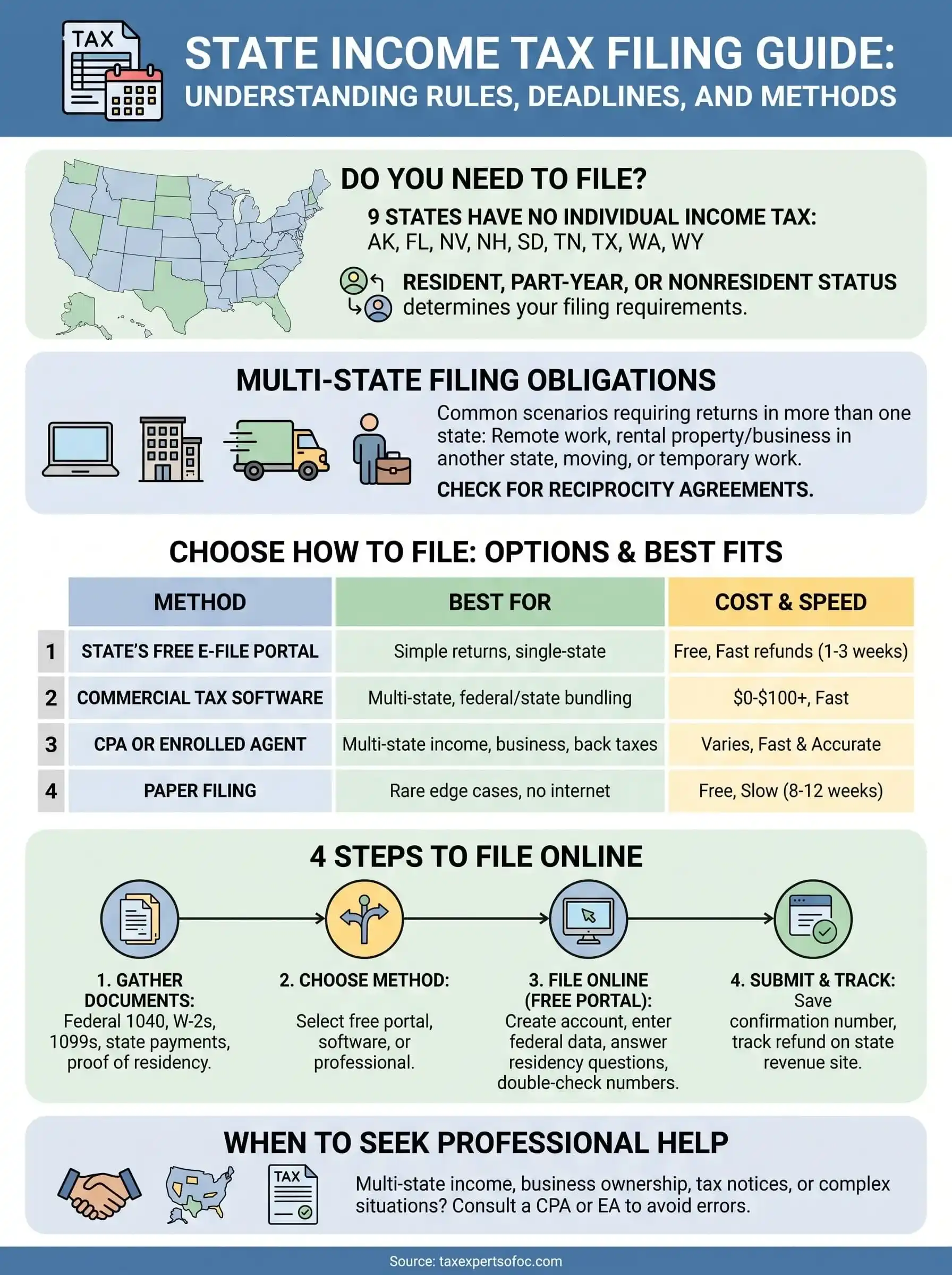
Not everyone owes a state return, and figuring that out first saves you time. Nine states currently skip individual income tax entirely: Alaska, Florida, Nevada, New Hampshire, South Dakota, Tennessee, Texas, Washington, and Wyoming. New Hampshire does tax interest and dividend income, so check that before you assume you're fully off the hook. If you live and work exclusively in one of the other 41 states plus DC, you almost certainly need to file, and the threshold for filing usually mirrors your federal filing requirement, though some states set their own income minimums.

Check your residency status first
Residency drives everything in state income tax filing. Most states classify you as a resident, part-year resident, or nonresident, and each status comes with different forms and different income to report. Moved states mid-year? You'll likely file part-year returns in both places, splitting income based on when you lived where.
Watch for multi-state obligations
Situations that commonly require filing state income tax returns in more than one state:
- You work remotely for a company based in a different state than where you live
- You own rental property or a business location outside your home state
- You moved states during the tax year
- You earned income while temporarily working in another state
If you earned money anywhere outside your home state this year, assume you owe that state a return until you've confirmed otherwise.
States with reciprocity agreements simplify some of this. Pennsylvania and New Jersey, for example, let residents pay tax only to their home state on wages earned across the border. Check your specific state pair before filing two returns you don't actually need. If your situation involves more than one state, remote work income, or a business entity, it's worth a quick consultation before you file, because getting residency wrong triggers notices that take months to untangle.
Step 1. Gather your tax documents and information
Before you open any filing portal, pull together everything that touches your income and deductions for the year. Missing a single W-2 or 1099 is the number one reason returns get filed twice, and amended state returns take far longer to process than getting it right the first time. Most states pull directly from your federal return, so having your federal return finalized first makes the state portion move much faster.
What to have on hand
Here's the checklist we hand clients before they start a state return:
- Federal return (Form 1040), completed and finalized
- W-2s from every employer, including part-year jobs
- 1099s for freelance work, investments, or retirement distributions
- Records of state estimated tax payments made during the year
- Prior year state return, for comparison and carryover items like credits
- Proof of residency changes, such as a moving date or lease
- Social Security numbers for you, your spouse, and any dependents
Your state income tax filing will only go as smoothly as your federal return did, since most states start with your federal figures and adjust from there.
Don't skip state-specific adjustments
Some income taxed federally isn't taxed at the state level, and vice versa. Municipal bond interest, certain retirement income, and specific credits vary widely by state, so check your state revenue department's instructions before assuming your federal numbers transfer over unchanged.
Step 2. Choose how to file your state return
Once your documents are in order, decide how you're actually going to submit your return. Filing state income tax online is faster and cheaper than paper filing for almost everyone, but the exact route depends on your state and how complex your return is. Some states offer their own free e-file system, others rely entirely on commercial tax software, and a handful still push paper filing for certain situations, like part-year residents with unusual income sources.
Compare your filing options
| Method | Best for | Cost | Speed |
|---|---|---|---|
| State's free e-file portal | Simple returns, single-state residents | Free | Fast, 1-3 weeks for refunds |
| Commercial tax software | Multi-state filers, federal/state bundling | $0-$100+ | Fast |
| Paper filing | Rare edge cases, no internet access | Free | Slow, 8-12 weeks |
| CPA or Enrolled Agent | Multi-state income, business ownership, back taxes | Varies | Fast, with accuracy built in |
The cheapest filing method only pays off if it actually fits your situation, otherwise you're trading a small savings now for a bigger headache later.
Match the method to your complexity
Simple W-2 income and one state? The free portal route almost always works. Once you're juggling multi-state filing, rental income, or self-employment across state lines, commercial software or a professional starts to make more sense, since the built-in checks catch residency and allocation errors that free portals won't flag.
Step 3. File online through your state's free filing portal
Most state revenue departments run their own free filing portal, and finding it takes about thirty seconds. Search "[your state] department of revenue free file" and you'll land on the official site, not a third-party tool trying to upsell you. Never trust a random search ad claiming to be your state's portal; go straight to the .gov domain listed on your state's official revenue website.

Create your account and start your return
Here's the typical flow once you're on the right site:
- Create an account or log in with your existing state tax ID credentials.
- Enter your federal AGI and other figures pulled straight from your finalized 1040.
- Answer the residency questions accurately, since this determines which forms populate.
- Add W-2 and 1099 details exactly as they appear on your documents.
- Review calculated state tax owed or refund before moving to submission.
A ten-minute mismatch between your federal and state numbers now saves you a three-month notice-response headache later.
Double-check before you submit
Most portals autofill from your federal return, but autofill isn't infallible. Compare the state's calculated AGI against your federal 1040 line by line. If you moved states, confirm the portal applied part-year dates correctly, since a wrong start date changes your entire allocation and can shortchange or overcharge what you owe.
Step 4. Submit your return and track your refund
Once you've verified every figure, submitting is the easy part. Click through the final confirmation screen, save or print your submitted return, and note the confirmation number the portal generates. That number matters more than people realize; if your state income tax filing gets flagged or delayed, the confirmation number is what support staff ask for first.
Set up refund tracking
Almost every state offers a "Where's My Refund" tool on its revenue department site, separate from the IRS one you may have already used for your federal refund. Most portals ask for three things:
- Your Social Security number
- The exact refund amount claimed
- The filing status you selected
Track your state refund separately from your federal one, since the two systems run on completely different timelines.
Refunds through free e-file portals typically land within one to three weeks if you chose direct deposit. Paper checks and paper-filed returns run closer to eight to twelve weeks, sometimes longer during peak season.
Save your confirmation and documents
Don't close the browser tab and forget about it. Download a PDF copy of your submitted return, save the confirmation email, and file both away with your other tax records for at least three years. If a notice ever arrives questioning your filing state income tax return, that paperwork is your first line of defense, and having it ready saves weeks of back-and-forth.
Staying on top of your state tax obligations
Filing your state return doesn't have to be the part of tax season that trips you up. Once you know your residency status, gather the right documents, and pick the filing method that matches your situation, state income tax filing becomes a straightforward checklist instead of a guessing game. Most people with simple, single-state income can handle it through their state's free portal in under an hour.
Where it gets messier is multi-state income, business ownership, or a notice that shows up months after you thought you were done. That's the point where guessing costs more than it saves. If your return involves more than one state, self-employment, or back taxes you're still untangling, talk to the team at Tax Experts of OC before you file. A 30-minute consultation with a CPA or Enrolled Agent can catch problems a free portal never will.