

IRS Form 8821, the Tax Information Authorization, lets you grant a third party, like a CPA or Enrolled Agent, permission to access your tax records without giving them power to act on your behalf. If you're searching for an IRS Form 8821 download, you're likely preparing to authorize a tax professional to pull transcripts, review account details, or gather the information needed to resolve a tax issue on your behalf.
Getting the form is the easy part. Filling it out correctly, with the right tax periods, designee information, and submission method, is where mistakes tend to happen. Errors on Form 8821 can delay processing and hold up time-sensitive work like audits, collections cases, or back tax filings. That's exactly the kind of situation our team at Tax Experts of OC deals with daily, representing clients nationwide through IRS resolution, tax preparation, and strategic planning.
This guide gives you a direct link to the fillable PDF, walks you through each section of the form step by step, and explains the fastest ways to submit it. Whether you're authorizing your own tax professional or working with our firm, you'll have everything you need to get Form 8821 completed and filed without unnecessary delays.
What IRS Form 8821 does and when to use it
IRS Form 8821, Tax Information Authorization, gives a designated third party the legal right to receive and inspect your confidential tax information. Unlike a power of attorney, it does not authorize that person to represent you before the IRS, negotiate on your behalf, or take any action related to your tax matters. The form opens read access to your tax records and nothing more.
Filing Form 8821 is often the first step in any tax resolution engagement because your professional needs to see your full account history before advising you on next steps.
How Form 8821 differs from Form 2848
Many taxpayers confuse Form 8821 with IRS Form 2848 (Power of Attorney and Declaration of Representative). Form 2848 grants your representative the authority to speak and act for you before the IRS, including responding to notices and negotiating settlements. Form 8821 is strictly informational; your designee can pull transcripts and review account details, but they cannot take any action on your case.
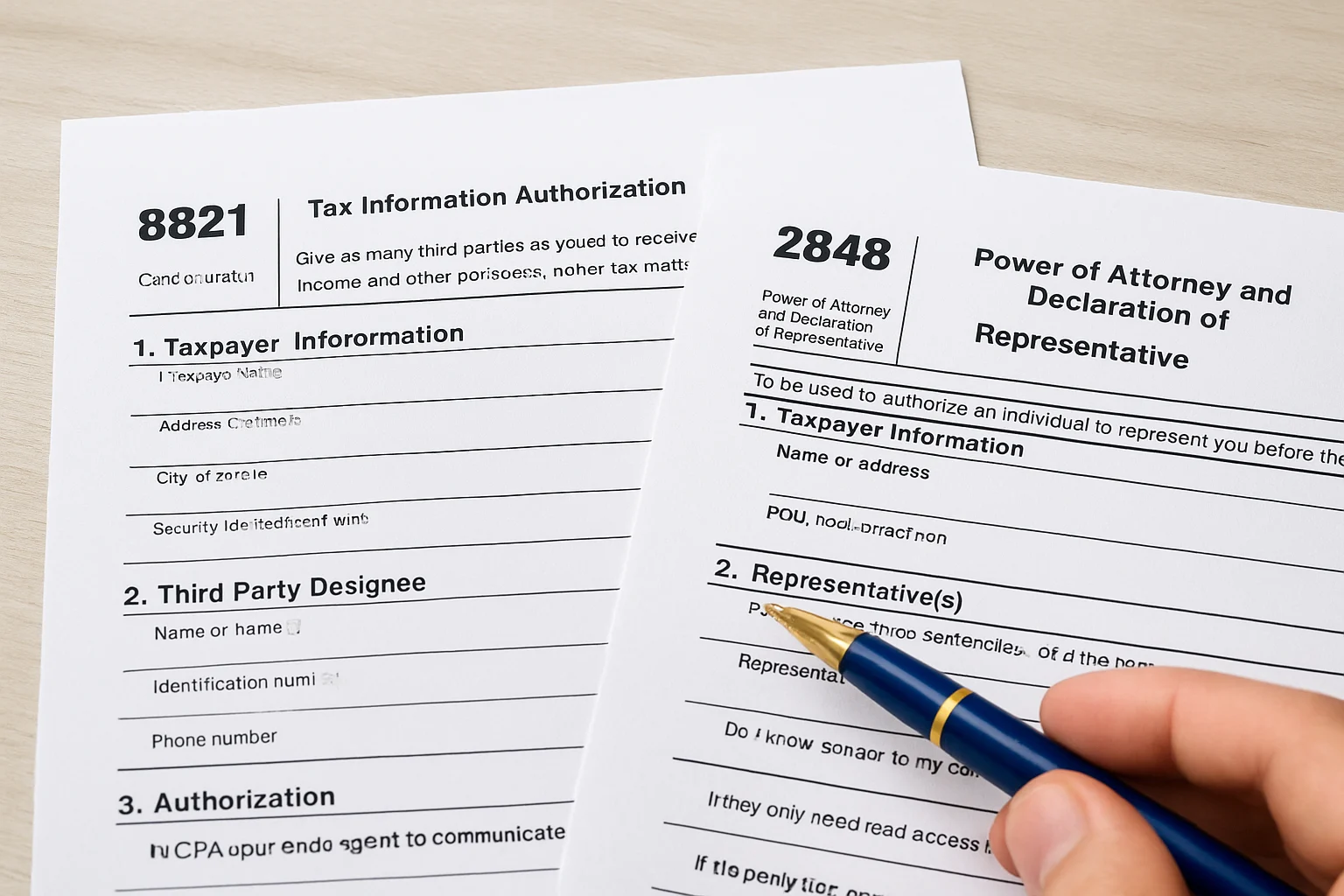
If your tax professional needs to communicate directly with the IRS on your behalf, Form 2848 is what you need. If they only need read access to your tax records, Form 8821 is the right choice.
When you actually need Form 8821
You need Form 8821 in these situations:
- A CPA or Enrolled Agent needs to pull your tax transcripts before taking on your case
- A lender or mortgage company requires third-party verification of your tax records
- A financial institution needs to confirm your income or filing history
- You are setting up a resolution case and your professional needs to review your full account standing before filing Form 2848
Completing the IRS Form 8821 download and submitting it correctly gets your designee access quickly, which matters most when you are dealing with active IRS collection activity or a pending audit deadline.
Step 1. Get the current Form 8821 and confirm details
Before you fill in a single line, you need to make sure you are working with the most recent version of the form. The IRS updates forms periodically, and submitting an outdated revision will result in rejection and delay your professional's access to your records.
Download the correct version
Your IRS Form 8821 download should always come directly from IRS.gov. The current version is a fillable PDF, which means you can type directly into the fields before printing and signing. Do not use a scanned copy or a form sourced from a third-party site, since those versions may be outdated or produce illegible results when the IRS processes them.
Always download Form 8821 directly from IRS.gov to ensure you have the current revision and a clean, machine-readable copy.
Confirm your details before you start
You need to have several key pieces of information ready before you begin completing the form. Gathering these details in advance prevents common errors that slow down IRS processing and delay your authorization.
- Full legal name as it appears on your tax returns
- Social Security Number (SSN) or Employer Identification Number (EIN)
- Tax years or periods you want covered by the authorization
- Designee's full name, address, and CAF number if already assigned
Step 2. Complete Form 8821 line by line
Form 8821 has five numbered lines, and each one must be filled out accurately for the IRS to process your authorization without delay. Open the fillable PDF from your IRS Form 8821 download and work through each line in order before printing and signing.
Line-by-line breakdown
Each line collects a specific piece of information, and accuracy on every field matters. Use the table below as a quick reference while you complete your form.

| Line | Field | What to enter |
|---|---|---|
| 1 | Taxpayer information | Your full legal name, address, SSN or EIN, and daytime phone number |
| 2 | Designee(s) | Your designee's name, address, and CAF number if one has been assigned |
| 3 | Tax information | Tax form number (e.g., 1040), type of tax, and the specific years or periods covered |
| 4 | Specific use | Check this box only if the authorization applies to a single, non-recurring matter |
| 5 | Retention/revocation | Indicate whether this authorization replaces a prior one for the same designee |
Double-check Line 3 carefully. Listing the wrong tax years or form numbers is the most common error that delays IRS processing.
You must sign and date the form after completing all five lines. An unsigned Form 8821 will be rejected outright, which resets your processing timeline entirely.
Step 3. Submit Form 8821 online, by fax, or by mail
Once you have a completed and signed form from your IRS Form 8821 download, you have three submission options. Choosing the right method depends on how quickly your designee needs access and what documentation you have available.
Online submission through the IRS Tax Pro Account
The fastest way to submit Form 8821 is through the IRS Tax Pro Account, available at IRS.gov. Your designee must also have an active Tax Pro Account to receive your authorization digitally. Online submissions are typically processed the same business day, which makes this the best option when you are dealing with urgent IRS matters like active collections or approaching audit deadlines.
Online submission through the IRS Tax Pro Account is the fastest method and avoids the delays common with fax and mail processing.
Fax or mail submission
If online submission is not available to your designee, you can fax or mail your completed form directly to the IRS. Use the address or fax number listed in the Form 8821 instructions on IRS.gov, since the correct destination depends on your state of residence.
| Method | Estimated processing time |
|---|---|
| Online (Tax Pro Account) | Same business day |
| Fax | 5 to 10 business days |
| 4 to 6 weeks |
Step 4. Change or revoke an existing authorization
Your authorization through Form 8821 does not have to be permanent. If your designee changes, your tax situation shifts, or you simply want to end a third party's access to your records, the IRS gives you a straightforward process to update or cancel the authorization at any time.
Update a designee or tax period
To add a new designee or change the covered tax periods, complete a new Form 8821 with the updated information. On Line 5, check the box indicating that this new form revokes all prior authorizations for the same tax matters and tax periods. Submit the updated form using the same methods covered in Step 3.
Submitting a new Form 8821 automatically cancels any prior authorization for the same designee and tax periods once the IRS processes it.
Revoke an authorization without filing a new form
If you want to revoke access without authorizing a new designee, you do not need another IRS Form 8821 download. Instead, write a signed letter to the IRS that includes your name, SSN or EIN, the designee's name, and a clear statement that you are revoking the authorization. Mail the letter to the same IRS address used for your original Form 8821 submission, which you can confirm in the current instructions on IRS.gov.

Next steps if you need help
You now have everything you need to complete your IRS Form 8821 download, fill it out accurately, and submit it through the fastest available method. For most people authorizing a tax professional to access their records, following the steps in this guide is enough to get it done without issues.
But if you are dealing with active IRS collections, unfiled returns, or a mounting tax debt, Form 8821 is just the starting point. Pulling your transcripts reveals the full picture, and what comes next often requires professional representation from a licensed CPA or Enrolled Agent who can negotiate directly with the IRS on your behalf.
Tax Experts of OC works with clients across all 50 states to resolve exactly these situations. If you want a clear plan for what to do after your authorization goes through, schedule your free 30-minute consultation and talk directly with a qualified professional.