
If you need someone to represent you before the IRS, whether for an audit, a collections matter, or a tax debt dispute, you'll need to file IRS Form 2848, Power of Attorney and Declaration of Representative. Finding the right IRS Form 2848 download is the easy part. Filling it out correctly and getting it accepted is where most people run into trouble.
Form 2848 authorizes a qualified professional, such as a CPA or Enrolled Agent, to act on your behalf with the IRS. A single mistake on the form, a wrong tax year, a missing checkbox, an incorrect CAF number, can delay your representation and leave you exposed during critical IRS proceedings. That's a problem when deadlines are tight and penalties are growing.
At Tax Experts of OC, our Enrolled Agents and CPAs handle Form 2848 filings regularly for clients across all 50 states. We know exactly how the IRS processes these authorizations and what causes rejections. This guide walks you through where to access the form, how to complete each section accurately, and the different ways to submit it, so you can get proper representation in place without unnecessary delays.
What Form 2848 does and when you need it
Form 2848 is the IRS's official Power of Attorney form. It gives a designated representative the legal authority to act on your behalf directly with the IRS. That representative must be a qualified professional, such as a CPA, Enrolled Agent, or tax attorney. Without this form on file, the IRS won't communicate with anyone else about your tax matters, regardless of your situation.
Without a valid Form 2848 on file, the IRS is legally prohibited from discussing your tax account with any third party, including your own accountant.
What Form 2848 authorizes
Once you file Form 2848, your representative can interact with the IRS on a broad range of activities on your behalf. The authorization covers only the specific tax years and tax types you list on the form, so it doesn't grant blanket access to your entire tax history.
Here's what a valid Form 2848 allows your representative to do:
- Receive and review confidential IRS notices and transcripts
- Correspond directly with IRS agents and collection officers
- Represent you during audits and appeals
- Negotiate installment agreements, offers in compromise, and penalty abatement requests
- Sign certain tax documents on your behalf, if you specifically authorize it
When you actually need it
You need Form 2848 any time you want a qualified professional to act on your behalf for a specific IRS matter. Common situations include audit representation, back tax resolution, collection actions such as liens or levies, and formal appeals. If you're dealing with an IRS notice that has a deadline, getting the form submitted quickly is critical.
Completing the irs form 2848 download incorrectly causes delays. Errors in tax year ranges, missing representative credentials, or wrong tax matter codes are the most common reasons the IRS rejects the form outright and returns it for correction.
Step 1. Access the correct form and get ready
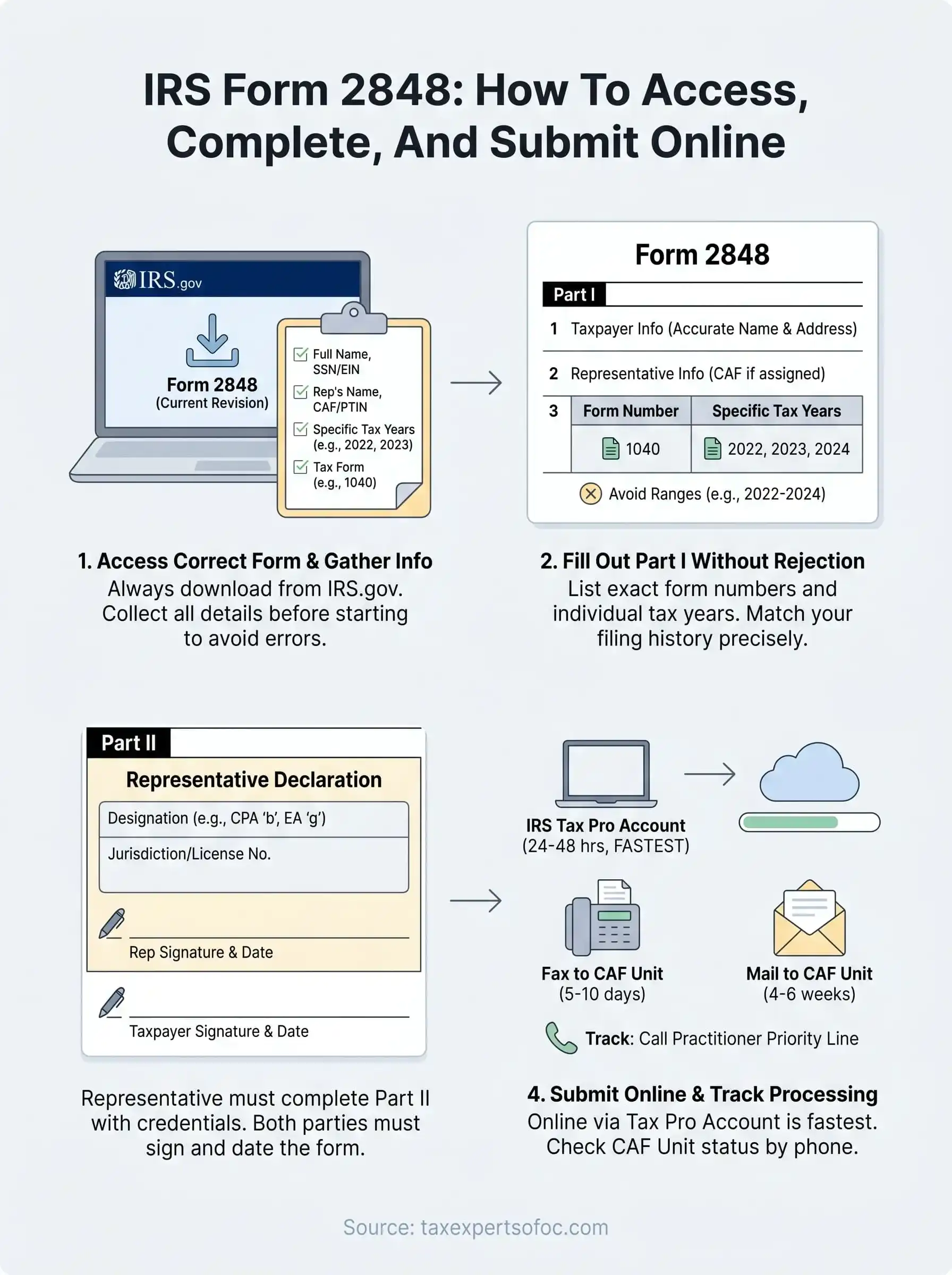
Go directly to IRS.gov for your irs form 2848 download. The IRS updates Form 2848 periodically, and using an outdated version is one of the fastest ways to get your authorization rejected before it even reaches a processor. Always pull the current revision from the official IRS website rather than relying on a saved PDF from a prior filing. The form is available as a fillable PDF, which makes it easier to type your entries clearly and reduce handwriting-related errors.
Using an outdated version of Form 2848 is one of the most common reasons the IRS rejects a power of attorney submission before it is ever reviewed.
What to gather before you start
Before you open the form, collect all required information in one place. Trying to fill it out halfway and then hunting for details increases the chance of entry errors and inconsistencies that trigger rejection.

Here's what to have ready:
- Your full legal name, address, and Social Security Number or EIN
- The representative's name, address, CAF number (if one has been assigned), and PTIN or bar number
- The specific tax years or periods you want to authorize (for example, "2022, 2023, 2024")
- The tax matter type, such as Form 1040 for individual income tax
- Any additional acts you want to authorize or limit
Step 2. Fill out Part I without triggering rejection
Part I covers taxpayer and representative information, along with the specific tax matters you're authorizing. This is where most rejections originate. The IRS processes thousands of these forms, and processors flag incomplete or inconsistent entries without contacting you first.
If the tax years or form numbers listed in Part I do not exactly match your actual filing history, the IRS will reject the Form 2848 and mail it back uncorrected.
How to complete each critical line
Fill in Line 1 with your full legal name exactly as it appears on your tax returns, your current address, and your Social Security Number or EIN. On Line 2, enter your representative's name, firm address, and CAF number if one has been previously assigned. Leave the CAF number blank if this is your representative's first submission for you.
Getting the tax matters section right
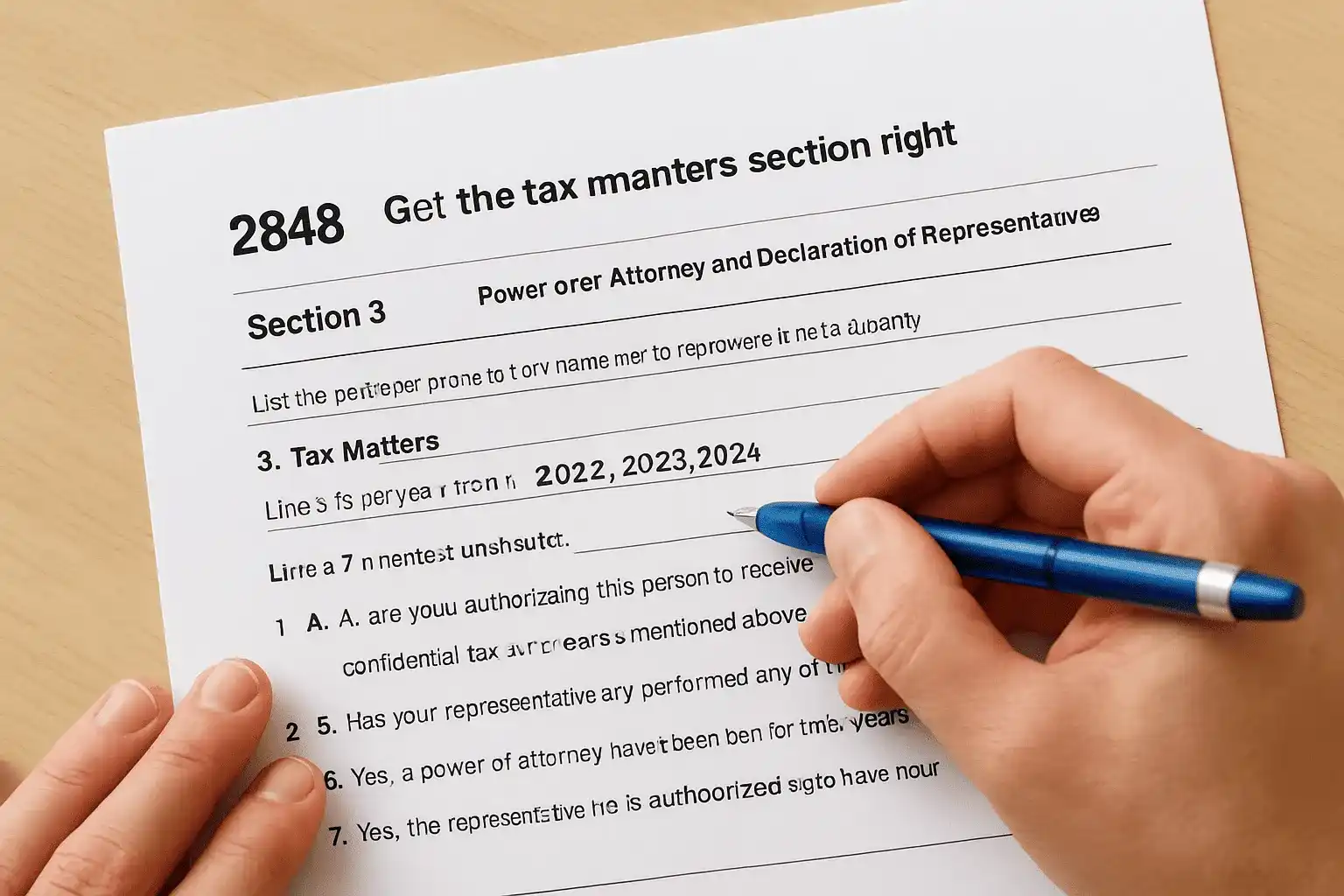
Line 3 is the most rejection-prone field in your irs form 2848 download. You must list the specific form number (such as 1040) and the exact tax years you want covered. Write out individual years like "2022, 2023, 2024" rather than ranges like "2022-2024," which the IRS often rejects. For Lines 5 through 7, leave them at the default unless you have a specific reason to restrict or expand your representative's authority.
Step 3. Complete Part II and sign it the right way
Part II is completed by your representative, not you. It requires them to declare their professional designation and credentials under penalty of perjury. If this section is missing or incomplete, the IRS will reject the entire form regardless of how accurately you filled out Part I.
What Part II requires from your representative
Your representative must enter their designation code from the list provided on the form itself. For example, a CPA uses designation code "b" and an Enrolled Agent uses code "g". They also need to include their licensing jurisdiction or enrollment card number, along with their signature and the date. This is not optional; each field must be completed accurately.
An incomplete Part II is one of the most overlooked causes of Form 2848 rejection, and it cannot be corrected without restarting the submission process entirely.
Signature rules that matter
For your signature in Part I, you must sign and date the form personally. On your completed irs form 2848 download, the IRS requires either a handwritten or valid electronic signature depending on your submission method. Electronic signatures are accepted for online submissions through the IRS Tax Pro Account or via fax using approved e-signature procedures.
Step 4. Submit online and track processing
Once you complete your irs form 2848 download and both parties have signed, you have three submission options. The fastest is the IRS Tax Pro Account, which allows your representative to submit the form electronically and get it processed in as little as 24 to 48 hours.
The three ways to submit
Each method has different processing times and requirements. Use this table to choose the right one for your situation:
| Submission Method | Processing Time | Best For |
|---|---|---|
| IRS Tax Pro Account (online) | 24-48 hours | Urgent matters, faster access |
| Fax to the IRS CAF Unit | 5-10 business days | Standard submissions |
| Mail to the IRS CAF Unit | 4-6 weeks | Non-urgent cases only |
How to track your submission
After submitting, your representative can check the CAF Unit status by calling the IRS Practitioner Priority Line at 1-866-860-4259. There is no online tracking portal for Form 2848. Once the form is processed, the IRS assigns or updates the representative's CAF number, confirming that the authorization is active and your representative can begin acting on your behalf immediately.
Online submission through Tax Pro Account is the only method that gives your representative near-immediate authority to access your IRS account.
Quick wrap-up
Getting Form 2848 right comes down to a few non-negotiable details: the correct form version from IRS.gov, accurate tax year entries in Part I, and a fully completed Part II from your representative. Skip any of those steps and the IRS sends the form back, which costs you time you likely don't have when deadlines are active.
Your irs form 2848 download should always come from the official IRS website, and submission through the Tax Pro Account gives you the fastest processing available. Once the form clears the CAF Unit, your representative has the authority to deal with the IRS directly on your behalf.
If you'd rather have a qualified professional handle the entire process, the team at Tax Experts of OC includes CPAs and Enrolled Agents who manage Form 2848 filings for clients across all 50 states. Schedule your free 30-minute consultation today to get started.