
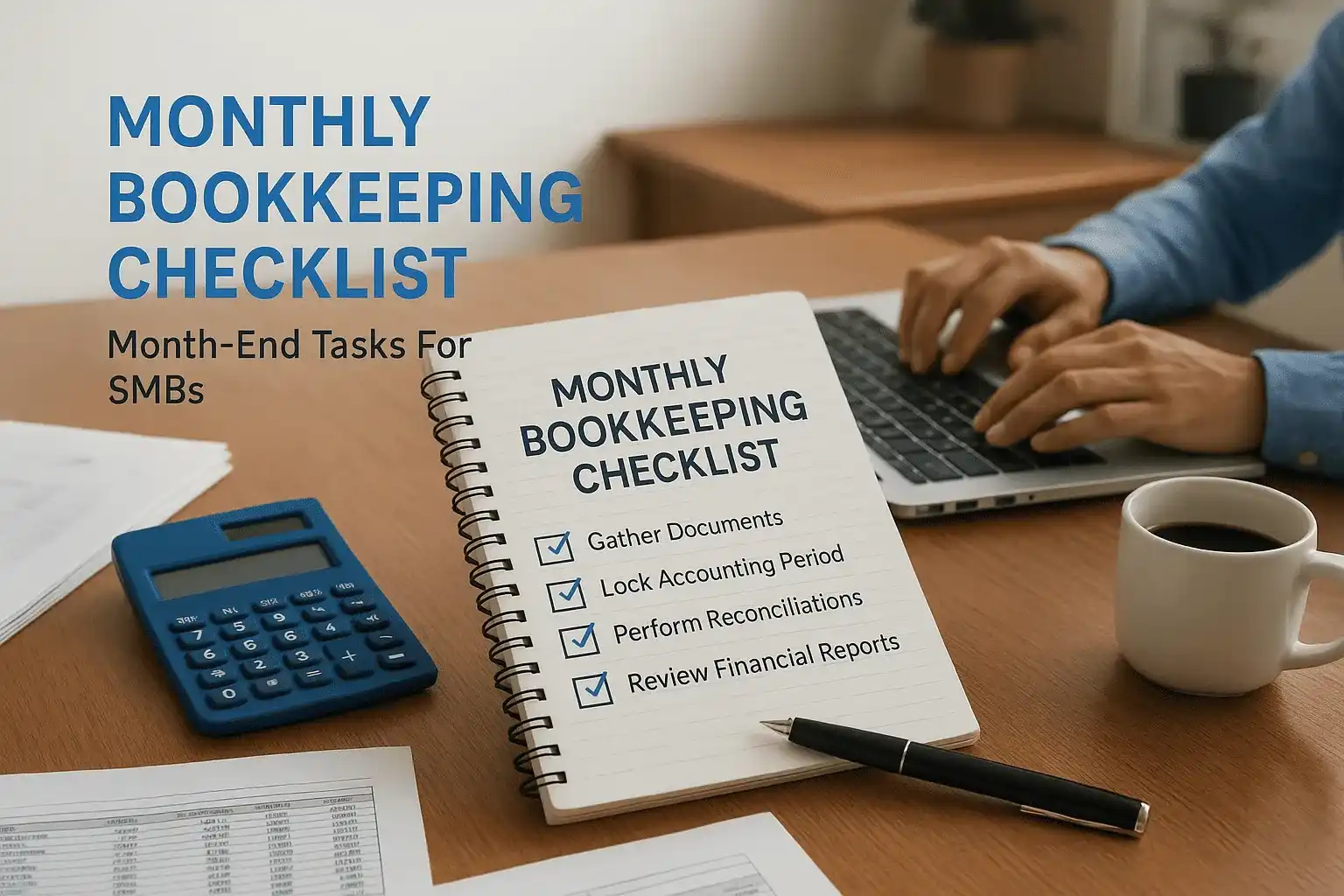
Closing the books at month-end shouldn't feel like untangling a knot. But without a monthly bookkeeping checklist, that's exactly what happens, transactions slip through, accounts go unreconciled, and small errors snowball into expensive problems by tax season. For SMB owners juggling operations, payroll, and growth, a structured close process is the difference between financial clarity and financial chaos.
This guide breaks down every task you need to complete at the end of each month to keep your records accurate, your cash flow visible, and your business ready for tax filing. We've organized it step by step so you can work through it systematically, whether you handle bookkeeping yourself or coordinate with a professional.
At Tax Experts of OC, our CPAs and bookkeeping team help small and mid-sized businesses across all 50 states maintain clean financial records on a monthly, quarterly, or annual basis. The checklist below reflects the same process we use with our own clients. Let's get into it.
What a monthly bookkeeping close includes
A monthly bookkeeping close is a structured review of your financial records that ensures everything recorded during the month is accurate, complete, and categorized correctly. Think of it as a hard stop at the end of each period where you verify that what's in your accounting software reflects what actually happened in your business. Skipping this process even once creates compounding problems: mismatched bank balances, uncategorized transactions, and unreliable reports that make it harder to make good decisions.
The core categories every close covers
A well-run monthly close doesn't just mean reconciling your bank account. It touches five distinct areas of your financial records, each building on the previous one. Here's how those categories break down:
| Category | What It Covers |
|---|---|
| Record gathering | Collecting invoices, receipts, bank statements, and payroll data |
| Bank and credit reconciliation | Matching every transaction in your books to your bank and card statements |
| Transaction review | Catching duplicates, miscategorized entries, and missing records |
| Financial statement review | Checking your P&L, balance sheet, and cash flow statement for accuracy |
| Tax compliance basics | Confirming payroll taxes, sales tax, and estimated tax payments are current |
Each of these categories contains specific tasks you'll work through in sequence. Your monthly bookkeeping checklist should map directly to these categories so nothing slips between steps.
A close that skips even one category often produces financial statements that look complete but contain hidden errors that distort your picture of the business.
Why timing matters for a clean close
When you close your books has a direct effect on how accurate they are. Most small businesses aim to complete their monthly close within the first 10 business days of the following month. That window gives you enough time to receive all outstanding invoices and bank statements while the transactions are still fresh and easy to verify.
Waiting longer than two weeks introduces a real risk of memory gaps. If you're trying to figure out in mid-February why a charge appeared in January, your vendors may not respond quickly and your own notes may be incomplete. Set a firm internal deadline, put it on your calendar, and treat it like a client commitment.
What a close looks like for different business types
The specific tasks in your close will vary based on your business structure and transaction volume. A sole proprietor running a service business has a simpler close than an LLC with inventory, multiple employees, and sales tax obligations across several states. Here's a quick comparison:
| Business Type | Additional Close Tasks |
|---|---|
| Sole proprietor / freelancer | Basic bank reconciliation, income tracking, estimated tax review |
| LLC or S-Corp with employees | Payroll reconciliation, payroll tax deposits, benefits tracking |
| Product-based business | Inventory valuation, cost of goods sold adjustment, sales tax filing |
| Multi-state business | Income allocation by state, nexus review, multi-state payroll compliance |
Knowing your business type and its specific requirements lets you build a close process that's neither too shallow nor unnecessarily complex. The steps in this guide cover the full range of tasks so you can apply what fits your situation and skip what doesn't.
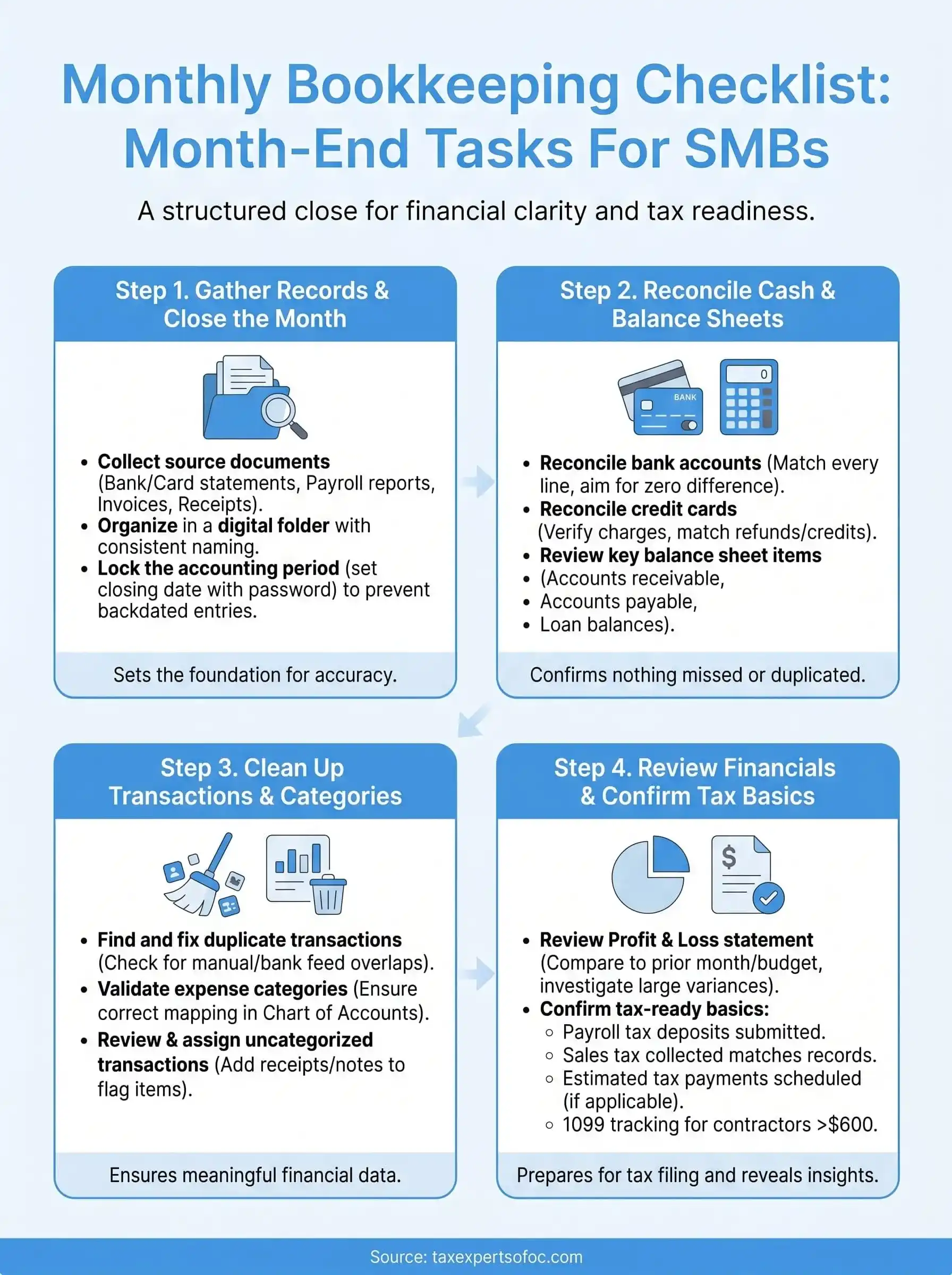
Step 1. Gather records and close the month
Before you reconcile a single account, you need all the raw materials in one place. Gathering your records first prevents you from starting the close process only to stop halfway because a bank statement hasn't arrived or a vendor invoice is still missing. This step sets the foundation for every other task in your monthly bookkeeping checklist, so treat it as a required first move rather than a preliminary formality.
Collect all source documents
Source documents are the paper trail behind every number in your books. Without them, you're reconciling from memory, which introduces errors that take hours to untangle later. Pull each of these before you move forward:
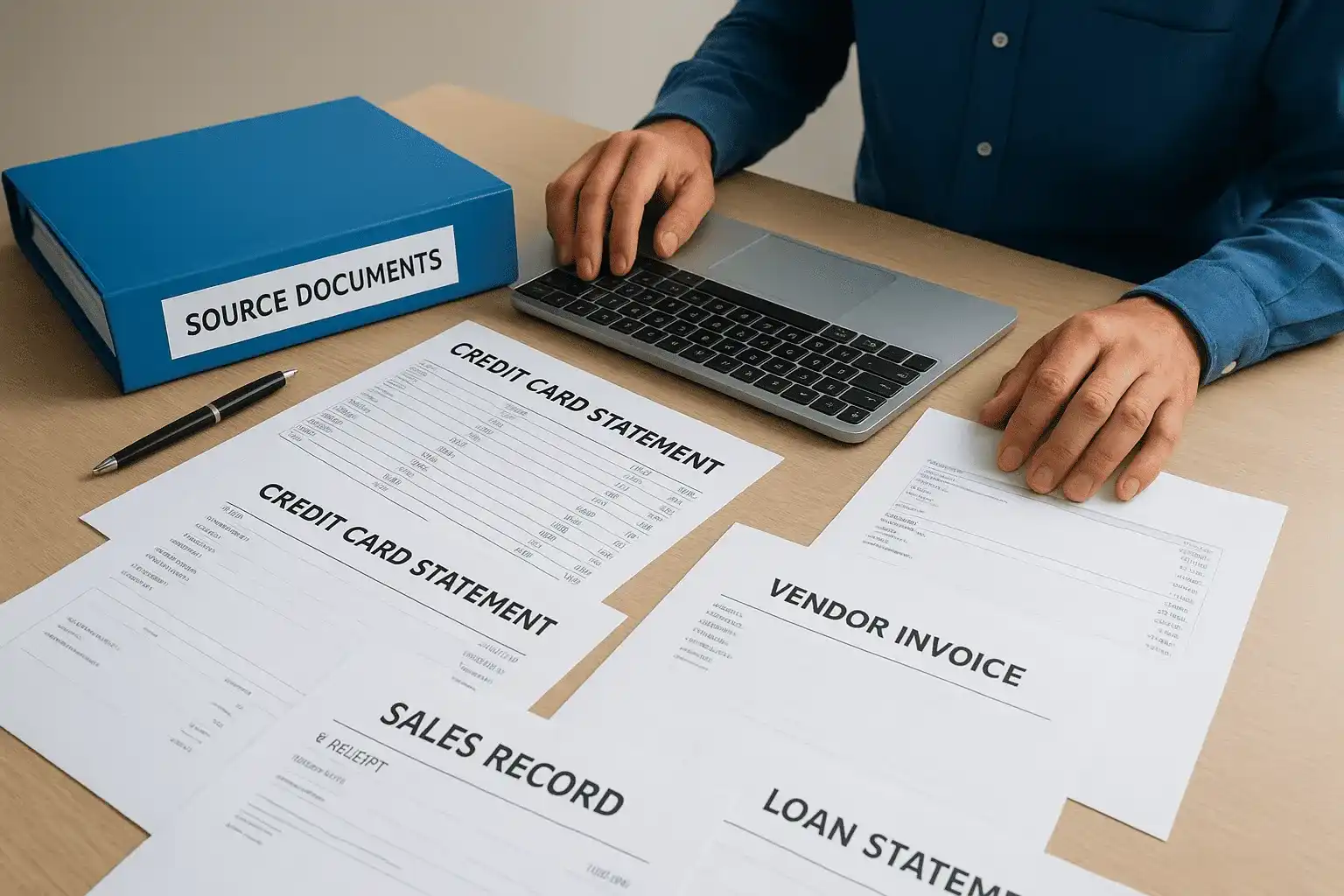
- Bank statements for every business checking and savings account
- Credit card statements for every card used for business expenses
- Payroll reports from your payroll provider covering the full month
- Vendor invoices and bills received or paid during the month
- Sales records including point-of-sale reports, invoices sent, or platform summaries from any e-commerce channels
- Receipts for out-of-pocket expenses reimbursable to employees or owners
- Loan statements if your business carries debt with monthly interest charges
Once you have everything, organize these documents by category in a shared folder or a dedicated digital filing system. Consistent naming conventions, such as "2026-05_BankStatement_Chase," make it much faster to find what you need during reconciliation and reduce the risk of misplacing a document mid-close.
If you regularly chase down the same documents every month, set up automated exports or recurring email delivery from your bank and payroll provider so they land in your inbox at the start of each close cycle without any manual effort.
Lock the accounting period
After your records are in order, close the accounting period in your software so no one accidentally posts transactions to the prior month. Most major platforms let you set a closing date with a password, which blocks backdated entries unless someone explicitly overrides it with authorization.
Locking the period accomplishes two things at once: it protects the accuracy of any reports you have already reviewed, and it forces your team to record late entries in the correct current period instead. If you discover a legitimate late transaction after locking, consult your bookkeeper before overriding the close, and document the reason so you maintain a clean audit trail for any future review.
Step 2. Reconcile cash, cards, and key balance sheets
Reconciliation is where your monthly bookkeeping checklist earns its keep. This step compares every transaction recorded in your accounting software against your actual bank and card statements to confirm nothing was missed, duplicated, or entered with the wrong amount. Do not move on to transaction cleanup until reconciliation is complete. An unreconciled account makes every downstream report unreliable.
Reconcile your bank accounts
Start with your primary business checking account. Open your bank statement for the month and match each line item against the corresponding transaction in your accounting software. Most platforms have a built-in reconciliation screen that lets you check off each transaction as you confirm it. Work through the statement line by line rather than scanning at a glance.

When you finish matching, your software should show a difference of zero between the statement ending balance and the book balance. If the figure is not zero, look for these common causes before moving forward:
- A transaction entered in the wrong month
- A deposit recorded twice
- A bank fee that was never entered in your books
- A check that cleared the bank but was not marked as paid
- A manual journal entry posted with an incorrect amount
Work through every discrepancy until the difference reaches zero. Closing a reconciliation with an unresolved balance creates a carry-over error that gets harder to trace with each passing month.
Reconcile each account separately rather than combining balances. Mixing accounts hides errors that account-level matching would catch immediately.
Reconcile credit cards
Credit card reconciliation follows the same logic as bank reconciliation, but you are matching charges against a liability balance rather than a cash balance. Pull the statement for each business card and verify that every charge in your software matches the statement amount and date. Pay close attention to refunds and credits, which are easy to miss and can throw off your ending balance if not matched correctly.
Review key balance sheet items
Once cash and cards are reconciled, spend five minutes reviewing key balance sheet accounts for obvious problems. Check that accounts receivable reflects what customers actually owe, that accounts payable matches outstanding vendor bills, and that any loan balances align with your latest lender statements. You are not doing a deep audit here. You are looking for anything clearly out of place before you close the step.
Step 3. Clean up transactions and validate categories
With reconciliation done, your books reflect the correct balances, but that does not mean every transaction is labeled correctly. Uncategorized entries, duplicate records, and miscoded expenses are common after a busy month, and they distort every financial report you generate. This step in your monthly bookkeeping checklist is where you clean the data so your numbers are not just balanced but actually meaningful.
Find and fix duplicate transactions
Duplicates often appear when a bank feed imports a transaction that was also entered manually, or when a payment is recorded in two places. Open your transaction list and filter for the current month, then sort by amount to quickly spot any entries that share the same dollar figure and date. Common sources of duplicates include:
- Manual entries made before the bank feed synced
- Payments logged in both accounts payable and the checking register
- Imported CSV files overlapping with automatic bank feed pulls
- Expense reports submitted and also captured through a connected card feed
Delete the duplicate and leave the original with the clearest supporting detail attached. Do not simply void both entries if the transaction genuinely occurred, or you will create a gap in your records that shows up as a discrepancy later.
Validate expense categories
Every transaction in your books should map to a specific account in your chart of accounts. Work through your transaction list for the month and confirm each entry sits in the right category. Software subscriptions belong in software expenses, not office supplies. A client lunch belongs in meals and entertainment, not professional services. Consistent categorization directly affects the accuracy of your profit and loss statement and can create real problems at tax time if expenses land in the wrong buckets.
If you find the same type of transaction miscategorized repeatedly, update your bank feed rules so the software applies the correct category automatically going forward.
Review and assign uncategorized transactions
Most accounting platforms flag transactions that were imported but not matched to a category. Pull the uncategorized transactions report and work through each one individually. For each item, attach a receipt or note, assign the correct account, and confirm the payee name is accurate. If a transaction is genuinely unclear, check the source document before assigning it. Guessing and moving on is one of the fastest ways to corrupt your books across multiple reporting periods.
Step 4. Review financials and confirm tax-ready basics
With your transactions clean and your accounts reconciled, your books are accurate enough to generate reliable financial reports. This final step in your monthly bookkeeping checklist is where you read those reports critically and confirm that your business is current on the tax obligations that create the biggest problems when missed. Do not treat this step as a formality. The five minutes you spend here can prevent a significant penalty or an embarrassing error in a client-facing report.
Review your profit and loss statement
Pull your profit and loss (P&L) statement for the closed month and compare it against the same month from the prior year and your current budget or forecast. You are looking for anything that looks out of proportion: a revenue line that is unusually high or low, an expense category that spiked without a clear reason, or a gross margin percentage that shifted noticeably from your baseline. These variances are not always problems, but they all deserve a quick explanation before you move on.
If you cannot explain a variance above 10% in any major line item, trace it back to specific transactions before closing the step.
Check that your net income figure passes a basic logic test. If you know it was a strong revenue month but your P&L shows a loss, something is miscategorized or a transaction is missing. Confirm the report date range is set to the correct month before you start looking for deeper problems.
Confirm tax-ready basics
Tax obligations do not wait for year-end, and several recurring tax tasks belong in your monthly close. Work through the following checklist before you mark the month complete:
| Tax Task | What to Confirm |
|---|---|
| Payroll tax deposits | All federal and state deposits submitted on time for the pay periods in the month |
| Sales tax collected | Total collected matches your sales records; filing due date noted on your calendar |
| Estimated tax payments | Quarterly payment amount calculated and scheduled if the current month falls in a payment quarter |
| 1099 tracking | Any contractor payments above $600 year-to-date flagged for year-end reporting |
Run a quick accounts payable aging report to confirm no tax-related bills are past due. Payroll tax penalties in particular accumulate fast, and catching a missed deposit in month-end review costs far less than catching it six months later.
Next steps to stay organized
Running through your monthly bookkeeping checklist consistently is the single most effective habit you can build as a small business owner. Set a recurring calendar block for the first week of each month, assign clear ownership for every task in the checklist, and store your source documents in a named folder system so nothing gets lost between close cycles. The more you standardize the process, the faster each close becomes.
If you find yourself spending more than a few hours on the close, or if your reconciliations consistently show unexplained variances, that is a signal your current setup needs professional attention. Dirty books and missed tax deadlines cost far more to fix than to prevent. The team at Tax Experts of OC works with small and mid-sized businesses across the country to keep records clean and tax obligations current. Schedule a free consultation to talk through where your bookkeeping process stands.