
Most small business owners didn't start their company because they love tracking receipts and reconciling bank statements. But small business bookkeeping is what keeps the IRS off your back, your cash flow visible, and your decisions grounded in real numbers, not guesswork. Ignore it long enough, and you'll face tax penalties, missed deductions, and financial blind spots that can quietly sink an otherwise healthy business.
The good news: you don't need an accounting degree to get started. With the right system, a few reliable tools, and a consistent routine, you can manage your own books accurately and with confidence. And when your business grows past what you can handle solo, you'll already have clean records ready to hand off to a professional, which makes everything cheaper and faster down the road.
At Tax Experts of OC, our CPAs and Enrolled Agents work with small business owners across all 50 states who need help with bookkeeping, tax prep, and financial strategy. We wrote this guide to give you a clear, step-by-step framework for setting up and maintaining your books, from choosing your accounting method to building a monthly checklist. Whether you plan to do it yourself or eventually outsource, this is the foundation you need.
What small business bookkeeping covers and what you need
Small business bookkeeping is the process of recording, organizing, and tracking every financial transaction your business makes, including money coming in from customers, money going out to vendors and employees, and everything in between. Unlike accounting, which focuses on interpreting and reporting financial data, bookkeeping is the day-to-day recordkeeping that makes accurate accounting possible in the first place. If you skip or delay it, you end up with incomplete records that cost you far more to fix than they would have cost to maintain.
Bookkeeping captures the raw financial data; accounting uses that data to make decisions and file taxes. You cannot do one well without the other.
The core tasks bookkeeping includes
Most business owners underestimate how many moving parts are involved in maintaining clean books. Understanding the full scope upfront helps you build a system that holds together when business gets busy, rather than one that falls apart the moment you miss a week of entries.
Your bookkeeping system needs to handle all of the following on a regular basis:
- Recording transactions: Every sale, purchase, payment, and refund gets logged with a date, amount, category, and brief description.
- Categorizing income and expenses: Each transaction is assigned to an account, such as revenue, cost of goods sold, rent, utilities, or payroll.
- Invoicing and accounts receivable: Tracking what customers owe you and following up on any late payments before they age out.
- Bills and accounts payable: Tracking what you owe vendors and scheduling payments so nothing goes overdue.
- Bank reconciliation: Matching your internal records to your bank and credit card statements each month to catch errors or missing entries.
- Payroll tracking: Recording wages, contractor payments, reimbursements, and the associated payroll taxes accurately and on time.
- Sales tax tracking: Collecting the correct amount based on your jurisdiction and staying current with state filing deadlines.
- Financial reporting: Pulling together a profit and loss statement, balance sheet, and cash flow statement so you can see your actual financial position.
What you need to get started
Before you record a single transaction, you need a few foundational items in place. Attempting to build a bookkeeping system without these basics leads to mixed records, missed deductions, and expensive catch-up work at tax time. Getting organized at the start takes a few hours; cleaning up a year of messy books can take weeks.
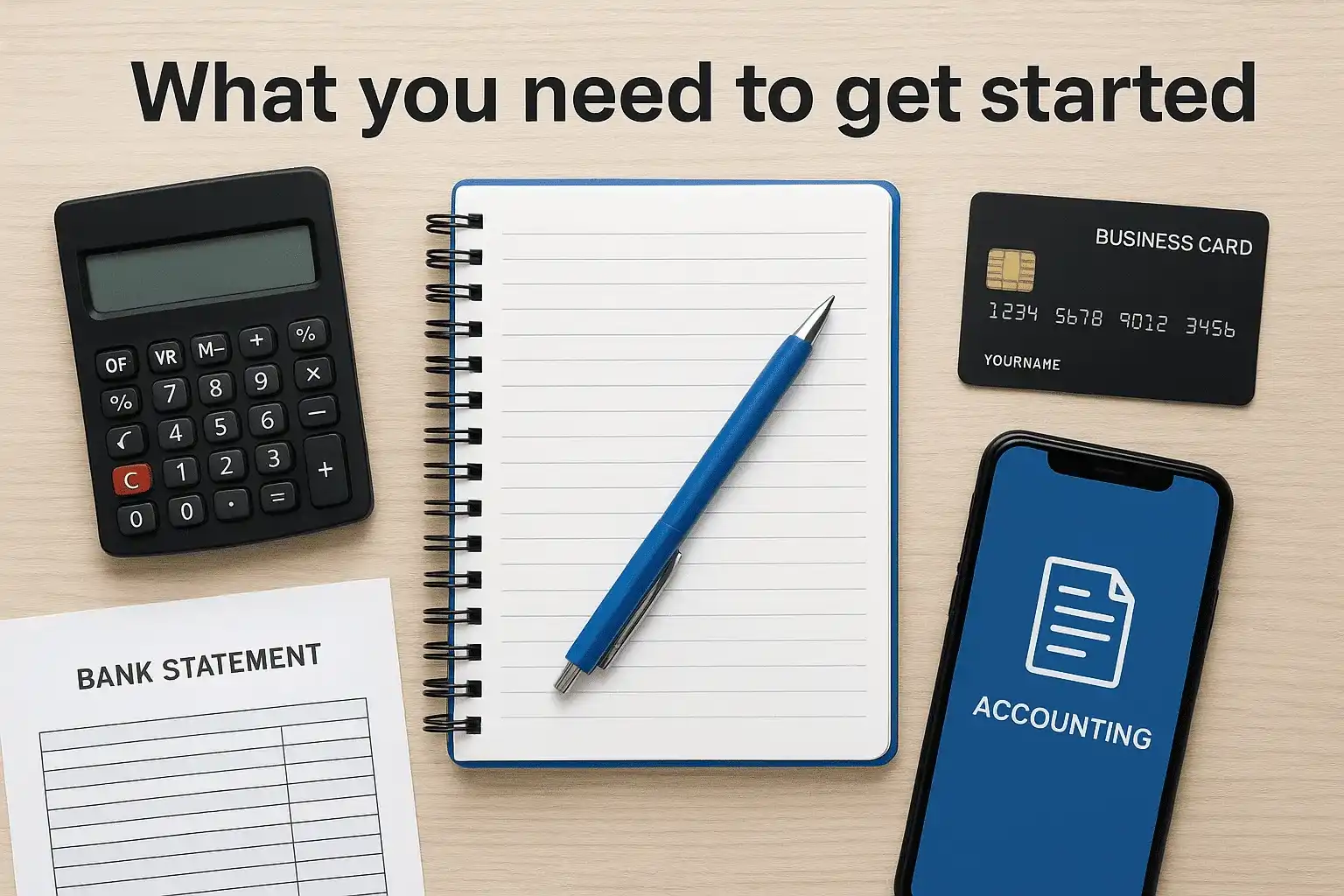
Here is what to have ready before you set anything up:
| Item | Why you need it |
|---|---|
| Dedicated business bank account | Keeps personal and business funds separate, which is required for clean, audit-ready books |
| Business credit card | Simplifies expense tracking and creates a clear paper trail for every purchase |
| Accounting software or spreadsheet | Provides the structure to record and categorize transactions consistently over time |
| Chart of accounts | A defined list of every category your business uses to sort income and expenses |
| Digital receipt storage | An app or organized folder system that preserves documentation for every transaction |
| EIN from the IRS | Required for business banking, payroll, and most tax filings; apply free at IRS.gov |
Free tools like Google Sheets can work for a very early-stage business with low transaction volume. Paid software typically starts under $30 per month and automates much of the manual entry. Regardless of which route you choose, the goal at this stage is straightforward: create one consistent place where every financial transaction lands so nothing gets lost or forgotten.
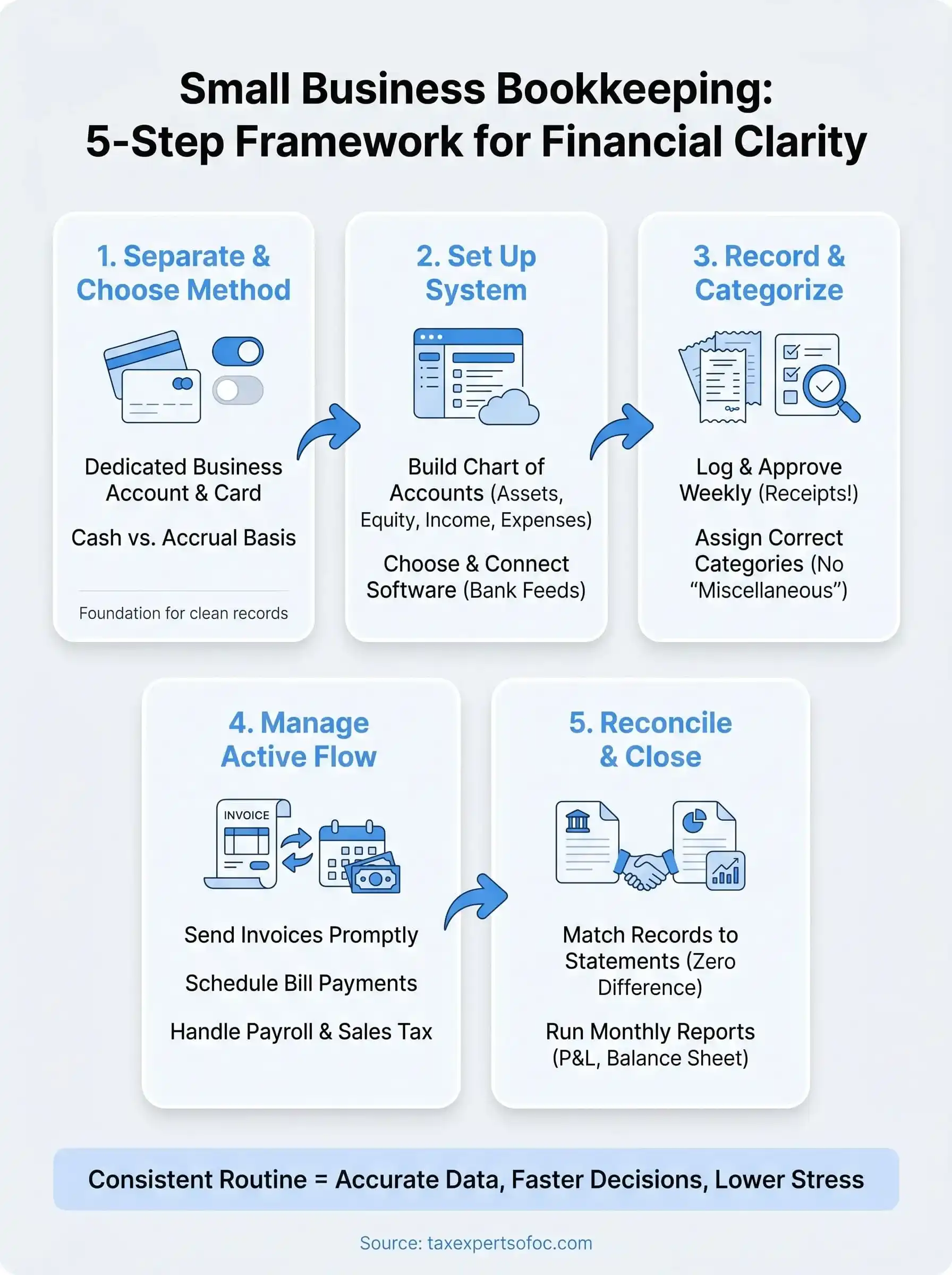
Step 1. Separate finances and pick your accounting method
Before you log a single transaction, you need two things locked in: a clean separation between your personal and business finances, and a clear decision about how you will recognize income and expenses. Skipping either one creates records that are unreliable, hard to audit, and nearly impossible to hand off to a CPA without spending hours untangling what belongs to the business versus what was a personal purchase.
Open a dedicated business bank account
Opening a dedicated business checking account is the single most important action you can take before anything else. When personal and business money share the same account, every transaction becomes a guessing game at tax time. Take your EIN, business formation documents, and a government-issued ID to a bank or credit union and open an account you use exclusively for business income and expenses. Add a business credit card to the same setup so every purchase leaves a clear, searchable record.
Mixing personal and business funds is one of the fastest ways to lose deductions and invite IRS scrutiny during an audit.
Choose cash basis or accrual basis accounting
Your accounting method determines when you record income and expenses, and it affects how your books look at any point in time. Most small businesses start on cash basis because it is straightforward: you record income when you receive payment and expenses when you pay them. Accrual basis records transactions when they are earned or incurred, regardless of when cash moves. This gives you a more accurate picture of profitability but requires more discipline to maintain.
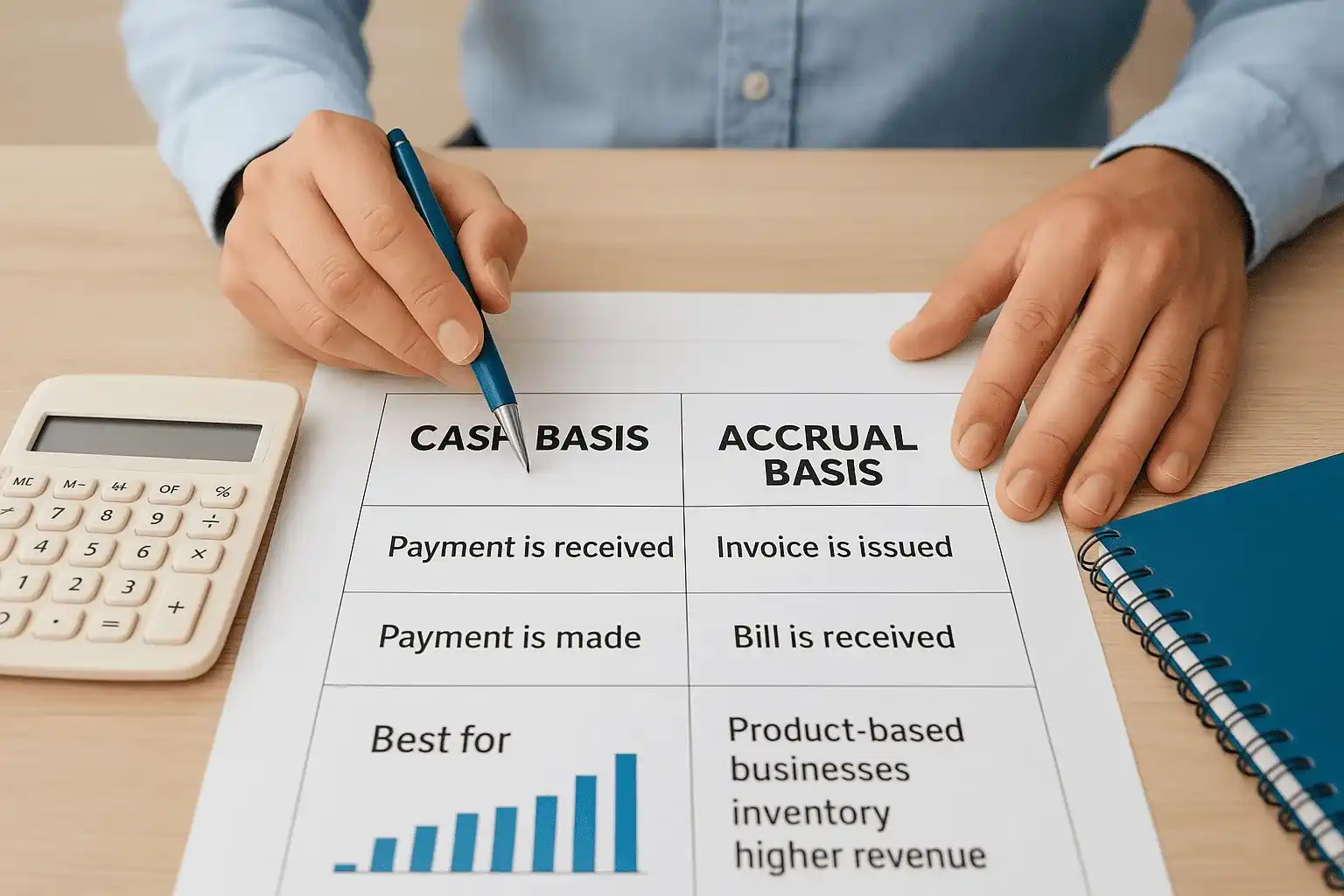
The table below shows the practical difference between both methods so you can choose the one that fits your business:
| Cash Basis | Accrual Basis | |
|---|---|---|
| Record income when | Payment is received | Invoice is issued |
| Record expenses when | Payment is made | Bill is received |
| Best for | Freelancers, service businesses, low volume | Product-based businesses, inventory, higher revenue |
| Required by IRS | No | Yes, above $25M average annual gross receipts |
| Complexity | Low | Higher |
For most early-stage small business bookkeeping, cash basis works well and keeps the system simple enough that you can maintain it without a professional watching over every entry. If you sell products, carry inventory, or have significant receivables, talk to a CPA before locking in your method, since switching later requires IRS approval.
Step 2. Set up your chart of accounts and software
Your chart of accounts is the backbone of your entire bookkeeping system. It is a structured list of every category your business uses to classify income, expenses, assets, liabilities, and equity. Without it, transactions pile up without context, and your financial reports become meaningless. Setting this up correctly from day one saves you hours of reclassification later and keeps your small business bookkeeping consistent across every reporting period.
Build your chart of accounts
Most businesses organize their chart of accounts into five core types, each assigned a number range to keep entries sorted. You can customize the names and subcategories to match your specific industry, but the structure below applies to the vast majority of small businesses:
| Account Type | Number Range | Examples |
|---|---|---|
| Assets | 1000-1999 | Checking account, accounts receivable, equipment |
| Liabilities | 2000-2999 | Credit card balance, loans payable, sales tax owed |
| Equity | 3000-3999 | Owner's equity, retained earnings |
| Income | 4000-4999 | Service revenue, product sales, interest income |
| Expenses | 5000-9999 | Rent, payroll, software subscriptions, utilities |
Start with fewer categories than you think you need. You can always add accounts later, but removing or merging accounts after transactions have been coded to them creates reconciliation headaches. Ten to twenty accounts is plenty for most businesses in the first year.
A chart of accounts that matches how your business actually earns and spends money makes tax preparation significantly faster and cheaper.
Choose and configure your software
Once your account list is ready, pick software that fits your current transaction volume and budget. QuickBooks Online and Xero are the two most widely used paid platforms for small businesses, both starting under $35 per month. FreshBooks works well for freelancers and service-based businesses with heavy invoicing needs. If you are pre-revenue and keeping costs at zero, a structured Google Sheets template can hold you over temporarily.
After you sign up, import your chart of accounts directly into the software and connect your business bank account and credit card via the bank feed feature. Most platforms pull transactions automatically once linked, which cuts manual entry down to categorization and review rather than full data input.
Step 3. Record and categorize income and expenses
With your accounts set up and your software connected, the next task is building a consistent habit of recording transactions as they happen rather than catching up in bulk at month end. Batch entry feels efficient until you cannot remember what a charge was for, a receipt goes missing, or a deposit sits uncategorized for six weeks. The backbone of reliable small business bookkeeping is simple: log it now, categorize it correctly, and move on.
Log transactions consistently
Most accounting software pulls bank and credit card transactions automatically via the bank feed, so your primary job is reviewing and approving each entry rather than typing it manually. Set a recurring block of time each week, even 20 minutes on Friday afternoon, to open your software and clear the queue. For cash transactions or expenses paid outside your connected accounts, enter those manually the same day you make them. Attach a photo of the receipt directly to the transaction using your software's mobile app so the documentation travels with the record.
A transaction logged without a receipt is a deduction you may lose if the IRS asks for proof.
Categorize correctly the first time
Assigning the right account category on the first pass saves hours of correction later. When you review each transaction, match it to the correct account in your chart that best describes the activity. The table below shows common transactions and the accounts they typically belong to:
| Transaction | Correct Account |
|---|---|
| Customer payment received | Revenue (4000s) |
| Office supply purchase | Office Expenses (5000s) |
| Software subscription | Software/Tech Expenses (5000s) |
| Loan deposit to checking | Liability - Loan Payable (2000s) |
| Owner funds added to business | Owner's Equity (3000s) |
One rule that prevents significant cleanup later: never dump an unknown transaction into a catch-all account like "miscellaneous." If you do not recognize a charge, look it up before categorizing it. Unknown expenses either reveal a billing error worth disputing or a real cost that belongs in a specific category. Letting miscellaneous grow throughout the year produces financial reports that tell you nothing about where your money actually goes.
Step 4. Run invoicing, bills, payroll, and sales tax
Recording transactions is only part of the job. The active side of small business bookkeeping means sending invoices on time, paying bills before they go overdue, running payroll correctly, and collecting and remitting sales tax on schedule. Each of these tasks has a direct cash flow impact, and letting any one of them slip creates problems that compound quickly.
Send invoices promptly and track what's owed
Every time you complete a job or deliver a product, send the invoice the same day rather than batching them at the end of the week. Late invoices train customers to pay late, which damages your cash flow in a predictable, avoidable way. Most accounting software lets you set up invoice templates with your payment terms, due date, and accepted payment methods built in so you can generate and send one in under two minutes.
Track every open invoice using your software's accounts receivable report. Flag anything that is more than seven days past due and send a short follow-up immediately. A basic invoice template should include:
- Business name, address, and contact information
- Client name and billing address
- Invoice number and issue date
- Itemized list of services or products with unit price and quantity
- Total due, payment terms, and accepted payment methods
Pay bills on schedule and track accounts payable
When a vendor bill arrives, enter it into your software immediately and set the due date and payment method before you close the screen. Waiting to enter bills until you pay them means your accounts payable balance is always understated and your cash flow projections are wrong. Schedule bill payments at least once per week so nothing ages past its due date.
Paying a bill late once rarely causes lasting damage, but a pattern of late payments can hurt vendor relationships and trigger penalties on certain government-related obligations.
Handle payroll and sales tax obligations
Payroll and sales tax are the two areas where bookkeeping errors turn into government penalties fastest. Run payroll on a fixed schedule using software that calculates withholding automatically and files the required federal and state deposits. For sales tax, check your nexus obligations in every state where you have customers, since each state sets its own rates and filing deadlines. Most accounting platforms include a sales tax center that calculates the correct amount per transaction and generates a filing summary when the deadline arrives.
Step 5. Reconcile accounts and close the month
Reconciliation is the checkpoint that keeps your small business bookkeeping honest. Every month, you compare the transactions in your accounting software against your bank and credit card statements to confirm that every dollar is accounted for and that no errors, duplicate entries, or missed transactions slipped through. Businesses that skip this step discover problems months later when they are nearly impossible to trace back to a single source.
Match your records to your bank statements
The reconciliation process is straightforward when you follow it in the same order each time. Pull your bank statement for the period you are closing, open the reconciliation screen in your accounting software, and work through each transaction systematically. Mark each item in your software that matches a line on the statement. When you finish, the ending balance in your software should match the ending balance on the statement exactly. If it does not, the difference flags a specific problem: a missing transaction, a duplicate entry, or a bank error worth disputing.
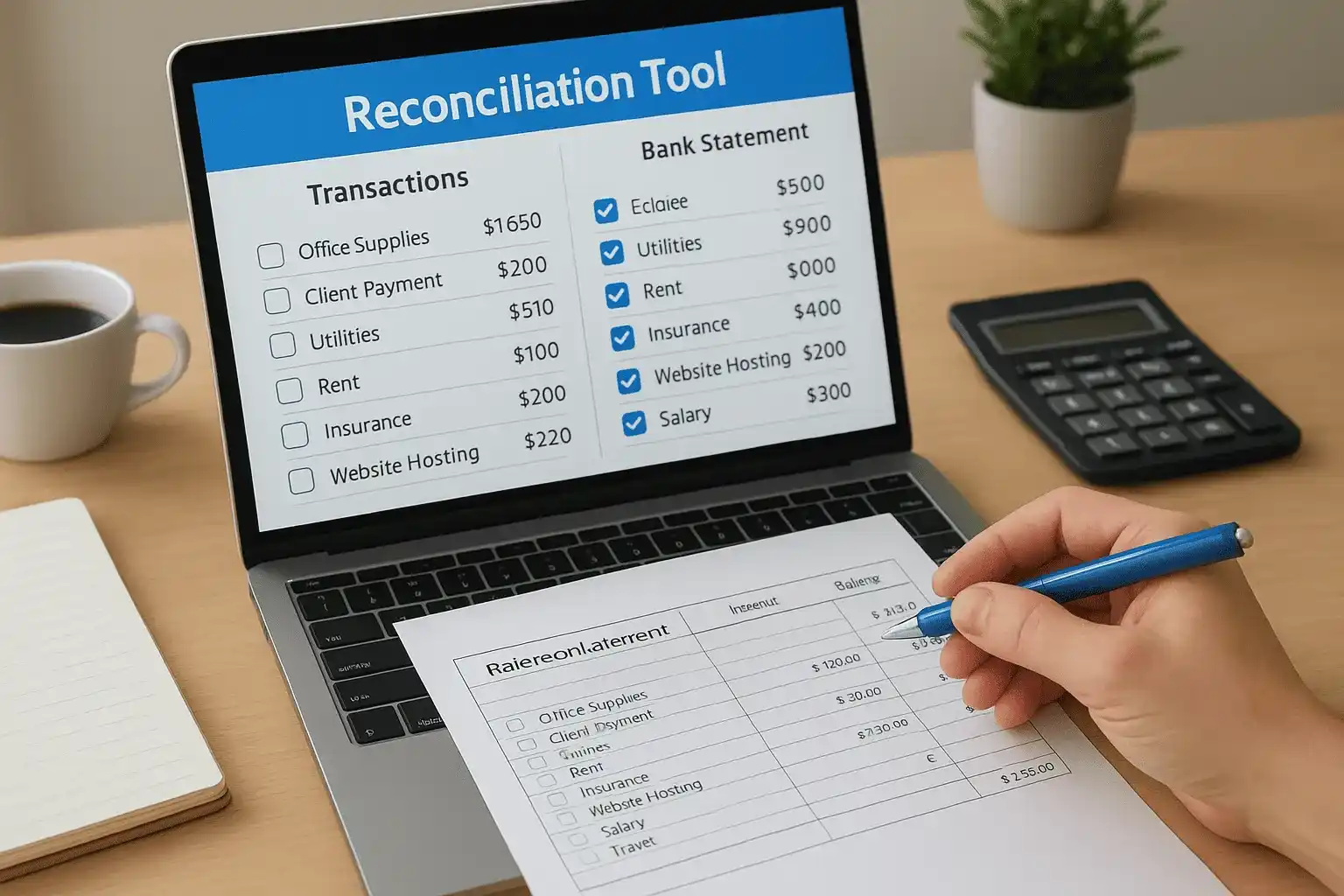
A reconciliation difference of even one dollar means something is wrong, and it is always worth finding before you move to the next month.
Follow this order each time you reconcile:
- Download the bank or credit card statement for the closed period.
- Open the reconciliation tool in your accounting software and enter the statement ending balance.
- Check off each transaction in the software that appears on the statement.
- Investigate any transaction that appears in one place but not the other.
- Correct errors, add missing entries, or flag bank errors before finalizing.
- Confirm the difference shown equals zero, then click to complete the reconciliation.
Close the month and pull your reports
Once reconciliation is complete, run three reports before you move on: a profit and loss statement, a balance sheet, and a cash flow statement. These three documents together tell you whether your business is profitable, what you own and owe, and how cash moved through the month. Review each one for anything that looks out of place, such as an expense category that is unusually high or a revenue line that dropped without a clear explanation.
Save a copy of each report in a dedicated folder organized by month and year. This archive becomes your reference point at tax time, during loan applications, and any time you need to compare one period against another.
Checklists and mistakes that wreck your books
Consistent small business bookkeeping comes down to two things: a repeatable routine you follow every month and a clear understanding of the errors that quietly destroy your records. Both matter equally. A solid monthly checklist keeps you on schedule; knowing the common mistakes helps you catch problems before they compound into something that requires professional cleanup to fix.
Your monthly bookkeeping checklist
Running through the same sequence every month builds the kind of habit that keeps your books clean year-round. Use this checklist at the start of each new month to close the previous one completely before moving on:
- Review and categorize all transactions from the prior month
- Attach receipts or documentation to any expenses missing them
- Send follow-up messages on any invoices more than 7 days past due
- Enter any outstanding vendor bills and confirm upcoming due dates
- Reconcile all bank accounts and credit cards to a zero difference
- Run payroll reports and confirm all tax deposits were submitted on time
- Pull your profit and loss statement, balance sheet, and cash flow report
- Save copies of all three reports organized by month and year
Mistakes that wreck your books fast
Several bookkeeping errors show up repeatedly across small businesses, and nearly all of them are avoidable. The most damaging ones are not dramatic at all; they build gradually through small shortcuts that feel harmless in the moment.
Watch for these specific mistakes:
| Mistake | Why it damages your books |
|---|---|
| Mixing personal and business expenses | Forces manual cleanup and can trigger IRS scrutiny |
| Skipping reconciliation | Errors accumulate and become impossible to trace months later |
| Using catch-all expense accounts | Produces reports that tell you nothing about actual spending |
| Waiting until tax time to update records | Receipts disappear, memory fails, and cleanup costs multiply |
| Recording owner draws as business expenses | Distorts your profit and loss and misrepresents net income |
One month of skipped reconciliation can take three to four hours to untangle; twelve months can require a full professional reconstruction that costs more than a year of proper maintenance would have.
Fixing a mistake the week it happens takes minutes. Fixing it six months later takes a full afternoon and often requires a CPA to sort out the resulting tax impact.
Your next step
You now have everything you need to build a clean, reliable bookkeeping system from the ground up. Start with the fundamentals covered in Step 1, work through each stage in order, and run the monthly checklist until it becomes routine. Consistent small business bookkeeping does not require perfection on day one; it requires showing up every week and correcting small errors before they grow into large ones.
If your books are already behind, your tax situation is more complex than a standard spreadsheet can handle, or you simply want a professional to review your setup before you commit to it, Tax Experts of OC is available to help. Our CPAs and Enrolled Agents work with small business owners across all 50 states on bookkeeping, tax preparation, and IRS resolution. Schedule your free 30-minute consultation and get a clear picture of where your finances stand today.