
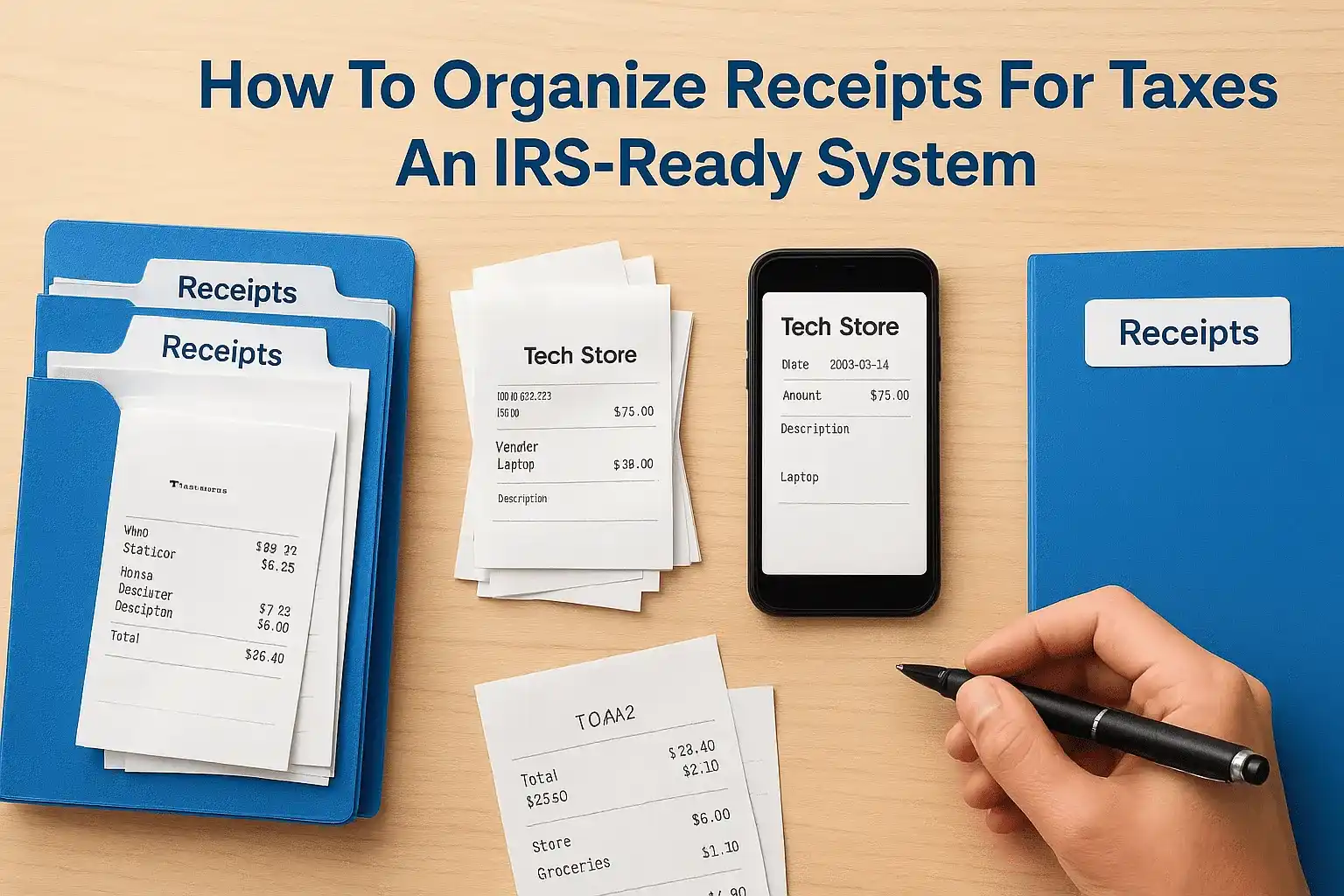
That shoebox stuffed with crumpled receipts isn't just disorganized, it's a liability. When tax season arrives or the IRS requests documentation, scrambling through months of paper scraps creates stress, wastes hours, and often results in missed deductions that cost you real money. Learning how to organize receipts for taxes isn't about perfectionism; it's about protecting yourself and your finances.
The IRS requires you to substantiate every deduction you claim. Without proper documentation, legitimate business expenses become worthless on your return. Worse, if you're ever audited, missing receipts can turn a routine review into a costly nightmare. The solution isn't complicated, but it does require a system, one that works whether you're a freelancer tracking mileage or a business owner managing thousands of transactions.
At Tax Experts of OC, our CPAs and Enrolled Agents have seen firsthand how poor recordkeeping creates tax problems that extend far beyond April 15th. We've helped clients across all 50 states reconstruct records, respond to IRS notices, and build systems that prevent these issues from recurring. This guide breaks down a practical, IRS-ready approach to organizing your receipts, covering physical storage, digital tools, categorization methods, and retention timelines that actually make sense for real people running real businesses.
What the IRS expects from your records
The IRS doesn't require a specific organizing system, but they do demand documentary evidence that proves three things: you made the purchase, you paid the stated amount, and the expense connects to your business or deductible activity. Publication 583 outlines these recordkeeping requirements, and understanding them shapes how to organize receipts for taxes in a way that actually holds up under scrutiny. The burden of proof sits squarely on you, not the tax preparer who signs your return or the software that generates it.
Required information on every receipt
Your receipt must show five essential elements to satisfy IRS documentation standards. You need the date of the transaction, the amount paid, the name and location of the vendor, a description of what you purchased, and proof of payment. A credit card statement alone won't cut it because it lacks the description field. Your receipt doesn't need to be fancy, but missing even one element can disqualify the entire deduction if you're audited.
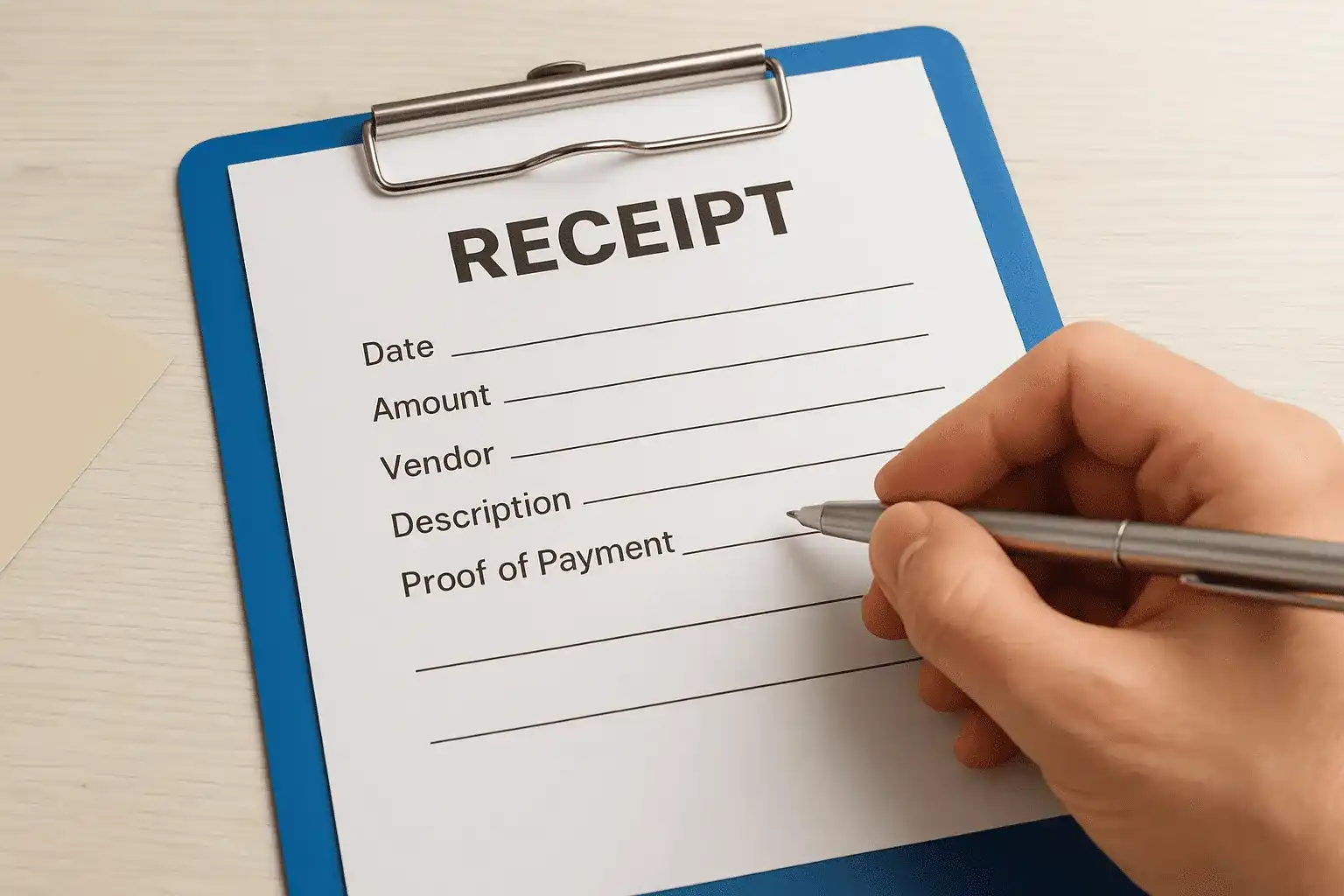
Handwritten receipts work fine if they contain all five components. If a vendor gives you a bare-bones receipt, write the business purpose on it immediately. For example, if you buy office supplies but the receipt only says "merchandise," note "printer paper and folders for client projects" before you file it. The IRS specifically allows you to supplement incomplete receipts with contemporaneous notes that clarify the business purpose.
Documentation standards don't change based on whether you're self-employed or running a corporation. The five-element rule applies universally.
Dollar thresholds and exceptions
You need a receipt for every expense over $75, regardless of category. Below that threshold, the IRS accepts other forms of proof like bank statements or logs, though having receipts remains your safest approach. This $75 rule creates a practical cutoff where receipt discipline becomes non-negotiable, particularly for restaurants, hotels, and supply purchases that routinely exceed this amount.
Travel and entertainment expenses carry stricter rules. You must document the business purpose, the people involved, and the business relationship for every meal or entertainment deduction. A restaurant receipt showing $60 in charges still needs a notation explaining who attended and what business topic you discussed. The IRS added these requirements specifically because meal deductions get abused more frequently than other categories.
Mileage deductions work differently. You don't need gas receipts if you're claiming the standard mileage rate, but you do need a contemporaneous log showing date, destination, business purpose, and miles driven. Apps that track your location automatically can replace handwritten logs, but the IRS won't accept reconstructed mileage records created months after the fact.
Documentary evidence that satisfies the IRS
Receipts aren't the only acceptable proof. Bank statements, canceled checks, and credit card records all count as documentation, though they work best when paired with receipts that add the description element. For recurring expenses like monthly software subscriptions, a single contract plus bank statements showing regular payments often satisfies the requirement without needing twelve separate receipts.
Electronic receipts carry the same legal weight as paper versions, assuming you store them in a format you can retrieve and print if needed. Email confirmations from vendors qualify as receipts when they contain the five required elements. Screenshots of order confirmations work, but save them as PDFs rather than image files because text-based PDFs are searchable and easier to organize at scale.
Invoices you issue to clients don't substitute for receipts showing your expenses. The IRS wants to see money leaving your accounts, not entering them. For large asset purchases, you need the receipt plus additional documentation like financing agreements or depreciation schedules that prove you're claiming the deduction correctly. These complex transactions often trigger closer IRS review, making thorough documentation critical.
Pick your organizing method and tools
You need to choose between physical filing, digital storage, or a hybrid system before you start organizing anything. Your choice depends on transaction volume, business complexity, and personal workflow preferences, not what some productivity guru claims works for everyone. The right system is the one you'll actually use consistently, and that means matching the method to how you naturally handle paperwork rather than forcing yourself into someone else's ideal setup.
Physical filing systems that work
Paper receipts still dominate many businesses, and a well-organized physical system beats a half-implemented digital one. Use accordion folders with 12 monthly dividers for simple operations where you handle fewer than 50 receipts per month. Label each section clearly with the month and year, then sort receipts by date within each pocket. This approach takes seconds per receipt and requires zero technology.
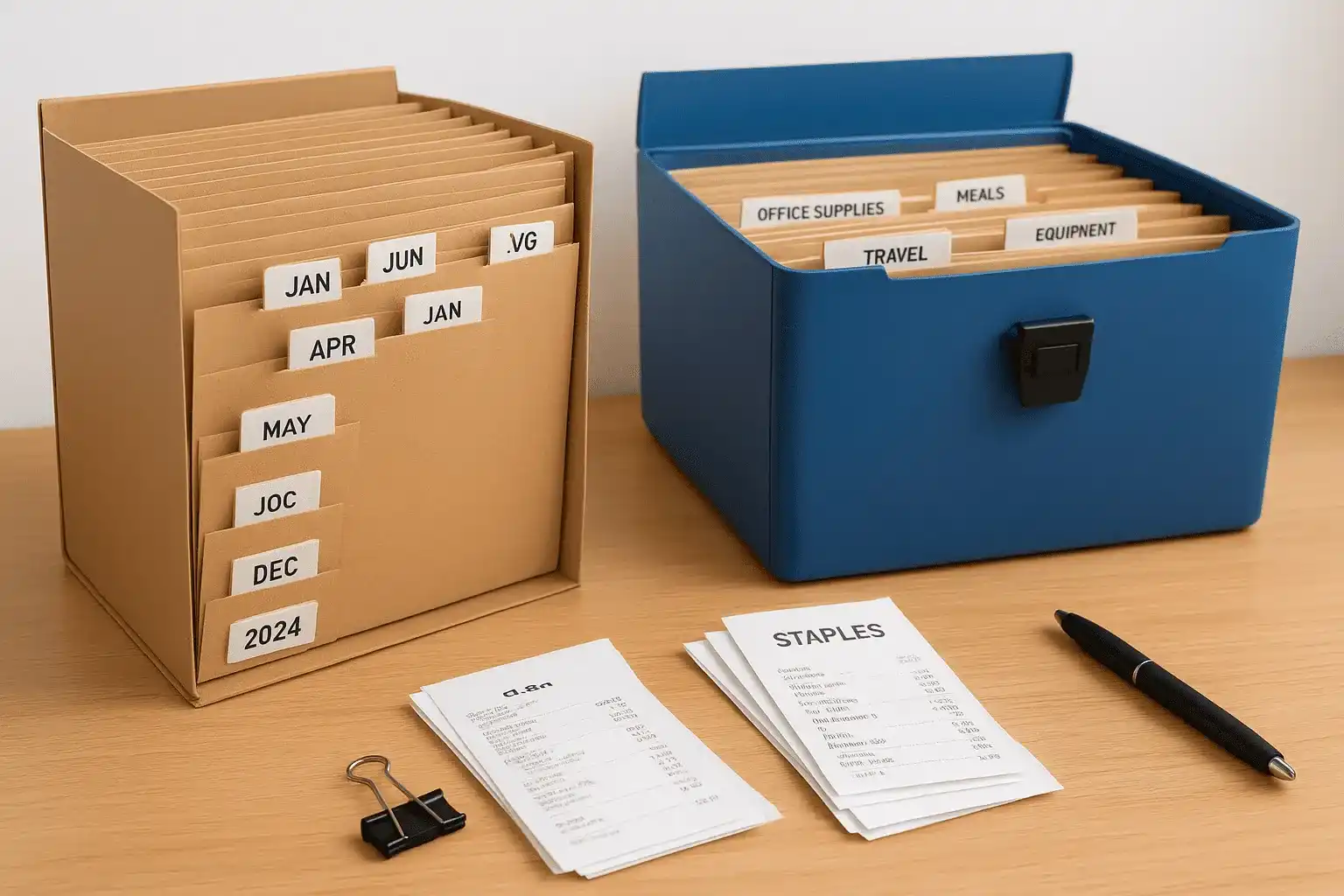
Businesses with higher volume need expandable file boxes with category dividers instead of monthly sorting. Create sections for office supplies, travel, meals, equipment, professional services, and other categories relevant to your operation. Within each category section, organize receipts chronologically using binder clips or rubber bands to group each month's documents together. You can find the receipt you need in under two minutes when an accountant or auditor requests it.
Physical systems work best when paired with a simple spreadsheet that logs each receipt's date, amount, category, and location in your filing system.
Digital tools for receipt management
Smartphone cameras have transformed how to organize receipts for taxes by eliminating the physical storage problem entirely. Take a clear photo of every receipt immediately after receiving it, then email the image to yourself with the date and category in the subject line. Your email account becomes a searchable receipt database that backs itself up automatically and costs nothing beyond what you already pay.
Dedicated receipt-scanning apps offer superior organization if you process more than 20 receipts weekly. These applications extract key data like date, merchant, and amount through optical character recognition, then let you assign categories and add notes. Most connect directly to your accounting software, eliminating duplicate data entry. Popular options include tools that integrate with existing business platforms you already use.
Cloud storage folders provide a middle-ground solution. Create a folder structure that mirrors your tax categories, then save receipt photos or PDFs using a consistent naming convention like "YYYY-MM-DD_Vendor_Amount_Category.pdf" (for example, "2026-02-15_Staples_87.43_Supplies.pdf"). This approach works with any cloud service and gives you complete control over your data without subscription fees.
Hybrid approach for maximum flexibility
Most successful systems combine physical and digital elements strategically. Keep paper receipts in a temporary inbox for 30 days while you scan them, then shred everything except receipts for major purchases over $500 or items you're depreciating. This gives you a buffer if your digital system fails while still reducing physical storage needs by 95% compared to keeping everything on paper.
Your hybrid workflow should follow this pattern: receive receipt, photograph it immediately, file the paper version in your 30-day box, process the digital version weekly by renaming and categorizing, then purge paper monthly after confirming digital copies are readable. This redundancy protects you during the critical backup window without creating permanent filing obligations.
Set up a simple category system
Your category system needs to match the line items on your actual tax forms, not create an elaborate filing scheme that looks impressive but serves no practical purpose. Categories should mirror Schedule C categories for business owners or the standard deduction breakdowns for personal filers. When you align your receipt organization with IRS forms, you eliminate translation work during tax preparation and reduce the chance of misclassifying deductions that trigger audits.
Map categories to your tax forms
Schedule C divides business expenses into 27 specific categories, and your receipt system should use those exact labels. Start with the categories you actually use rather than creating placeholders for every possible expense type. Most small businesses need fewer than 15 active categories, so don't overcomplicate the system by tracking depreciation and cost of goods sold the same way as office supplies.
Download a blank Schedule C from the IRS website to see exactly how expenses get reported. Categories like "advertising," "legal and professional services," "office expense," and "utilities" appear as distinct line items. Use these exact terms in your filing system so your receipts automatically sort into tax-ready buckets. When a receipt could fit multiple categories, the Schedule C structure tells you which one the IRS expects.
Your category names should match tax forms word-for-word so there's zero confusion when you or your accountant prepares returns.
Common business expense categories
Understanding how to organize receipts for taxes starts with adopting standard business categories that work across industries. Here are the categories most businesses use regularly:
| Category | Examples | Schedule C Line |
|---|---|---|
| Advertising | Social media ads, print materials, sponsorships | Line 8 |
| Auto expenses | Gas, maintenance, parking, tolls | Line 9 |
| Meals | Client dinners, business lunches | Line 24b |
| Office supplies | Paper, ink, folders, software | Line 18 |
| Professional services | Legal fees, accounting, consultants | Line 17 |
| Rent | Office space, equipment leases | Line 20b |
| Travel | Hotels, flights, car rentals | Line 24a |
| Utilities | Phone, internet, electricity | Line 25 |
Create only the categories you need based on your actual spending patterns. If you never travel for business, skip the travel category entirely. Adding unused categories creates clutter and slows down your sorting process without providing any benefit.
Personal deduction categories
Individual taxpayers need simpler category systems focused on itemizable deductions. Medical expenses, charitable contributions, and state taxes represent the three largest personal deduction categories most people track. Create separate folders or digital tags for each type since they report on different Schedule A sections.
Medical expense receipts should separate into prescriptions, doctor visits, and insurance premiums because the IRS applies different rules to each subcategory. Charitable donations need extra documentation showing the organization's 501(c)(3) status for amounts over $250. Property tax and mortgage interest statements arrive annually from lenders, but you still need receipts for estimated tax payments made throughout the year.
Capture receipts the same day you spend
Receipts fade, get lost, or end up in the washing machine within hours of leaving your wallet. Waiting until the weekend to organize receipts guarantees you'll lose documentation that costs real money at tax time. The only reliable approach to capture every deduction is establishing a same-day system that takes less than two minutes per transaction and requires minimal willpower to maintain.
Build a capture routine that sticks
You need a consistent trigger action that happens immediately after every business purchase. Before you leave the store, restaurant, or parking lot, pull out your phone and photograph the receipt. Keep the camera roll clear of personal photos so your business receipts stay together in one continuous stream. This two-second action prevents 95% of lost receipt problems before they start.
Designate a physical inbox location where paper receipts go the instant you walk through your door. Use a labeled tray on your desk or a magnetic pocket on your file cabinet rather than your wallet, purse, or car console. These temporary storage spots become black holes where receipts disappear. Your inbox should be visible and annoying enough that you process it weekly rather than letting hundreds of receipts pile up.
Same-day capture eliminates the need to reconstruct expenses from memory months later when the IRS requests documentation.
Handle digital receipts and email confirmations
Online purchases generate confirmation emails instead of paper receipts, and you need to treat these exactly like physical receipts in your capture system. Create a dedicated email folder called "Tax Receipts" and move every purchase confirmation there immediately after receiving it. Set up an automatic filter rule that catches emails from frequent vendors like your office supply company or software subscriptions.
Download PDF receipts attached to confirmation emails rather than relying on the email text alone. Many vendors include detailed itemization in the PDF that doesn't appear in the email body. Save these files to your cloud storage folder using the same naming convention you apply to scanned paper receipts. Understanding how to organize receipts for taxes means treating digital and physical documentation with equal importance, because the IRS makes no distinction between formats.
What to do when you forget or lose a receipt
Contact the vendor immediately when you realize a receipt went missing. Most businesses can reprint receipts within 30 days if you provide the transaction date and payment method. Gas stations and restaurants make this harder, but your credit card statement plus a contemporaneous note explaining the business purpose creates acceptable backup documentation for amounts under $75.
Reconstruct larger missing receipts by checking your email for order confirmations, logging into your account on the vendor's website, or requesting a duplicate invoice. Create a spreadsheet row for any receipt you can't recover that shows the date, amount, vendor, and category based on your bank statement. Add a note column explaining why you lack a receipt. This documentation demonstrates good-faith recordkeeping efforts if you face an audit, even though it's weaker than having the original receipt.
Digitize and name files so you can find them fast
Scanning receipts accomplishes nothing if you can't locate the file when you need it six months later. A searchable digital archive requires consistent naming conventions and logical folder structures that let you find any receipt in under 30 seconds. The key to understanding how to organize receipts for taxes digitally is creating a system rigid enough to maintain order but simple enough that you won't abandon it after two weeks.
Scanning methods that produce readable files
Your smartphone camera works fine for most receipts if you follow basic capture rules. Hold the receipt flat against a dark surface, use natural light, and fill the frame completely with the document. Thermal receipts from gas stations and grocery stores fade within months, making immediate scanning critical for these transactions. Save photos as PDFs rather than JPEGs because PDFs maintain better quality and most accounting software accepts them directly.
Scanner apps offer superior results compared to your default camera application because they automatically crop edges, correct perspective distortion, and enhance contrast to make faded text readable. The built-in scanning feature in many note-taking applications produces searchable PDFs where you can locate receipts by typing the vendor name or amount. This searchability alone justifies using dedicated scanning tools over your camera roll for business receipts.
Searchable PDF files let you type "Staples" or "127.50" into your computer's search function and instantly locate the exact receipt you need.
File naming convention that works
You need a naming system that sorts receipts chronologically while still identifying the vendor and category at a glance. Use this exact format for every receipt file: YYYY-MM-DD_VendorName_Amount_Category.pdf. This structure automatically sorts files by date when you view them in any folder because the year comes first. The underscore characters separate fields clearly without spaces that create problems in some systems.
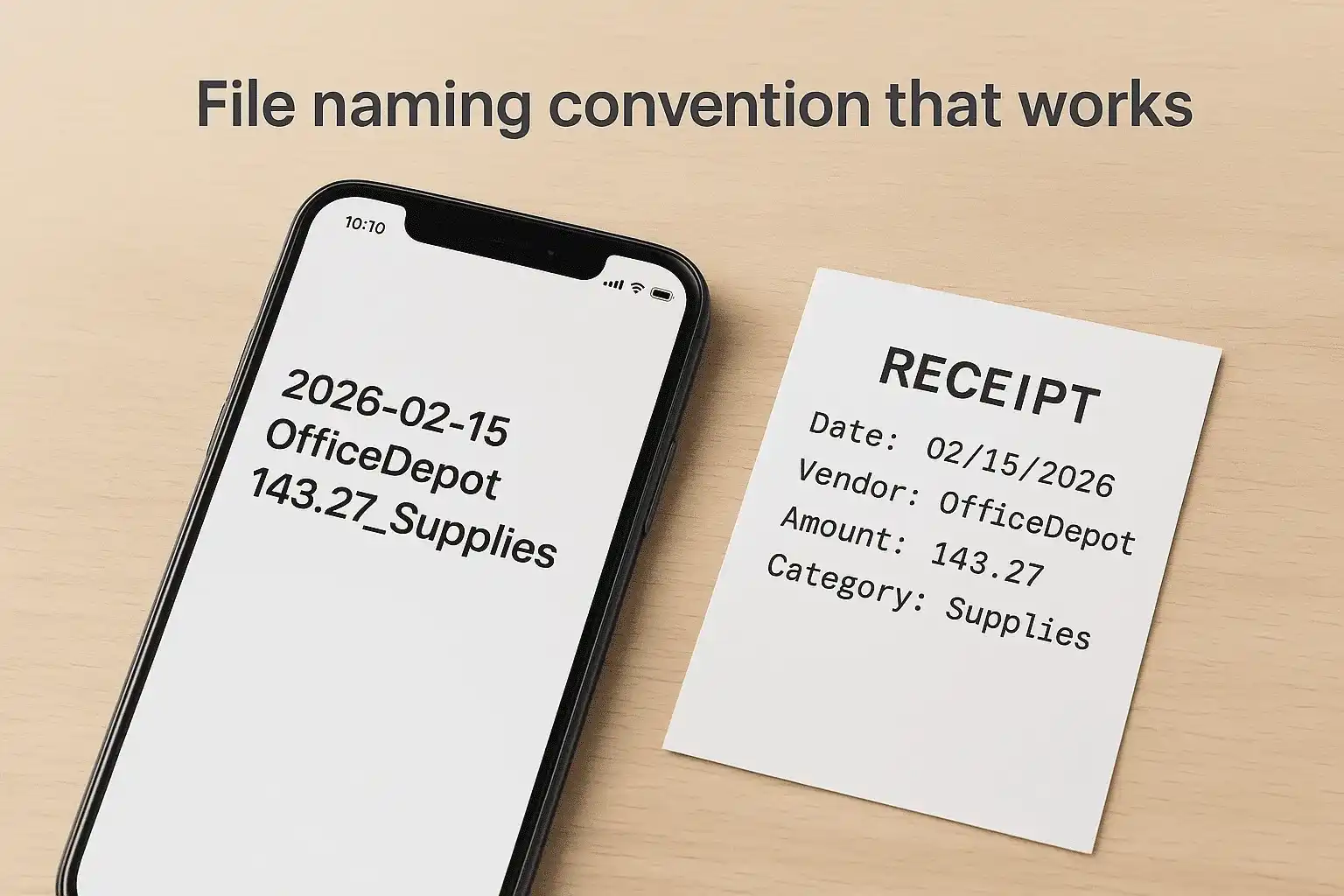
Here are real examples of properly named receipt files:
2026-02-15_OfficeDepot_143.27_Supplies.pdf
2026-02-18_Shell_52.00_Auto.pdf
2026-02-20_Marriott_289.00_Travel.pdf
2026-02-23_ATT_125.49_Utilities.pdf
Keep vendor names short and remove spaces, apostrophes, or special characters that might confuse file systems. "McDonald's" becomes "McDonalds" and "Joe's Hardware & Supply" becomes "JoesHardware." Consistency matters more than perfect spelling because you'll search for these files using the names you created.
Organize your digital folder structure
Create a main folder called "Tax Receipts" with subfolders for each tax year, then nest category folders inside each year. This three-level structure (main folder > year > category) prevents mixing expenses from different tax years while keeping related receipts grouped together. Your 2026 folder should contain subfolders matching your tax categories like Advertising, Auto, Meals, Office, Travel, and Utilities.
Store this folder structure in cloud storage that syncs across your devices so you can access receipts from your phone, computer, or tablet. Back up your entire Tax Receipts folder monthly to a separate location like an external hard drive or different cloud service. Digital files fail less often than paper burns or floods destroy filing cabinets, but redundancy protects years of documentation from a single hard drive crash.
Match receipts to bank and credit card transactions
Receipts sitting in folders mean nothing if you can't prove the money actually left your account. Matching receipts to bank statements creates an audit-proof paper trail that connects your documentation to verifiable financial transactions. This reconciliation process catches duplicate entries, identifies missing receipts, and confirms that every deduction you claim has corresponding proof of payment. Understanding how to organize receipts for taxes includes this verification step that most people skip until an auditor demands it.
Create a monthly reconciliation routine
Set a recurring calendar reminder for the last business day of each month to reconcile receipts against your statements. Download statements from every business bank account and credit card in PDF format and save them to a dedicated "Bank Statements" folder organized by year and month. Open each statement alongside your digital receipt folder or physical filing system for that month, then check off each transaction as you locate the matching receipt.
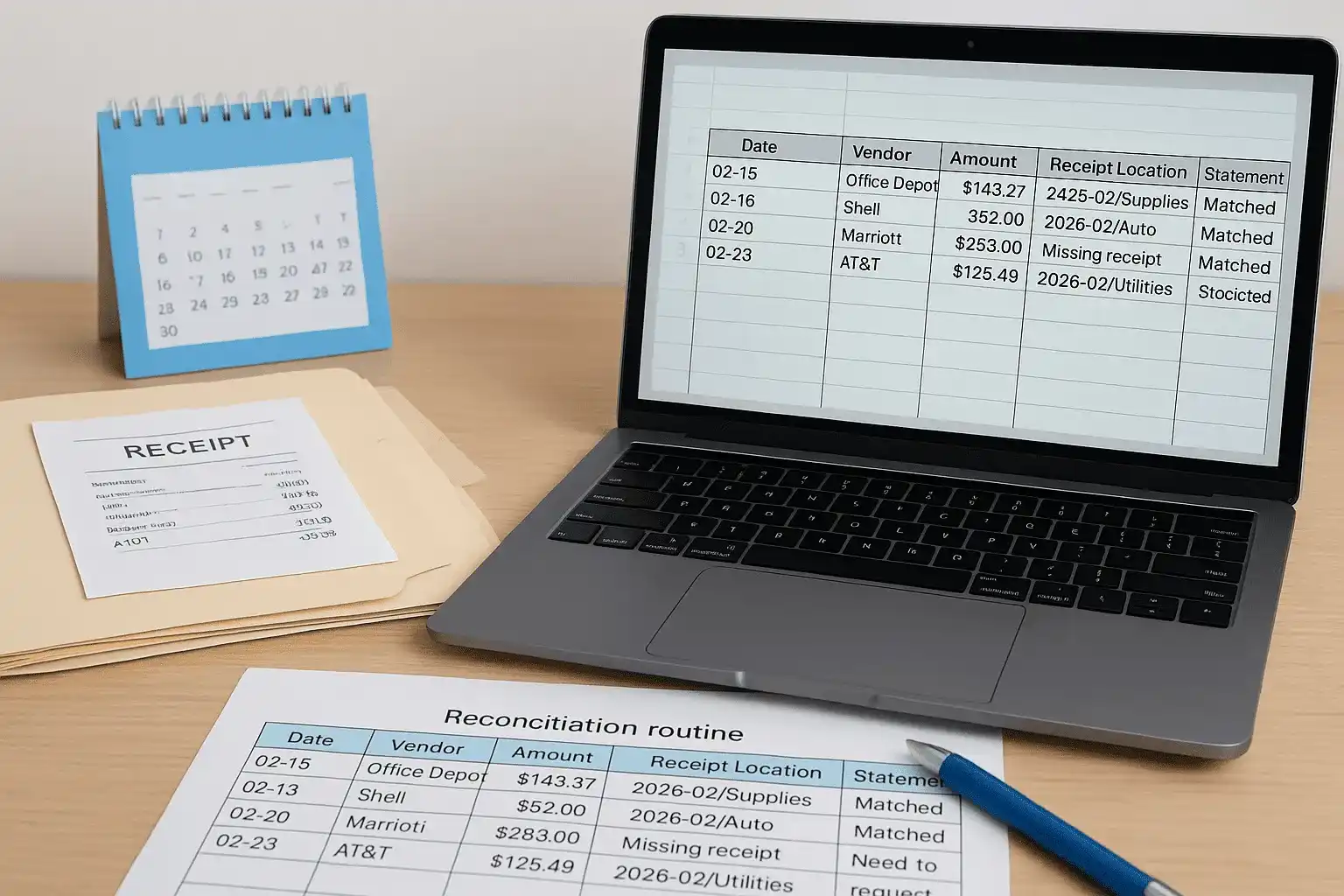
Use a simple spreadsheet with columns for date, vendor, amount, receipt location, and statement confirmation. Mark each row "matched" or "missing" as you work through the statement. This tracking document becomes critical evidence during audits because it demonstrates systematic recordkeeping rather than scrambled reconstruction. Your spreadsheet might look like this:
| Date | Vendor | Amount | Receipt Location | Statement Match |
|---|---|---|---|---|
| 02-15 | Office Depot | $143.27 | 2026-02/Supplies | Matched |
| 02-18 | Shell | $52.00 | 2026-02/Auto | Matched |
| 02-20 | Marriott | $289.00 | Missing receipt | Need to request |
| 02-23 | AT&T | $125.49 | 2026-02/Utilities | Matched |
Monthly reconciliation takes 30 minutes but prevents spending weeks reconstructing records when the IRS questions your deductions.
Handle missing or duplicate transactions
You'll discover transactions on your statement that lack receipts and receipts that don't appear on any statement. For missing receipts, immediately contact the vendor to request a duplicate while the transaction remains in their recent records. If you can't obtain a replacement, note the transaction in your reconciliation spreadsheet with an explanation of why no receipt exists and what business purpose the expense served.
Duplicate transactions happen when you accidentally scan the same receipt twice or when a vendor charges your card multiple times. Cross-reference the dates and amounts carefully because legitimate duplicate charges do occur when you make multiple purchases from the same vendor on the same day. Remove duplicate receipt files and mark the extra statement charge as "disputed" in your tracking spreadsheet until the vendor issues a refund or explains the charge.
Document the matching process
Save your completed reconciliation spreadsheet in the same folder as that month's receipts and bank statements. This documentation proves you actively verified your records rather than simply collecting random receipts throughout the year. During audits, IRS agents look for this type of systematic verification because it signals reliable recordkeeping practices that make their review easier.
Add a notes column to your spreadsheet where you explain unusual transactions that might raise questions later. If you paid cash for a $200 office supply purchase, note "Cash from ATM withdrawal 02-14 for bulk discount." These contemporaneous explanations carry far more weight than stories you invent during an audit when you can't remember why you made certain purchases eighteen months earlier.
Handle special receipts and gray areas
Certain expenses require documentation beyond a simple receipt because the IRS applies stricter scrutiny to categories with high abuse potential. Mixed-use items, cash payments, and contractor expenses all need supplemental records that prove the business portion of your claim. These gray areas cause more audit problems than straightforward office supply purchases because taxpayers often guess at percentages or reconstruct logs months after the fact. Understanding how to organize receipts for taxes means knowing which transactions demand extra proof before you file your return.
Mixed personal and business expenses
Cell phones, internet service, and vehicles used for both personal and business purposes require allocation records that demonstrate your business usage percentage. You can't simply claim 100% of your phone bill as a business expense when you also use it for personal calls. Track business usage for a representative 30-day period, then apply that percentage to your annual costs. Save this tracking log with your receipts as justification for the split.
Create a simple allocation worksheet that shows your calculation method and backup data. Here's a template you can modify:
MIXED-USE EXPENSE ALLOCATION WORKSHEET

Item: Cell Phone Service
Annual Cost: $1,440 ($120/month)
Tracking Period: February 1-28, 2026

Business calls: 127 minutes
Personal calls: 243 minutes
Total calls: 370 minutes

Business percentage: 127 ÷ 370 = 34.3%
Deductible amount: $1,440 × 0.343 = $493.92

Documentation: Call log saved as "2026-02_PhoneLog.xlsx"
Allocation worksheets transform gray-area deductions into documented business expenses that survive IRS scrutiny.
Cash transactions and mileage logs
Cash purchases lack the automatic paper trail that credit cards create, making contemporaneous documentation absolutely critical for these transactions. When you pay cash for business expenses, get a receipt and note the cash source on it immediately. Write "Cash from ATM 02-28" or "Personal funds reimbursed" so you can trace the money flow if questioned. Photograph these annotated receipts the same day because thermal paper fades quickly.
Mileage deductions require a detailed log showing date, starting location, destination, business purpose, and miles driven for every trip you claim. Apps that track your location automatically satisfy these requirements, but handwritten logs work if you maintain them daily. Your log entry should look like this:
Date: 02-28-2026
From: Office (123 Main St, Irvine CA)
To: Client meeting (456 Oak Ave, Newport Beach CA)
Purpose: Quarterly review with ABC Corp
Odometer start: 45,283
Odometer end: 45,308
Total miles: 25
Contractor payments and asset purchases
Payments to contractors over $600 annually require Form 1099-NEC filing by January 31st, and you need their W-9 form before making the first payment. Store contractor W-9s in a separate folder because the IRS can penalize you for missing 1099 filings even if the contractor reports their income correctly. Your receipt for contractor payments should include their business name, amount paid, date, and services provided.
Large equipment purchases over $2,500 typically get depreciated rather than deducted immediately, requiring additional documentation beyond the purchase receipt. Keep the invoice, financing agreements, and a photo of the asset with a date stamp. Create a depreciation schedule showing the asset's cost, useful life, and annual deduction amount. This supporting documentation proves you calculated the deduction correctly when the IRS reviews your return years later.
Store, back up, and know how long to keep records
Your organized receipts become worthless if you lose them to a hard drive failure, fire, or accidental deletion before the IRS statute of limitations expires. Storage and backup decisions need to balance accessibility with long-term preservation, and the IRS mandates specific retention periods that vary by document type. Understanding how to organize receipts for taxes includes knowing exactly how long each category of record must remain accessible, because premature disposal can cost you thousands in disallowed deductions during an audit.
Physical storage requirements
Paper receipts stored in filing cabinets need protection from moisture, heat, and physical damage that makes them unreadable over time. Use acid-free folders and store your filing system in a climate-controlled space away from water pipes or exterior walls. Thermal receipts from gas stations and stores fade within 18-24 months even under ideal conditions, making immediate scanning or photocopying mandatory for these documents.
Fireproof filing cabinets or safes protect your most critical tax documents like asset purchase receipts, depreciation schedules, and incorporation papers that you'll need for decades. These containers survive house fires that would destroy standard filing cabinets, and they cost less than recreating years of destroyed documentation. Store only permanent records in fireproof storage since space limitations make them impractical for routine monthly receipts.
Create redundant digital backups
Your digital receipt files need to exist in at least three separate locations using the 3-2-1 backup rule: three total copies, on two different types of media, with one copy stored off-site. Cloud storage counts as your off-site backup, while your computer's hard drive and an external backup drive provide the other two copies. This redundancy ensures you can recover your records even if ransomware encrypts your computer or your cloud provider experiences an outage.
Run automatic backups weekly rather than relying on manual copying that you'll forget during busy periods. Most cloud services sync changes automatically, but your external drive needs scheduled backup software that runs without your intervention. Test your backups quarterly by attempting to restore a random month's receipts to confirm the files aren't corrupted and your recovery process actually works.
IRS retention timelines by category
The IRS requires different retention periods depending on the type of document and potential issues with your return. Keep routine business expense receipts for three years from your filing date because that's the standard audit window. If you underreported income by more than 25%, the IRS can audit six years back, so high-risk returns need longer retention.
| Document Type | Retention Period | Reason |
|---|---|---|
| Standard business receipts | 3 years | Normal audit statute |
| Employment tax records | 4 years | DOL requirements |
| Asset purchase records | 7+ years | Until disposal + 3 years |
| Unfiled returns or fraud | Indefinitely | No statute of limitations |
Keep asset documentation for the entire ownership period plus three years after disposal because the IRS calculates depreciation and gains from your original purchase records.
Mark boxes or digital folders with the earliest safe disposal date so you know when you can purge old records. A receipt from a 2023 return filed in April 2024 becomes disposable in April 2027, but label it "Dispose After: 2027-04-15" rather than trying to remember the calculation later. This simple labeling system prevents accidental early disposal while letting you clear space systematically as retention periods expire.
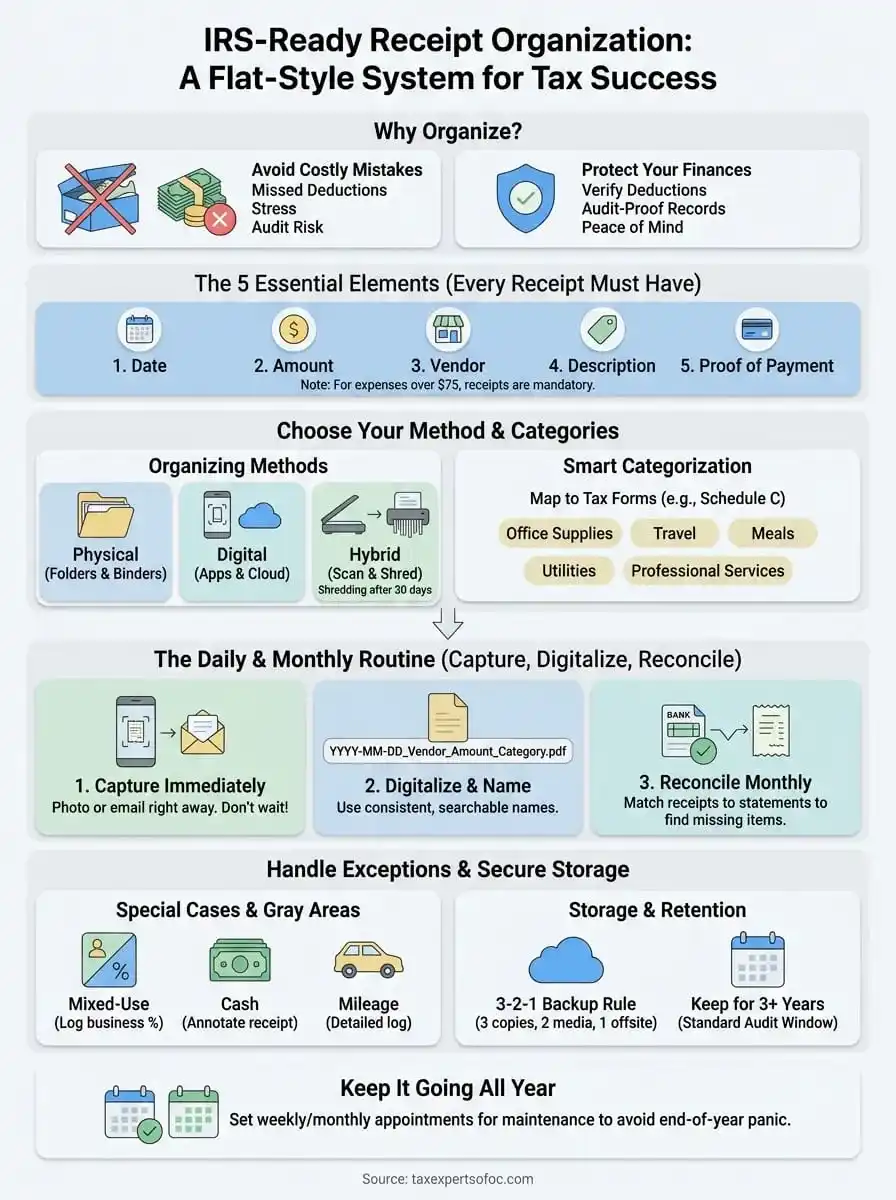
Keep it going all year
Your receipt organization system only works if you maintain it consistently from January through December. Set a weekly 15-minute appointment to process accumulated receipts, match them to statements, and verify your digital backups remain accessible. This regular maintenance prevents the February scramble that turns understanding how to organize receipts for taxes into an annual crisis instead of a manageable routine that protects your deductions year-round.
Monthly reconciliation catches problems while you can still fix them. Review your category totals each month to spot duplicate entries, missing receipts, or expenses coded incorrectly. These small corrections take minutes when handled promptly but create hours of reconstruction work if you discover them during tax preparation. Consistency beats perfection in recordkeeping.
When tax issues extend beyond organizing receipts into resolution services, penalty abatement, or audit representation, Tax Experts of OC provides direct access to CPAs and Enrolled Agents who handle complex cases nationwide. Your documentation system protects you, but professional representation protects your financial future when the IRS escalates beyond routine correspondence.