
Running a restaurant means tracking dozens of daily transactions, managing vendor payments, monitoring food costs, and staying on top of payroll, all while keeping the kitchen running and guests happy. Without a reliable system for restaurant bookkeeping, even a profitable operation can spiral into cash flow problems and tax headaches faster than a Friday night rush.
The challenge isn't just recording numbers. It's building a process that accounts for tip reporting, inventory shrinkage, fluctuating food costs, and the unique revenue cycles that make restaurants fundamentally different from other businesses. Most generic bookkeeping advice doesn't address these realities, which is why so many restaurant owners end up buried in disorganized records when tax season arrives.
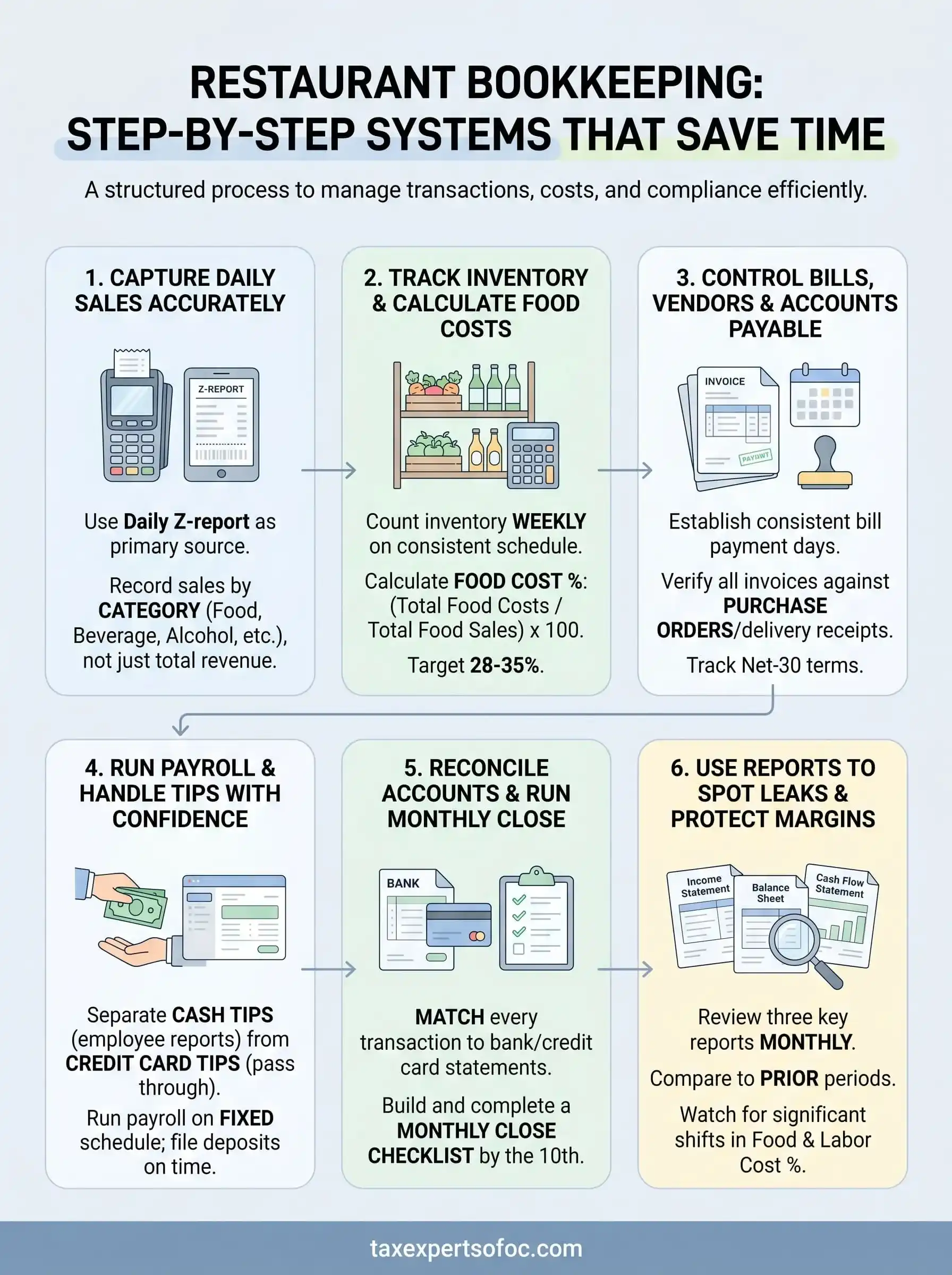
This guide breaks down a step-by-step bookkeeping system designed specifically for restaurants, from structuring your chart of accounts and tracking daily sales to managing inventory costs and reconciling accounts on a schedule that actually works. You'll walk away with a clear framework you can implement immediately, whether you're opening your first location or tightening up operations at an established restaurant.
At Tax Experts of OC, our CPAs and Enrolled Agents work with restaurant owners across the country who need more than software, they need professional bookkeeping, tax preparation, and strategic financial guidance built around the hospitality industry's demands. Everything in this guide reflects the hands-on approach we bring to our clients' books every day.
What restaurant bookkeeping includes and why it matters
Restaurant bookkeeping covers every financial transaction that moves through your operation, from the first sale of the day to the final vendor payment at month's end. Unlike general business accounting, restaurant books must account for high transaction volume, perishable inventory, tip income, and labor costs that can shift dramatically week to week. Understanding what falls inside the scope of your books is the first step toward building a system that actually works for your specific operation.
The core components of a restaurant's books
Your books capture more moving parts than most owners realize when they first sit down to organize their finances. At a minimum, complete restaurant books involve tracking daily sales by revenue category, recording all vendor invoices, monitoring food and beverage inventory, managing payroll including tips, and reconciling bank accounts on a regular schedule. Each of these components connects to the others, so a gap in one area creates ripple effects across your financial statements.
Here is what a complete restaurant bookkeeping system covers:
| Component | What It Tracks |
|---|---|
| Daily sales | POS revenue broken down by food, beverage, and any other categories |
| Cost of goods sold | Food and beverage purchases minus ending inventory |
| Labor costs | Wages, payroll taxes, tip allocations, and overtime |
| Accounts payable | Outstanding invoices from suppliers, vendors, and service providers |
| Bank reconciliation | Internal records matched against actual bank and credit card statements |
| Tax liabilities | Sales tax collected, payroll tax obligations, and estimated income payments |
Why restaurants need a specialized approach
Generic bookkeeping software and general-purpose accountants often miss the details that matter most in a restaurant. Food cost percentage is one of the most critical metrics in the industry, yet most standard accounting templates do not track it automatically. You need a system that separates food purchases from beverage purchases, ties those numbers to actual inventory counts, and then calculates what percentage of each sales dollar went toward ingredients.
Labor is another area where restaurants face unique complexity. Tipped employees, minimum wage laws that vary by state, overtime calculations, and tip credit rules all create bookkeeping requirements that general payroll systems sometimes handle incorrectly. A restaurant in California operates under different labor rules than one in Texas, and your books need to reflect those distinctions accurately to avoid costly penalties.
Restaurants that track food and labor costs as a percentage of revenue, not just as raw dollar figures, give themselves the clearest picture of where margin is quietly being lost.
The financial cost of disorganized records
Disorganized records cost you money throughout the year, not only during tax season. When your books are unclear, you cannot spot vendor overcharges or identify which menu items are draining your margins. You also lose the ability to make informed decisions about staffing levels, portion sizes, or pricing because you are working from incomplete data.
Beyond internal losses, messy financial records create serious risk with IRS compliance. Unreported tip income, misclassified expenses, and missing payroll tax deposits are among the most common issues that trigger IRS notices for restaurant owners. A clean, well-organized bookkeeping system built around the specific demands of food service is your first and most reliable line of defense against those outcomes.
Set up your bookkeeping foundation before you log anything
Before you record a single sale or vendor payment, you need the right structure in place. Jumping into daily transaction logging without a proper foundation is one of the most common mistakes in restaurant bookkeeping, and it leads to misclassified expenses, inaccurate reports, and hours of cleanup work later. Taking an afternoon to configure your system correctly at the start will save you significant time every single week going forward.
Build a chart of accounts tailored to food service
Your chart of accounts (COA) is the backbone of your entire bookkeeping system. It is the list of categories that every transaction gets assigned to, and a generic chart designed for retail or service businesses will miss the granularity restaurants actually need. You want separate accounts for food costs, beverage costs, and alcohol costs so you can calculate accurate cost-of-goods percentages for each category rather than lumping everything together.
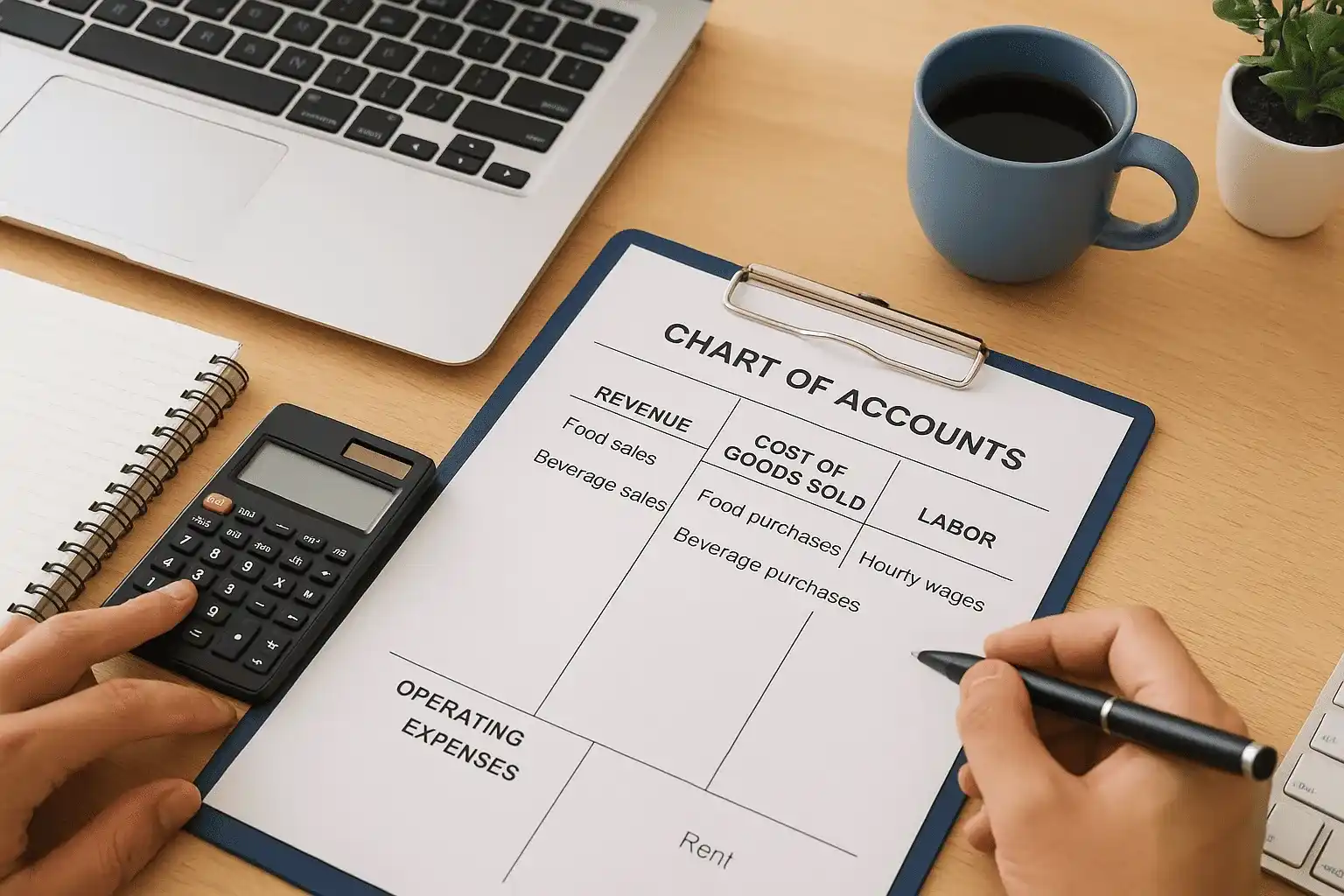
A chart of accounts built for restaurants from day one saves you hours of recategorization work every month and gives you cleaner data for every financial decision you make.
Here is a starter chart of accounts structure for a restaurant:
| Account Category | Examples |
|---|---|
| Revenue | Food sales, beverage sales, catering, delivery |
| Cost of Goods Sold | Food purchases, beverage purchases, alcohol purchases |
| Labor | Hourly wages, salaried wages, tips paid out, payroll taxes |
| Operating Expenses | Rent, utilities, supplies, credit card processing fees |
| Tax Liabilities | Sales tax payable, payroll tax payable |
Connect your POS system to your accounting software
Your point-of-sale (POS) system generates more useful financial data than most restaurant owners actually extract from it. Before you start logging anything manually, configure your POS to export daily sales summaries broken down by category so that food revenue, beverage revenue, and any other streams are separated from the start.
Many POS platforms offer direct integrations with accounting software, which means your daily sales data can flow into your books automatically with minimal manual entry. Setting up this connection takes an hour upfront but eliminates daily re-entry of sales figures. At minimum, export a daily Z-report from your POS and use it as the source document for each day's journal entry, storing a digital copy organized by date for your records.
Step 1. Capture daily sales the right way
Daily sales capture is the entry point for everything else in your restaurant bookkeeping system. If this step is inaccurate or inconsistent, every report you run later will carry those same errors forward. The goal is to build a repeatable daily routine that takes no more than fifteen minutes and gives you a clean, categorized record of exactly what your restaurant earned that day.
Use your Z-report as your daily source document
Your Z-report, also called a closing report, is the end-of-day summary your POS system generates after you close out the terminal. It shows total sales, discounts, voids, refunds, and payment method breakdowns. Pull this report every single night without exception and use it as the primary source document for your daily journal entry. Store digital copies in a folder organized by month and year so you can locate any day's sales record in under a minute when you need it.
Treating your Z-report as a non-negotiable daily record is the single most reliable habit you can build into your front-of-house close.
Here is a simple daily sales log template you can use in a spreadsheet until your POS integrates directly with your accounting software:
| Field | Example |
|---|---|
| Date | 2026-06-06 |
| Food Sales | $3,420.00 |
| Beverage Sales | $1,180.00 |
| Alcohol Sales | $870.00 |
| Discounts / Comps | -$145.00 |
| Refunds | -$30.00 |
| Net Revenue | $5,295.00 |
| Cash Collected | $410.00 |
| Card Collected | $4,885.00 |
Record sales by category, not just total revenue
Logging a single daily revenue number tells you very little about how your restaurant actually performed. You need food, beverage, and alcohol sales recorded separately because each category carries a different cost-of-goods target, and combining them into one line hides the data you need to manage margins effectively.
Breaking your sales down by revenue stream also makes it easier to spot unusual fluctuations. If beverage sales drop sharply on a Thursday compared to the same day the prior week, that is worth investigating before it becomes a pattern. Category-level recording gives you that visibility automatically, without any extra analysis work.
Step 2. Track inventory and calculate true food costs
Inventory tracking is where many restaurant owners lose money without realizing it. Theft, spoilage, portion inconsistency, and over-ordering all show up as margin loss on your financial statements, but none of them are visible unless you have a system that connects your purchases, inventory counts, and sales into a single calculation. This step in your restaurant bookkeeping process gives you that connection and makes food cost a number you control rather than one that surprises you.
Count inventory on a consistent schedule
You need to count your inventory at the same time every week, ideally before your first delivery of the week arrives. Counting at inconsistent intervals makes your data unreliable because it becomes impossible to compare one period to another with any accuracy. Designate one or two specific staff members to handle the count using the same sequence every time so nothing gets skipped.
A weekly count caught on the same day and time gives you the cleanest data for spotting shrinkage before it accumulates into a significant loss.
Use a standardized inventory sheet that lists every item in the same order as your storage areas. This saves time during the physical count and reduces errors. Here is a simple template:
| Item | Unit | Beginning Count | Purchases Added | Ending Count | Usage |
|---|---|---|---|---|---|
| Ground beef | lbs | 40 | 60 | 22 | 78 |
| Chicken breast | lbs | 30 | 50 | 18 | 62 |
| Romaine lettuce | heads | 24 | 36 | 10 | 50 |
Usage equals beginning count plus purchases minus ending count. That number feeds directly into your cost of goods sold calculation for the period.
Calculate your food cost percentage
Once you have your usage figures, calculating food cost percentage takes one formula: divide your total food costs for the period by your total food sales, then multiply by one hundred. A well-run restaurant typically targets a food cost percentage between 28 and 35 percent, though this varies by concept and price point.
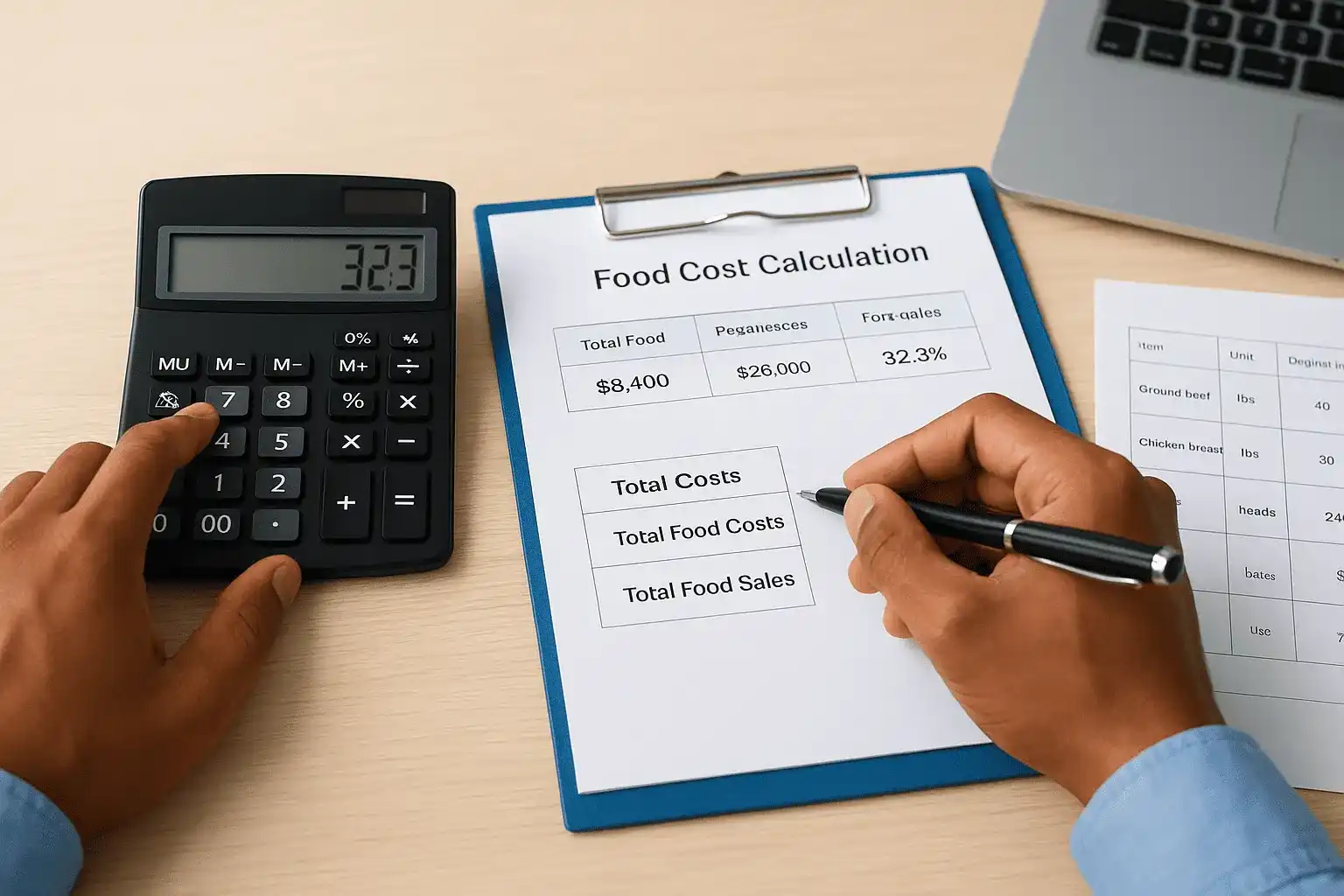
For example, if your weekly food costs total $8,400 and your food sales reach $26,000, your food cost percentage is 32.3 percent. Tracking this number weekly rather than monthly means you catch a spike in week two instead of discovering it when you close the books a month later.
Step 3. Control bills, vendors, and accounts payable
Vendor bills and supplier invoices move fast in a restaurant, and accounts payable is the area where disorganized bookkeeping most directly damages your cash flow. When you lose track of outstanding invoices, you end up paying late fees, straining vendor relationships, or worse, double-paying the same bill because you could not verify what had already gone out. Building a structured process for handling every bill that comes through your door protects your margins and keeps your books clean.
Set up a consistent bill payment process
Your accounts payable workflow needs a fixed rhythm to stay under control. Choose two specific days per week to open, log, and schedule vendor payments, not whenever a bill happens to land on your desk. Every invoice you receive should go into a single designated folder, whether physical or digital, before it gets touched for any other purpose. Logging it immediately with the vendor name, invoice number, invoice date, due date, and amount prevents bills from disappearing into a pile and showing up as overdue surprises.
A twice-weekly payment schedule gives you consistent control over cash outflow without requiring you to check your invoices every day.
Most restaurant vendors, including food distributors, linen services, and equipment maintenance companies, operate on net-30 terms. That means you have thirty days from the invoice date to pay without penalty. Log your due dates the moment invoices arrive so you can time payments strategically around your busiest revenue days and avoid drawing down cash reserves at the wrong moment.
Track vendor invoices against purchase orders
Strong restaurant bookkeeping does not just record what you paid. It verifies that what you paid matches what you actually received. Before you approve any vendor invoice for payment, compare it against your delivery receipt or purchase order from that shipment. Discrepancies in quantity, price, or unit size happen regularly, and catching them before payment is far easier than chasing a credit after the fact.
Use this simple accounts payable tracking template to log every invoice as it arrives:
| Vendor | Invoice # | Invoice Date | Due Date | Amount | Status |
|---|---|---|---|---|---|
| Sysco | INV-4421 | 2026-06-01 | 2026-07-01 | $2,340.00 | Pending |
| Republic Services | INV-8802 | 2026-06-03 | 2026-07-03 | $185.00 | Paid |
| Ecolab | INV-3317 | 2026-06-05 | 2026-07-05 | $430.00 | Pending |
Update the status column the day payment goes out and retain a copy of every paid invoice organized by vendor and date for at least three years.
Step 4. Run payroll and handle tips with confidence
Payroll is the largest controllable expense in most restaurants, and it carries more compliance risk than any other line item in your books. Between tip reporting requirements, tip credit rules, overtime calculations, and payroll tax deposit deadlines, a single processing error can result in IRS penalties or state labor violations that cost far more than the mistake that caused them. Building a structured payroll routine into your restaurant bookkeeping process removes the guesswork and keeps you compliant week after week.
Separate tip types before you run payroll
Tips in a restaurant environment fall into distinct categories, and your payroll process must handle each one differently. Cash tips are received and kept directly by the employee, who is responsible for reporting them to you so you can include them in the payroll tax calculation. Credit card tips pass through your system before reaching the employee, which means you collect them and distribute them on the next pay cycle, making accurate recordkeeping essential.
Tracking cash and credit card tips in separate columns from the moment of collection is the fastest way to eliminate tip reporting errors before payroll runs.
Here is a simple weekly tip log you can use to organize tip data before processing payroll:
| Employee | Cash Tips Reported | CC Tips Collected | Tips Paid Out | Total Taxable Tips |
|---|---|---|---|---|
| J. Torres | $210.00 | $380.00 | $380.00 | $590.00 |
| M. Reyes | $185.00 | $310.00 | $310.00 | $495.00 |
| L. Nguyen | $140.00 | $270.00 | $270.00 | $410.00 |
Reconcile this log against your POS tip report each pay period before you submit payroll so the numbers match your books.
Run payroll on a fixed schedule and file deposits on time
Your payroll deposit schedule with the IRS depends on your total tax liability from the prior lookback period, which means you are either a semi-weekly or monthly depositor. Missing a deposit deadline triggers a penalty that starts at two percent and increases the longer you wait, so set calendar reminders for every deposit due date without exception.
Run payroll on the same day each week or biweekly cycle so your labor costs are predictable and easy to compare across periods. Consistent timing also makes it easier to calculate your labor cost percentage accurately because the pay periods align cleanly with your weekly sales data.
Step 5. Reconcile accounts and run a clean monthly close
Account reconciliation is the process that validates everything else in your restaurant bookkeeping system. Every number you tracked throughout the month, sales, vendor payments, payroll, tips, means nothing until you confirm that your internal records match what your bank and credit card statements actually show. Running a clean monthly close locks in accurate financials before you move forward and gives you a reliable baseline for every decision you make in the month ahead.
Match every transaction before you close the month
Start your reconciliation by pulling your bank statement for the period and opening your accounting software side by side. Work through every line in your bank statement and confirm a matching entry in your books. Flag anything that appears in one place but not the other, whether that is a deposit you recorded but the bank has not cleared, or a charge that hit your account without a corresponding bill in your records. Do not move on until you can explain every discrepancy.
Unresolved differences at month-end compound over time, turning a small error in June into a difficult audit trail problem by December.
Credit card statements require the same treatment. Many restaurants run multiple cards across different expense categories, so reconcile each one separately rather than grouping them. For any transaction you cannot immediately identify, pull the original receipt or invoice before closing the month. Your goal is a zero difference between your book balance and your bank balance for every account.
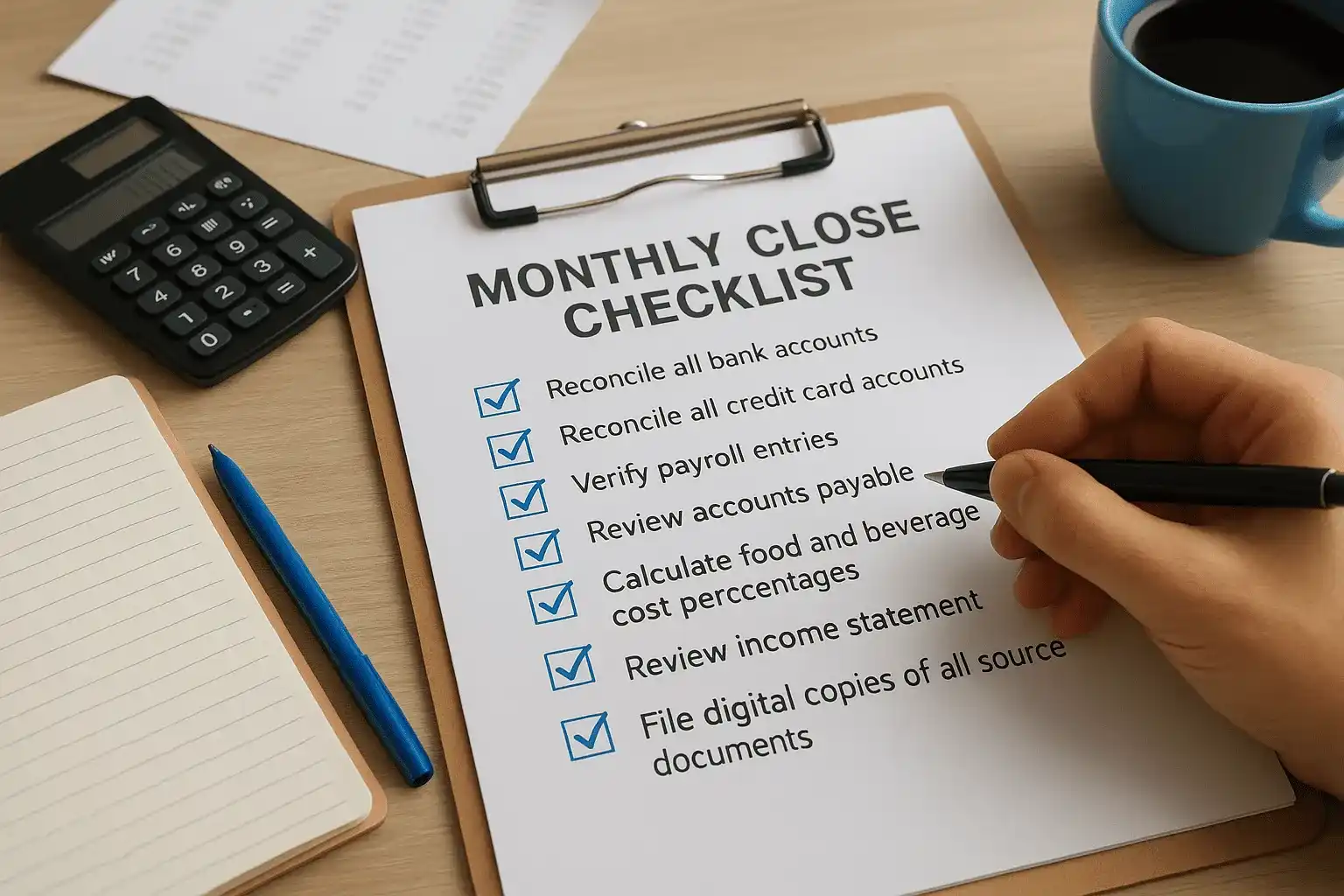
Build a monthly close checklist
Running through the same sequence every month prevents steps from falling through the gaps. Use this checklist to guide your close process each period:
| Task | Notes |
|---|---|
| Reconcile all bank accounts | Match to bank statement, resolve all differences |
| Reconcile all credit card accounts | Match each card statement individually |
| Verify payroll entries | Confirm all pay runs and tax deposits are recorded |
| Review accounts payable | Confirm all vendor invoices paid during the month are posted |
| Calculate food and beverage cost percentages | Compare against prior month and target range |
| Review income statement | Check all revenue and expense categories for unusual variances |
| File digital copies of all source documents | Z-reports, invoices, payroll records organized by month |
Complete this checklist by the tenth of the following month so your financials are ready for any decisions, tax payments, or lender requests that come up early in the next period.
Step 6. Use reports to spot leaks and protect margins
Your bookkeeping data is only useful if you actually read the reports it generates. Restaurant bookkeeping done well produces three financial statements every month that tell you whether your operation is healthy, where money is quietly disappearing, and which decisions to make before a small problem becomes a large one. Most restaurant owners glance at their bank balance and move on, but the owners who protect their margins consistently are the ones reading their reports on a schedule.
The three reports every restaurant owner should read monthly
Three reports give you the clearest picture of your financial position without requiring an accounting degree to interpret them. Your income statement (also called a profit and loss statement) shows every dollar earned and spent during the month, organized by category. Your balance sheet shows what you own versus what you owe at a specific point in time. Your cash flow statement tracks the movement of actual cash in and out of the business, which often tells a very different story than your net income figure.
Reading all three reports together each month gives you a complete picture that no single statement can provide on its own.
Review these reports using this framework each month:
| Report | What to Check | Warning Sign |
|---|---|---|
| Income Statement | Food cost %, labor cost %, gross margin | Either metric up more than 2% from prior month |
| Balance Sheet | Accounts payable total, cash on hand | Payables growing while cash shrinks |
| Cash Flow Statement | Operating cash flow | Profitable on paper but negative cash flow |
What to look for when numbers shift
Your income statement becomes most useful when you compare it against prior periods rather than reading it in isolation. Pull your current month alongside the same month from the prior year and your previous month. Any line item that moved by more than two percentage points deserves a closer look before you accept it as normal. A spike in your food cost percentage almost always points to one of four causes: portion drift, theft, over-ordering, or a vendor price increase that did not get flagged.
Labor cost percentage is the second number to watch closely each period. When your labor line climbs above target, the cause is usually unplanned overtime, scheduling gaps, or a shift in your sales mix that was not matched with a staffing adjustment. Identifying the cause in the current month gives you time to correct it before the same pattern repeats the next week.
Next steps to keep your books clean all year
The systems in this guide work only if you run them consistently. Daily sales capture, weekly inventory counts, and monthly reconciliations each build on the one before, so skipping a step creates gaps that compound quickly. Start with the foundation: set up your chart of accounts, connect your POS, and commit to pulling your Z-report every night. Once those habits are in place, layer in the inventory and payroll processes until the full routine runs without friction.
Clean restaurant bookkeeping also means knowing when to bring in professional support. If your books have fallen behind, your food costs are unclear, or you have received an IRS notice, those are not problems a spreadsheet alone will solve. The team at Tax Experts of OC includes CPAs and Enrolled Agents who work with restaurant owners nationwide on bookkeeping, tax preparation, and IRS resolution. Schedule your free 30-minute consultation to get your finances organized before the next quarter starts.