
Every small business owner eventually hits the same wall: a shoebox full of receipts, a bank account that doesn't match the numbers on screen, and a growing sense that something important is slipping through the cracks. Bookkeeping for small business isn't glamorous work, but it's the foundation that keeps your company financially healthy and tax-ready year-round.
Most owners don't struggle because the concepts are hard. They struggle because nobody showed them a clear, practical system from the start. Without one, expenses go untracked, deductions get missed, and tax season turns into a scramble. The good news? You don't need an accounting degree to get your books in order, you just need a reliable process and the right tools.
At Tax Experts of OC, our CPAs and Enrolled Agents work with small business owners across all 50 states who come to us with messy or neglected books. We handle everything from monthly bookkeeping and accounting to tax preparation and IRS resolution. That hands-on experience is exactly what shaped this guide, a step-by-step walkthrough covering how to set up your books, choose the right software, track income and expenses, and maintain accurate records as your business grows.
What bookkeeping is and what you need to start
Bookkeeping is the practice of recording every financial transaction your business makes: money coming in, money going out, and everything in between. It's not the same as accounting, which takes those records and uses them to analyze performance, file taxes, or project future growth. Bookkeeping is the raw data layer. Without clean, consistent records, even the best CPA can't give you an accurate picture of where your business actually stands.
The difference between bookkeeping and accounting
Many owners use these two terms interchangeably, but understanding the distinction saves you from buying the wrong service or underestimating what you need. A bookkeeper records and categorizes transactions on an ongoing basis. An accountant or CPA interprets that data, prepares financial statements, and files your taxes. In bookkeeping for small business, you often start by handling both yourself until the volume or complexity of your finances makes it worth delegating one or both tasks to a professional.
The line between the two gets blurry at tax time, but day-to-day bookkeeping is something you can manage yourself with the right system in place.
What you need before you open your books
Before you record a single transaction, a few basics need to be in place. Trying to set up your books without them creates confusion and forces you to redo work you've already done. Gather the following before you open any spreadsheet or software account:
- Your business's legal name and EIN (Employer Identification Number, available at no cost through the IRS website)
- A dedicated business bank account so personal and business finances stay separate from day one
- A list of all active revenue streams, including product sales, services, subscriptions, or contract income
- Your major recurring expenses, such as rent, software subscriptions, payroll, and supplier invoices
- Any existing financial records, such as bank statements, invoices, or receipts from earlier in the current year
Collecting these upfront means you can build your chart of accounts accurately and avoid going back later to fix hundreds of miscategorized entries.
The core bookkeeping terms you need to know
You don't need to memorize a textbook, but a handful of terms come up constantly once you start managing your own books. Knowing them helps you use any bookkeeping tool confidently and communicate clearly with any financial professional you bring in later.
| Term | What it means |
|---|---|
| Revenue | All money your business brings in from sales or services |
| Expense | Money paid out to run the business |
| Accounts receivable | Money customers owe you for work already completed |
| Accounts payable | Money you owe to vendors or suppliers |
| Equity | The owner's financial stake in the business |
| Reconciliation | Matching your records to your bank statement to catch errors |
These six terms cover the vast majority of what you'll encounter in your first year. Once you understand what each one represents in practice, setting up and navigating your accounting software becomes far less intimidating and far more useful as a real business tool.
Step 1. Separate finances and pick your accounting method
Mixing personal and business money is the single fastest way to destroy your bookkeeping records before they even get started. Before you log a single transaction, open a dedicated business bank account and, if you plan to make purchases on credit, a business credit card. This one action eliminates hours of manual sorting at tax time and gives you a clean, reliable record of every dollar that moves through your business.
Open a dedicated business bank account
When you open your account, bring your EIN, business formation documents (such as your LLC or corporation paperwork), and a government-issued ID. Most major banks offer business checking accounts designed for small businesses, and many let you apply online in under 30 minutes. Once the account is active, route all business income and expenses through it exclusively, with no exceptions, even for small purchases.
Look for an account that offers:
- No or low monthly maintenance fees
- Free ACH transfers for vendor payments
- Integration with bookkeeping software
- Online access with downloadable transaction history in CSV format
Choose between cash basis and accrual basis accounting
This is one of the two foundational decisions in bookkeeping for small business, and choosing the wrong method creates real problems when you file taxes. Cash basis accounting records income when you actually receive payment and records expenses when you actually pay them. Accrual basis accounting records income when you earn it, even if payment has not arrived yet, and records expenses when you incur them, even if you have not paid yet.
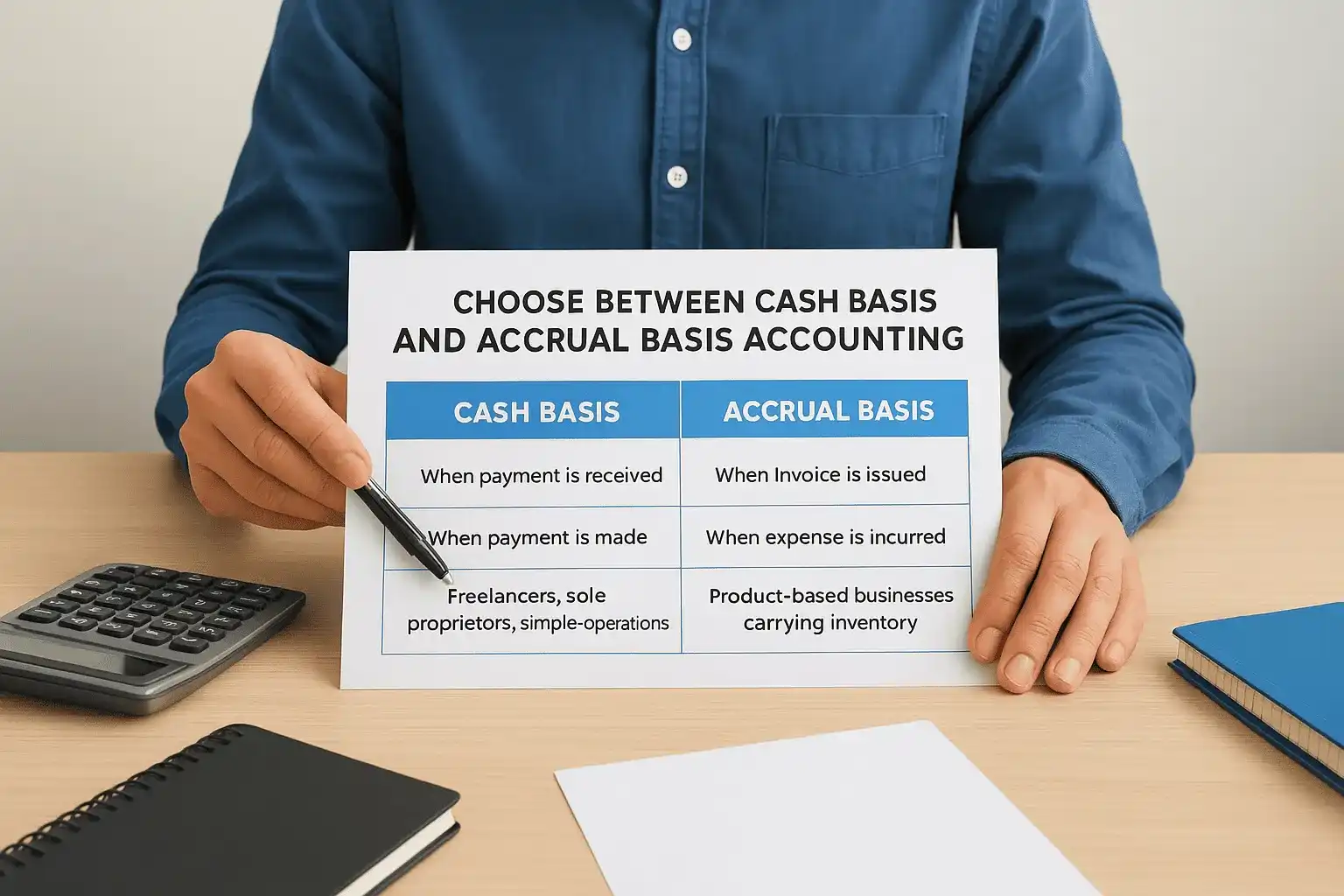
Most small businesses with annual revenue under $25 million are eligible to use cash basis accounting under IRS rules, which simplifies recordkeeping significantly.
| Cash Basis | Accrual Basis | |
|---|---|---|
| Records income | When payment is received | When invoice is issued |
| Records expenses | When payment is made | When expense is incurred |
| Best for | Freelancers, sole proprietors, simple operations | Product-based businesses carrying inventory |
| Tax filing | Simpler, matches actual cash flow | More complex, often requires a CPA |
Pick the method that matches your business model and stick with it. Switching methods mid-year requires IRS approval and creates unnecessary complications across your entire set of records.
Step 2. Set up your books with a chart of accounts
A chart of accounts is the master list of every category your business uses to classify financial transactions. It works as the organizational backbone of your bookkeeping for small business system. Every time money moves, you assign that transaction to one of these categories, which is how your software knows whether a payment belongs under "Office Supplies" or "Cost of Goods Sold." Setting this up correctly from the start saves you from recategorizing dozens of entries later and prevents reporting errors that compound over time.
What a chart of accounts actually is
Your chart of accounts organizes into five main groups: assets, liabilities, equity, income, and expenses. Each group contains specific accounts that reflect your actual business activity. Most bookkeeping software generates a default chart of accounts when you create a new company file, but the default list rarely matches your real operations without customization. Delete accounts you will never use and add categories specific to your business, such as "Subcontractor Labor" if you hire freelancers or "Shipping Revenue" if you charge customers for delivery.
The cleaner your chart of accounts, the faster you can generate a financial report that actually tells you something useful about your business.
A simple chart of accounts template for small businesses
The table below gives you a starting structure you can adapt to fit your business. Account numbers help you sort and navigate your list quickly, especially as it grows.
| Account # | Account Name | Type |
|---|---|---|
| 1000 | Checking Account | Asset |
| 1100 | Accounts Receivable | Asset |
| 1500 | Equipment | Asset |
| 2000 | Accounts Payable | Liability |
| 2100 | Credit Card Payable | Liability |
| 3000 | Owner's Equity | Equity |
| 4000 | Sales Revenue | Income |
| 4100 | Service Revenue | Income |
| 5000 | Cost of Goods Sold | Expense |
| 6000 | Rent Expense | Expense |
| 6100 | Payroll Expense | Expense |
| 6200 | Software Subscriptions | Expense |
| 6300 | Office Supplies | Expense |
Start with this list and modify it based on your actual revenue sources and recurring costs. You can always add accounts as your business grows, but avoid creating a new category for every unusual transaction. When in doubt, use a broader account name like "General Business Expense" to keep your list manageable and your reports readable.
Step 3. Record income, expenses, and receipts correctly
Recording transactions accurately and consistently is where bookkeeping for small business either holds together or falls apart. Every dollar that comes in or goes out needs a date, an amount, a category from your chart of accounts, and a brief description. Doing this in real time, rather than batching it at the end of the month, keeps your records clean and dramatically reduces the chance that something gets forgotten, miscategorized, or lost.
How to record income correctly
When a customer pays you, record the transaction immediately with four pieces of information: the date payment was received, the amount, the income category it belongs to, and the customer or project name. If you use invoicing software, your bookkeeping tool often pulls this data automatically once you mark the invoice as paid. For cash payments, you need to enter them manually the same day they happen.
Never record income on the date you issue the invoice unless you are using accrual basis accounting, since recording it too early distorts your actual cash flow picture.
Keep a copy of every invoice you send, whether through your software or as a saved PDF. Invoices serve as your primary supporting documentation for income if the IRS ever requests proof of earnings during an audit.
How to record expenses and manage receipts
For expenses, record the date, amount, vendor name, and the specific expense account from your chart of accounts. A payment to a software provider goes under "Software Subscriptions," not "General Business Expense," because vague categorization makes your financial reports useless and gives you no useful data when you're trying to cut costs or prepare your taxes.

Receipts require a simple but consistent system. Follow these steps every time you make a business purchase:
- Photograph or scan the receipt immediately using your phone or a scanner
- Upload the image to your bookkeeping software or a dedicated cloud folder
- Match the receipt to the corresponding transaction in your records
- Note the business purpose if it is not obvious from the vendor name
The IRS recommends keeping business records for at least three years from the date you filed the return they support, and up to seven years if you reported a loss. A digital filing system makes retrieval fast and protects you if paper copies are ever damaged or lost.
Step 4. Reconcile accounts and close the month
Reconciliation is the process of matching every transaction in your bookkeeping records to the corresponding entry on your bank or credit card statement. It catches errors, flags duplicate entries, and confirms that your books reflect what actually happened in your business that month. For accurate bookkeeping for small business, reconciling monthly is non-negotiable. Letting it slip for two or three months means you are making financial decisions based on numbers that may simply be wrong, and the further behind you fall, the harder it becomes to untangle.
How to reconcile your bank account
Pull your bank statement for the month you are closing and open your bookkeeping software to the same account register. Your goal is to confirm that every deposit and withdrawal on the statement has a matching, correctly categorized transaction in your records. Most software includes a built-in reconciliation tool that walks you through this process by letting you check off each matching item one by one.
Follow these steps each month:
- Set the statement ending date and enter the closing balance shown on your bank statement
- Check off each transaction in your software that appears on the bank statement
- Investigate any item that shows up in one place but not the other
- Correct errors by adding missing entries or removing duplicates
- Confirm your reconciliation difference equals zero before closing the period
If your reconciliation difference is not zero, stop and trace the discrepancy before moving forward, since unresolved gaps compound and become significantly harder to find with each passing month.
How to close the month cleanly
Once your bank account reconciles, run through a short closing checklist before locking the period. Confirm that all invoices sent to customers have been recorded and that every payment you made to vendors is matched to the correct expense account in your chart of accounts. Check that payroll entries, if applicable, are posted accurately and that any outstanding loan or credit card balances match your actual statements.
Mark the period as closed in your bookkeeping software if that feature is available. This step prevents accidental edits to a period you have already reviewed and keeps your historical records clean and reliable. Once your system is running consistently, a month-end close typically takes between 30 and 60 minutes and puts accurate numbers in front of you heading into the next period.
Step 5. Use financial reports to run the business and prep taxes
Once your books are reconciled and your month is closed, the data you have collected becomes genuinely useful. Financial reports transform raw transaction records into clear summaries that tell you whether your business is profitable, how much cash you actually have on hand, and what you owe at tax time. Running these reports consistently is one of the highest-value habits in bookkeeping for small business because it shifts you from guessing to knowing.
The three reports every small business owner needs
Your bookkeeping software generates dozens of reports, but three cover the vast majority of what you need to make informed decisions and file your taxes accurately. Review all three every month, not just at the end of the year.
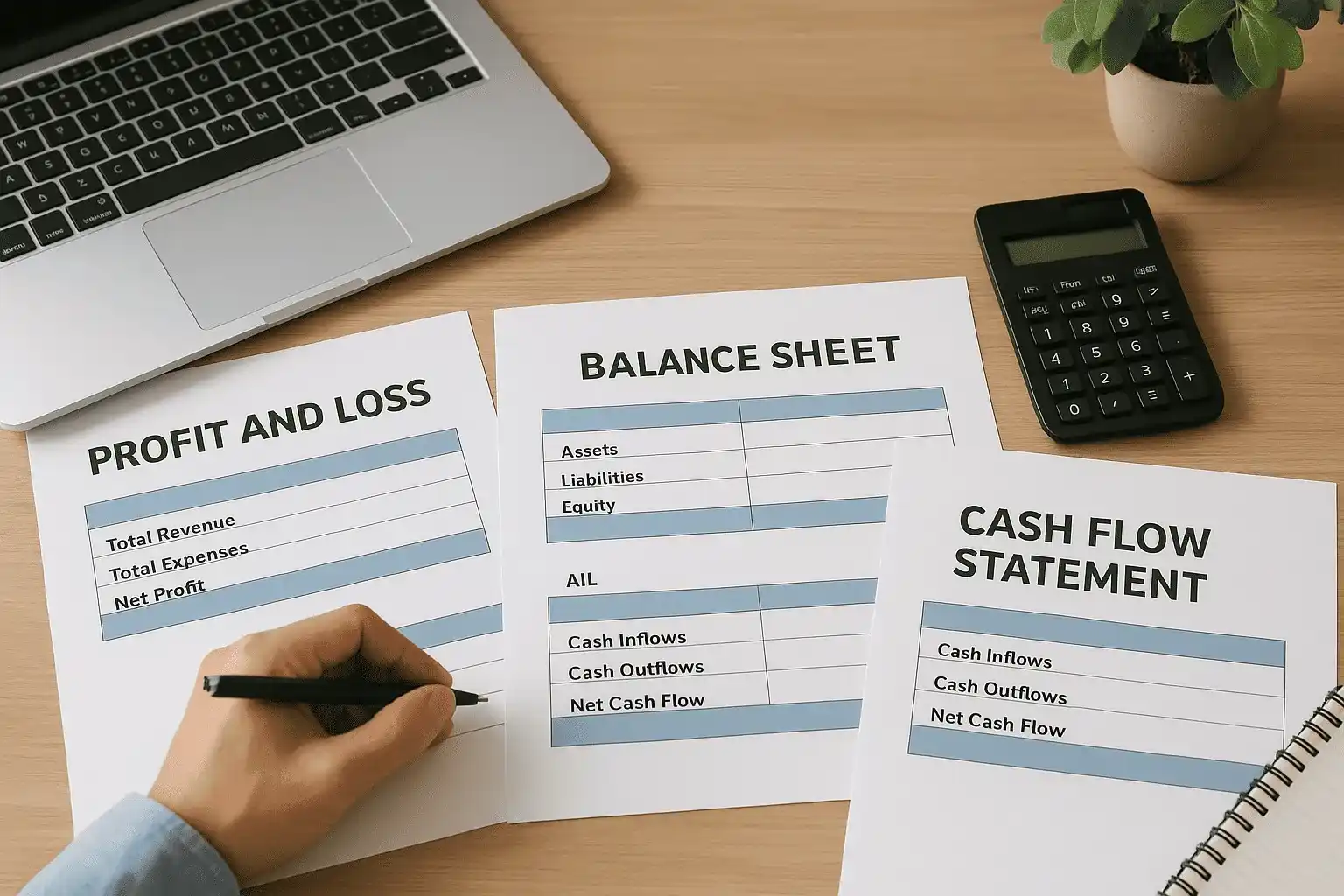
| Report | What it shows | How often to run it |
|---|---|---|
| Profit and Loss (P&L) | Total revenue minus total expenses for a period, showing net profit or loss | Monthly and annually |
| Balance Sheet | A snapshot of assets, liabilities, and equity at a specific date | Monthly and at year-end |
| Cash Flow Statement | How cash moved in and out of the business during a period | Monthly |
Your P&L shows whether you made money, but your cash flow statement shows whether you can pay your bills. Both numbers matter, and they are not always the same.
Reading these reports side by side gives you a complete picture. If your P&L shows strong profit but your cash flow is tight, you likely have outstanding invoices that customers have not paid yet, which is a collections issue, not an accounting error.
How to use reports to prepare for tax season
Tax preparation becomes straightforward when your reports are accurate and current. At year-end, pull your annual Profit and Loss report and hand it to your CPA or Enrolled Agent alongside your bank reconciliation summaries. These two documents cover the bulk of what is needed to prepare a business tax return accurately.
Use your expense reports throughout the year to identify deductible categories you may be undercounting, such as home office use, vehicle mileage, or professional development costs. Tracking these in real time, rather than reconstructing them in April, means you capture every legitimate deduction and avoid scrambling to find documentation under deadline pressure.
Step 6. Know when to DIY and when to hire help
Managing your own books is absolutely possible in the early stages of your business, and millions of small business owners do it successfully. But the right time to hand off bookkeeping for small business tasks depends on two things: how complex your finances have become and how much time the work is pulling away from running your actual business.
When DIY bookkeeping makes sense
Doing your own books works well when your transaction volume is low and your income sources are straightforward. If you run a solo service business, collect payments from a handful of clients each month, and have predictable recurring expenses, the work is manageable with a solid software tool and a consistent weekly routine. Most owners in this position spend three to five hours per month on their books once a proper system is in place.
If you are spending more time maintaining your records than serving your customers, that is a clear signal that your bookkeeping setup needs either a better tool or outside help.
You are in a strong position to DIY if you can answer yes to all three of these questions:
- Your books reconcile cleanly every month without unexplained differences
- You understand the reports your software generates and can act on what they show
- You are not missing tax deadlines, losing receipts, or discovering errors after the fact
Signs you need professional help
Several specific situations signal that bringing in a bookkeeper, CPA, or Enrolled Agent will save you more money than it costs. If your business carries inventory, processes payroll, files taxes in multiple states, or operates as a corporation with shareholders, the complexity of maintaining accurate records grows significantly. One miscategorized transaction at that level can distort your financial statements, trigger IRS scrutiny, or result in penalties that far exceed what professional help would have cost upfront.
Hire help when any of the following apply to your situation:
- You have unfiled returns or back taxes creating IRS balance due notices
- Your books are more than two months behind and you cannot catch up
- You are entering a period of rapid growth, new hires, or business restructuring
- You are preparing to apply for a business loan and need auditable financials
- Tax season consistently costs you more than you expected due to bookkeeping errors
Next steps
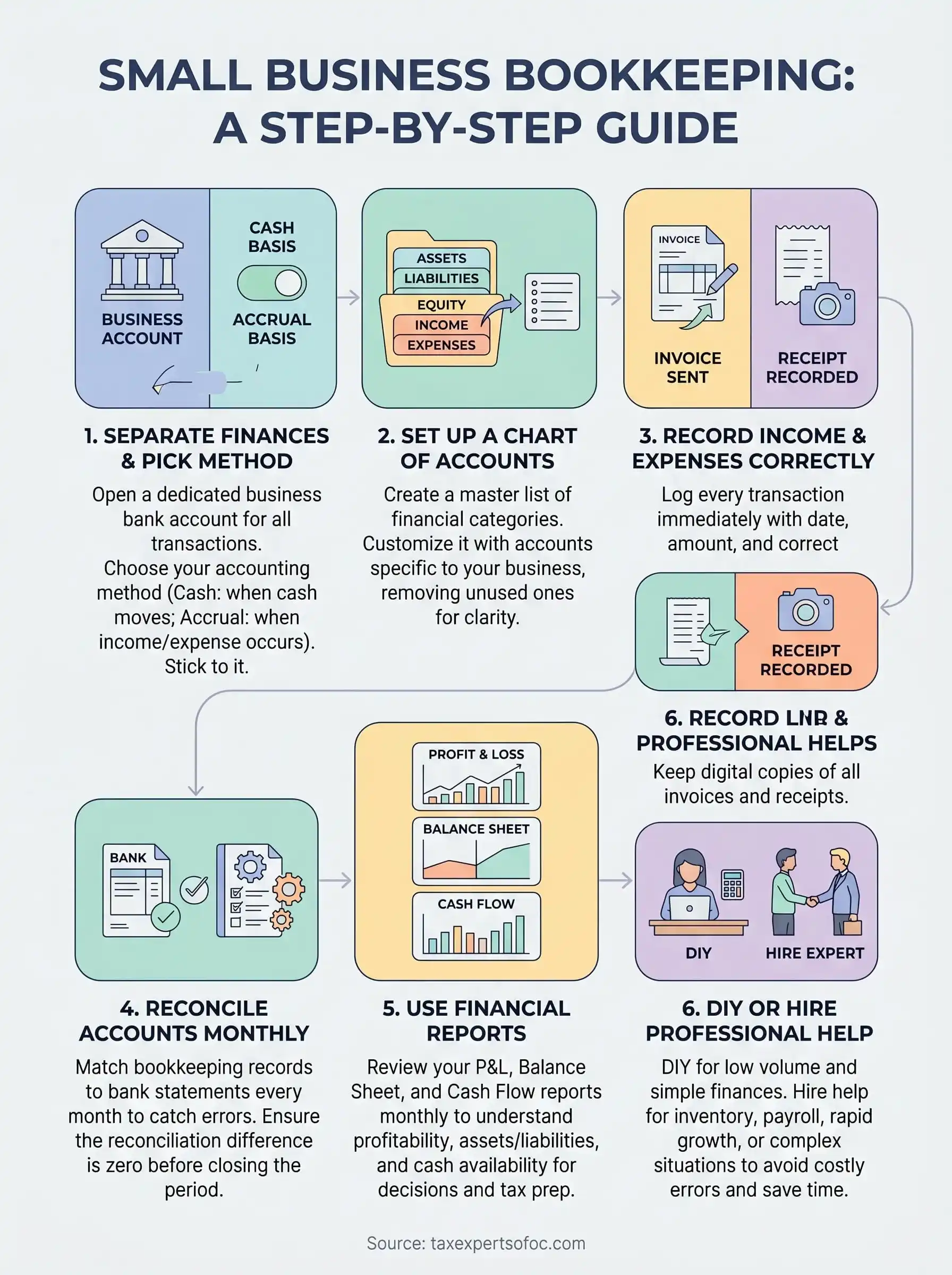
You now have everything you need to build a working bookkeeping for small business system from scratch. You know how to separate your finances, set up a chart of accounts, record transactions accurately, reconcile monthly, and use financial reports to make real decisions. Following these six steps consistently puts you in control of your numbers instead of reacting to them.
Start with what you can do today: open a dedicated business bank account if you do not have one, and pick your accounting method. From there, build your chart of accounts and commit to a weekly habit of entering transactions. Small, consistent actions compound quickly into a financial foundation you can actually trust.
When your books grow beyond what you want to manage alone, Tax Experts of OC is ready to help. Our CPAs and Enrolled Agents provide professional bookkeeping and accounting services for small businesses across all 50 states, including a free 30-minute consultation to get you started.