
If you're running your own business, freelancing, consulting, selling online, or anything in between, you already wear too many hats. Adding bookkeeping for self employed work to that list can feel overwhelming, especially when the IRS expects accurate records regardless of whether you have an accounting department or not. But here's the reality: getting your books right from the start saves you money at tax time and keeps you out of trouble with the government.
The good news is that self-employed bookkeeping doesn't require an accounting degree. It does require a system, consistency, and the right tools. Most solopreneurs who fall behind on their finances don't have a revenue problem, they have a process problem. Once you fix that, everything from quarterly estimated taxes to year-end filing gets significantly easier. And if your books are already a mess, that's fixable too. At Tax Experts of OC, our CPAs and Enrolled Agents regularly help self-employed clients untangle months (or years) of disorganized records, set up clean systems, and stay compliant going forward.
This guide walks you through self-employed bookkeeping step by step, from separating personal and business finances to choosing accounting software to tracking deductions you'd otherwise miss. Whether you're brand new to working for yourself or you've been winging it for a while, you'll leave with a clear plan to keep your books accurate and audit-ready all year long.
What self-employed bookkeeping covers in 2026
Bookkeeping for self employed individuals means recording every dollar that flows in and out of your business with enough accuracy that you, or a professional, can reconstruct your financial picture at any point. It's not just about tax filing. Accurate books help you price your services correctly, spot cash flow problems before they become crises, and defend yourself if the IRS ever questions your return. In 2026, the expectations on self-employed workers are higher than ever, because more payment platforms now report directly to the IRS with lower thresholds than before.
If you can't show the IRS a clear paper trail, you lose deductions you legitimately earned and open yourself to penalties you could have avoided entirely.
The core records every solopreneur must maintain
Your books need to capture four main categories of financial data: income, expenses, assets, and liabilities. For most solo operators, assets and liabilities are relatively simple, but income and expenses require consistent weekly attention. The IRS expects you to keep supporting documents for at least three years, and in some cases up to seven, so a casual approach to receipts and invoices creates real legal and financial risk.
Here's what those core records look like in practice:
- Income records: invoices, payment confirmations, 1099-NEC forms, and bank deposits
- Expense records: receipts, credit card statements, mileage logs, and vendor invoices
- Asset records: purchase dates and costs for equipment, software, or vehicles used in your business
- Liability records: outstanding loans, lines of credit, or money owed to vendors
What changed for self-employed bookkeeping in 2026
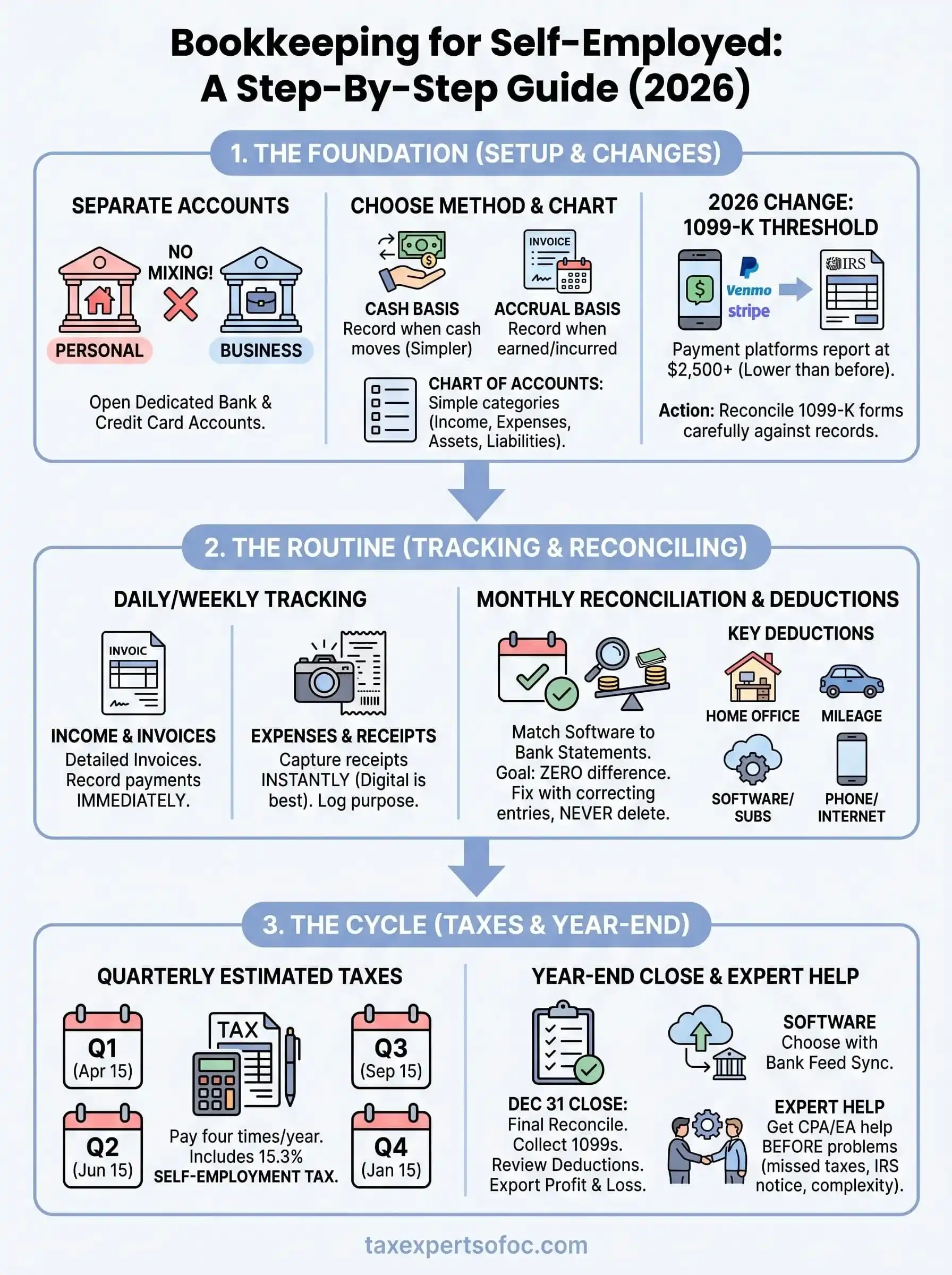
The biggest shift hitting self-employed workers right now is the IRS 1099-K reporting threshold. Payment platforms including PayPal, Venmo for Business, and Stripe are now required to report transactions once you receive $2,500 or more in business payments through their platforms during a calendar year. That's significantly lower than earlier thresholds, which means more self-employed people are receiving these forms for the first time and need to reconcile them carefully against their own records.
A second change is the continued expansion of digital recordkeeping standards. The IRS now accepts digital receipts and electronic records as valid documentation, but those records need to be legible, organized, and retrievable on demand. Keeping a disorganized folder of scanned images with no naming system is technically acceptable, but it wastes time during tax prep and creates unnecessary risk during an audit.
Bookkeeping vs. accounting: know the difference
Many self-employed people use these two terms interchangeably, but they describe different activities. Bookkeeping is the daily recording process: logging transactions, categorizing expenses, reconciling bank statements, and maintaining organized financial data. You can handle most of this yourself with the right software and a consistent weekly routine that takes less time than you'd expect once the system is in place.
Accounting takes that recorded data and interprets it, which includes generating financial statements, calculating tax liability, making strategic decisions, and representing you before the IRS if something goes wrong. Some self-employed workers handle both, but once your revenue grows or your tax situation gets complicated, working with a CPA or Enrolled Agent for the accounting side protects you far better than doing it all alone. Knowing where bookkeeping ends and accounting begins helps you decide what to handle yourself and what to delegate.
Step 1. Set up your bookkeeping foundation
Before you record a single transaction, you need the right infrastructure in place. Skipping this step is the most common reason bookkeeping for self employed individuals falls apart entirely. You need a clean separation between your personal and business finances, a clear accounting method, and a basic chart of accounts that reflects how your business actually operates.
Open a dedicated business bank account
Mixing personal and business money is the fastest way to make your books unreliable and your tax filing painful. Open a separate checking account used exclusively for business, and if you make purchases on credit, get a dedicated business credit card as well. Every dollar your business earns should land in that account, and every business expense should come out of it. This creates a clean, automatic paper trail that makes monthly reconciliation straightforward.
The IRS treats commingled funds as a red flag during audits, and separating them after the fact costs you hours of work you could have avoided entirely.
Choose your accounting method
Cash basis accounting records income when you receive payment and expenses when you pay them. Accrual basis accounting records income when you earn it and expenses when you incur them, regardless of when money actually moves. Most self-employed individuals use cash basis because it's simpler and reflects real cash flow, and the IRS allows it for businesses below certain revenue thresholds.
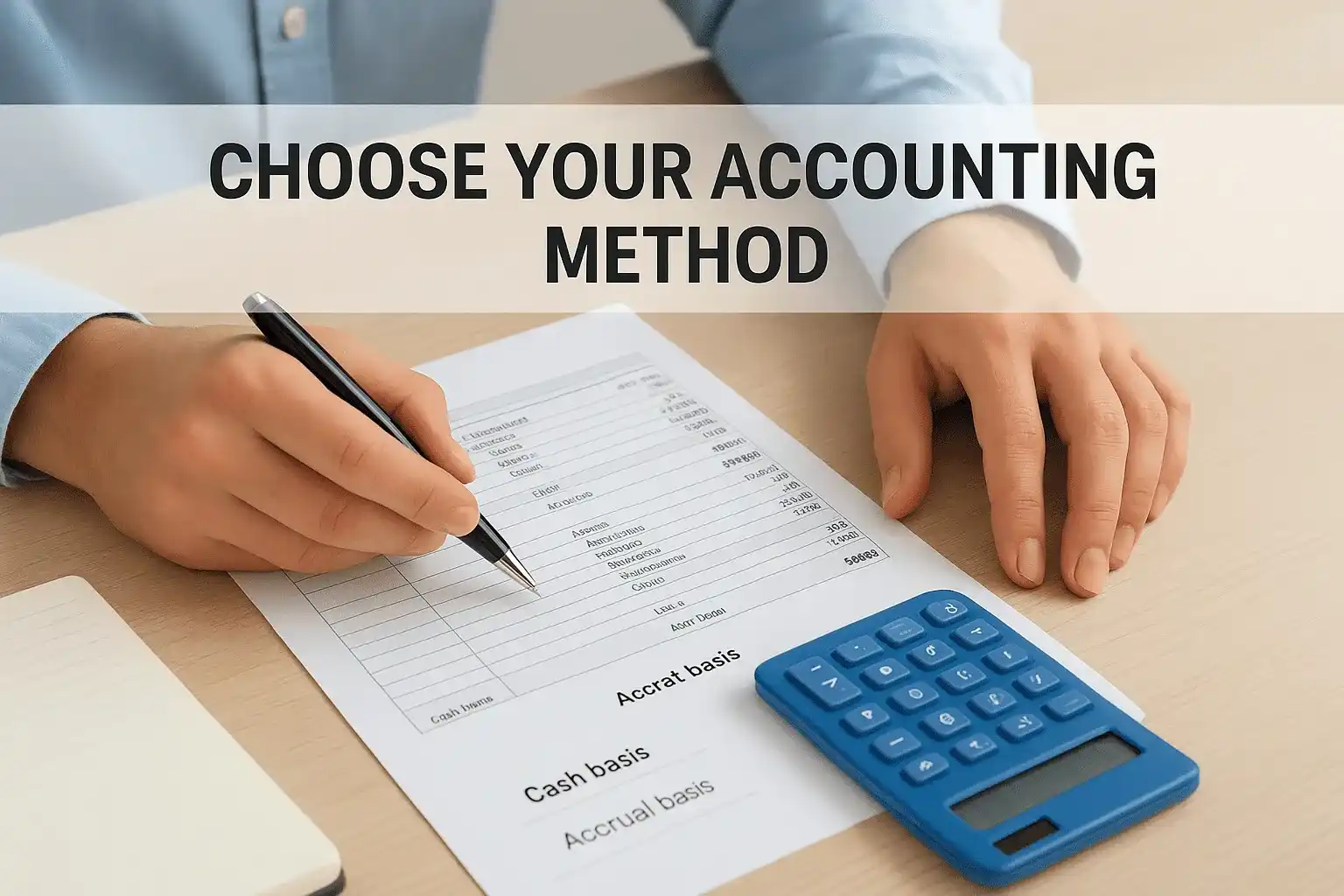
Here's a quick comparison to help you decide:
| Method | Income recorded | Expenses recorded | Best for |
|---|---|---|---|
| Cash basis | When payment is received | When you pay the bill | Most solopreneurs |
| Accrual basis | When invoice is issued | When expense is incurred | Businesses with inventory or complex billing cycles |
Set up a basic chart of accounts
Your chart of accounts is the master list of categories you use to classify every transaction. You don't need dozens of categories to start. A clean, simple structure works better than an overly detailed one you'll abandon within a month. Here's a starter template you can adapt immediately:
- Income: Service revenue, product sales, other income
- Expenses: Advertising, software subscriptions, home office, mileage, professional fees, supplies
- Assets: Business checking, accounts receivable, equipment
- Liabilities: Credit card balances, outstanding loans
Most accounting software builds this list automatically when you select a self-employed or sole proprietor profile, so you're not starting from scratch.
Step 2. Track income and invoices accurately
Every dollar you earn needs to be recorded, categorized, and tied to a source document the moment it hits your account. For bookkeeping for self employed individuals, income tracking is where many people fall short because it feels informal when a client just sends a Venmo payment or drops cash. Every payment counts as taxable income regardless of how it arrives, and the IRS expects your reported income to match the deposits in your business bank account.
Create invoices that include all required information
Your invoice is both a billing tool and a financial record you'll rely on at tax time. Every invoice you send should include your business name, your client's name, an invoice number, the date issued, the due date, a description of services rendered, the amount due, and your payment terms. Using a consistent numbering system, like INV-2026-001, INV-2026-002, makes it easy to track outstanding and paid invoices without digging through your email.
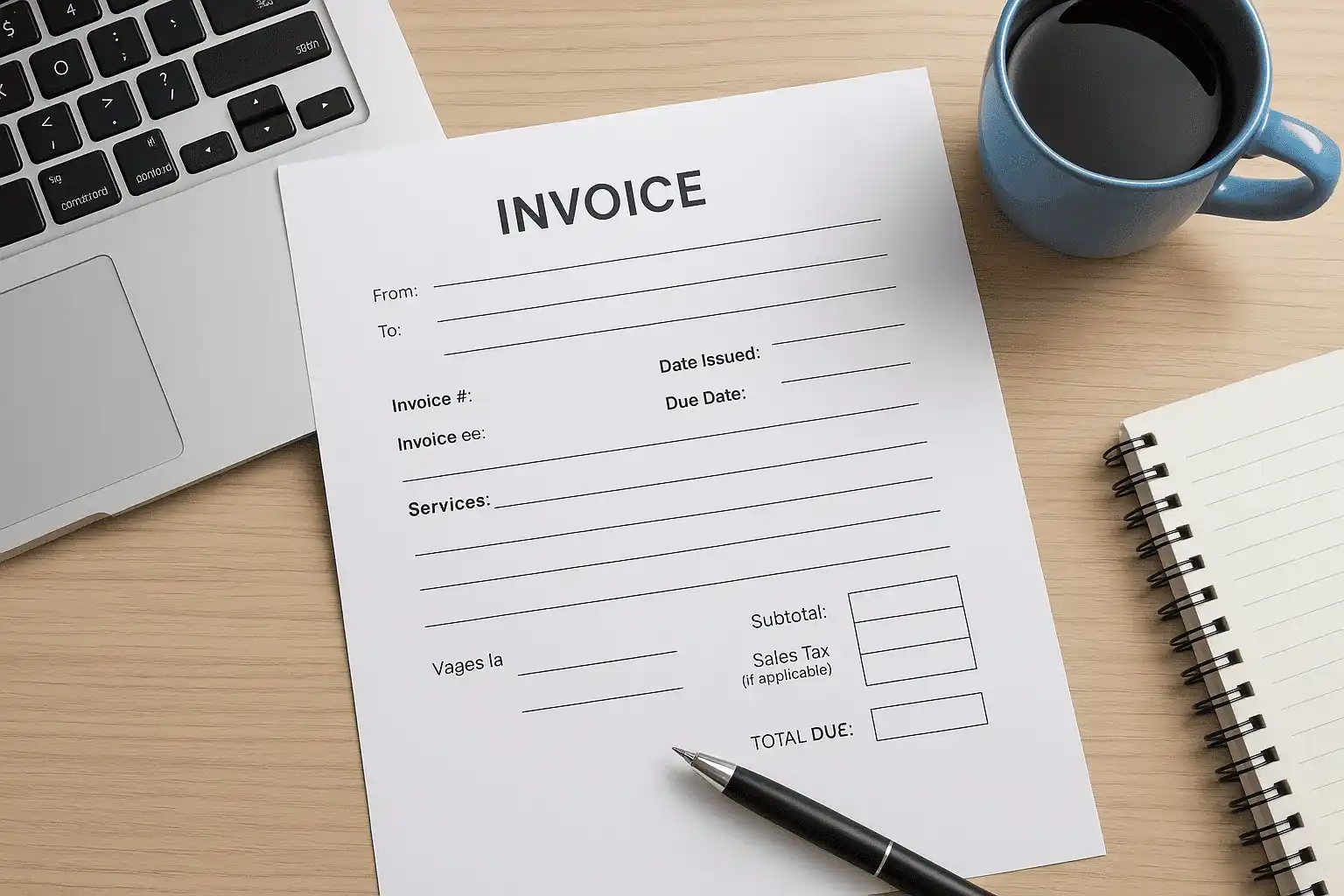
Here's a simple invoice template you can adapt for your own use:
INVOICE

From: [Your Business Name]
       [Your Address or City, State]
       [Your Email]

To:   [Client Name]
      [Client Address]

Invoice #:    INV-2026-001
Date Issued:  [MM/DD/YYYY]
Due Date:     [MM/DD/YYYY]

Services:
- [Description of work]        $[Amount]
- [Description of work]        $[Amount]

Subtotal:                       $[Amount]
Sales Tax (if applicable):      $[Amount]
TOTAL DUE:                      $[Amount]

Payment Methods: [e.g., bank transfer, check, PayPal Business]
Record every payment the moment it arrives
Waiting until the end of the month to log income creates gaps and forces you to reconstruct transactions from memory, which leads to errors. Set a rule for yourself: the same day a payment clears your business account, you log it in your bookkeeping software with the correct income category and the corresponding invoice number.
Reconciling income in real time takes five minutes per transaction. Doing it three months later can take an entire weekend.
You also need to track outstanding invoices separately so you always know who owes you money and how long they've owed it. Most accounting software includes an accounts receivable view for this, but even a simple spreadsheet with columns for client name, invoice number, amount, due date, and status gets the job done when you're just starting out.
Step 3. Track expenses, receipts, and deductions
Expense tracking is where bookkeeping for self employed individuals either saves or costs real money. Every business expense you fail to record is a deduction you hand back to the IRS. That's not a theoretical problem. Self-employed workers routinely overpay taxes simply because they didn't keep the receipt or forgot to log a purchase. The fix is a consistent habit, not a complicated system.
Capture receipts the moment you spend
The most reliable approach is a zero-delay rule: capture the receipt immediately after every purchase, not at the end of the day or week. Most accounting apps include a mobile receipt scanner that attaches the image directly to the transaction in your books. If you're not using one of those yet, email yourself a photo of the receipt with the amount and category in the subject line so nothing falls through the cracks.
A receipt you can't produce during an IRS audit is a deduction you will lose, even if the expense was entirely legitimate.
Physical receipts fade, get lost, and are practically worthless within a year. Store digital copies using a consistent naming system like YYYY-MM-DD_Vendor_Amount so you can retrieve any document in seconds. Keep a dedicated folder in cloud storage organized by month and year, and back it up automatically.
Know which expenses are deductible
Understanding which costs qualify as legitimate business deductions directly reduces your taxable income. The IRS requires that expenses be ordinary, meaning common in your industry, and necessary, meaning helpful for your business. Here are the most common deductions self-employed workers miss or underuse:
- Home office: the portion of your home used exclusively and regularly for business, calculated by square footage
- Mileage: business-related driving logged at the current IRS standard mileage rate (verify the rate at irs.gov before filing)
- Software and subscriptions: tools used directly for your work
- Professional development: courses, books, and training directly tied to your field
- Health insurance premiums: if you pay your own premiums and don't qualify for employer-sponsored coverage
- Phone and internet: the business-use percentage of your monthly bills
Log every deductible expense with a clear business-purpose note at the time you record it. "Client meeting" or "project research" attached to a transaction takes seconds to add and becomes essential evidence if your return is ever reviewed.
Step 4. Reconcile monthly and correct mistakes fast
Monthly reconciliation is the process of matching every transaction in your bookkeeping software against your actual bank and credit card statements to confirm they agree. For bookkeeping for self employed individuals, this single habit catches errors, duplicate entries, and missing transactions before they compound into a much larger problem at tax time. Set a fixed date, such as the first or last Monday of each month, and treat it like any other client commitment.
What monthly reconciliation actually looks like
Reconciliation sounds technical, but the actual process is straightforward once you build the habit. You pull your bank statement for the prior month, then compare it line by line against the transactions recorded in your bookkeeping software. Every deposit and every payment should match. When they don't, you have a discrepancy that needs an explanation before you move forward.
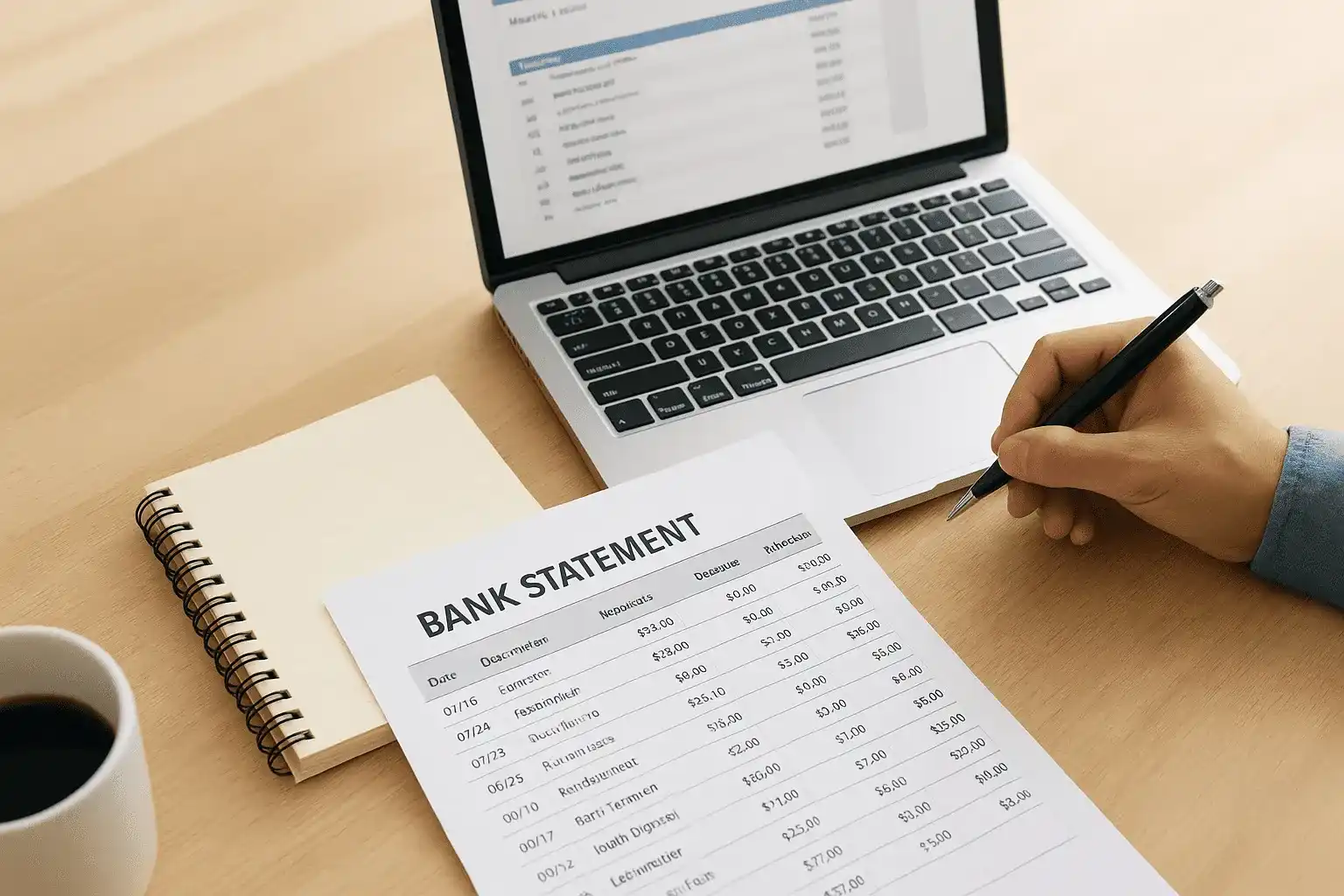
Here's a step-by-step reconciliation checklist you can follow every month:
- Download your bank and credit card statements for the month you're closing
- Open your bookkeeping software and navigate to the reconciliation screen
- Enter the closing balance from your bank statement
- Match each transaction in the software to the corresponding line on your statement
- Investigate any item that appears on one side but not the other
- Mark the reconciliation complete only when the difference shows zero
A reconciliation that closes at zero every month means your books are clean and your tax numbers are reliable year-round.
How to fix errors without breaking your books
When you find a mistake, never delete the original transaction. Instead, create a correcting entry that offsets the error and leaves a clear trail showing what happened and why you changed it. Deleting records creates gaps that look suspicious if the IRS ever reviews your books, and it removes the audit trail that protects you.
Common errors you'll encounter include duplicate transactions imported automatically by your software, bank fees you forgot to categorize, and payments recorded under the wrong income or expense category. Fix each one with a note attached explaining the correction. Most accounting software lets you add a memo field to any transaction, which takes seconds and saves you from having to reconstruct your reasoning months later. Staying consistent with this practice keeps your records accurate and fully defensible if your return ever gets a second look from the IRS.
Step 5. Handle quarterly and year-end tax tasks
When you're self-employed, no employer withholds taxes from your pay, so the IRS requires you to pay estimated taxes four times per year. Missing these payments triggers underpayment penalties even if you settle your full bill by April. Keeping your books current all year, as covered in the earlier steps of bookkeeping for self employed guidance, makes calculating these payments straightforward rather than a stressful guessing game every three months.
Calculate and pay quarterly estimated taxes
The IRS expects quarterly payments if you anticipate owing at least $1,000 in federal taxes for the year after subtracting withholding and credits. As a self-employed individual, you also owe self-employment tax of 15.3% on your net earnings, which covers your Social Security and Medicare contributions. Use IRS Form 1040-ES to calculate each payment based on your projected annual income.
The four payment deadlines fall on these dates each year:
| Payment Period | Due Date |
|---|---|
| January 1 – March 31 | April 15 |
| April 1 – May 31 | June 16 |
| June 1 – August 31 | September 15 |
| September 1 – December 31 | January 15 (following year) |
Missing even one quarterly payment triggers an underpayment penalty that compounds until you file your annual return, so set calendar reminders well in advance of each deadline.
A practical method to avoid shortfalls is the safe harbor rule: pay at least 100% of your prior year's total tax liability spread across the four installments, and the IRS won't charge underpayment penalties regardless of what you owe in April.
Close your books and prepare for year-end filing
The final weeks of December and the first weeks of January are when clean books pay off directly. Your year-end checklist should include reconciling all accounts through December 31, confirming every income source is recorded, and reviewing your expense categories for accuracy before your tax professional touches your numbers.
Work through this checklist each January before your filing deadline:
- Confirm your books reconcile through December 31 with a zero difference
- Collect all 1099-NEC and 1099-K forms from clients and payment platforms
- Review home office, mileage, and equipment deductions for completeness
- Reconcile outstanding invoices and write off any uncollectible amounts
- Export a profit and loss statement covering the full calendar year
- Deliver everything to your tax professional before the February rush
Pick software and know when to get expert help
The right accounting software handles most of the heavy lifting in bookkeeping for self employed work, automating bank feeds, expense categorization, and financial reports you need for quarterly payments and year-end filing. Picking the wrong tool, or using no tool at all, turns a manageable weekly routine into a disorganized backlog that costs you real money when tax season arrives. Before you commit to any platform, match its features to your actual business model rather than defaulting to whatever someone else recommended.
Choose the right accounting software for your situation
Your decision depends on three practical factors: the volume of transactions you handle each month, whether you invoice clients or collect payment at the point of sale, and how comfortable you are navigating basic financial tools. A freelance consultant with a dozen recurring clients has entirely different needs than a solopreneur who sells products, tracks inventory, and ships orders daily.
Here's a feature comparison to guide your evaluation:
| Feature | Basic need | Advanced need |
|---|---|---|
| Bank feed sync | Single checking account | Multiple accounts and credit cards |
| Invoicing | Simple flat-rate invoices | Recurring billing with automatic reminders |
| Expense tracking | Manual entry or receipt scan | Auto-categorization with custom rules |
| Tax reports | Annual profit and loss | Quarterly estimated tax calculations |
| Multi-state support | Not required | Essential for remote or out-of-state clients |
Look for a platform that connects directly to your dedicated business bank account so transactions import automatically without manual entry. Most self-employed tiers from major platforms cost under $20 per month and cover every task described in this guide without requiring an accounting background to operate.
Recognize when DIY bookkeeping stops working
Specific warning signs tell you that managing your books alone is costing more than professional help would. If you've missed quarterly estimated tax payments, received an IRS notice you don't fully understand, or can't pull an accurate profit and loss statement on demand, those aren't minor inconveniences. They're signals that your financial situation has outgrown what software alone can manage.
Bringing in a CPA or Enrolled Agent after a problem surfaces almost always costs more than involving one early enough to prevent it entirely.
The right moment to call a qualified professional is before you file a return you're uncertain about, before you respond to any IRS correspondence, or when your income sources grow complex enough that you genuinely don't know what you owe. A qualified CPA or Enrolled Agent pays for themselves in deductions recovered and penalties avoided well before the engagement ends, and they represent you directly if the IRS ever pushes back on your return.
Keep it simple and stay compliant
Solid bookkeeping for self employed work comes down to three repeatable habits: record transactions immediately, reconcile every month, and file and pay on time. You don't need a complex system to stay compliant. You need a consistent weekly routine that takes 30 minutes and the discipline to keep it going when business picks up and other tasks compete for your attention.
When your finances grow more complicated, or the IRS sends you a notice you don't fully understand, that's not the time to guess your way through it. Tax Experts of OC has CPAs and Enrolled Agents who help self-employed clients clean up disorganized books, recover missed deductions, and resolve IRS issues before they escalate. If you want to start with a clear picture of where you stand, schedule a free 30-minute consultation today. Getting professional support early costs far less than fixing a tax problem after it has already grown.